
UNSOLVED
Inspiron 3670, no HDMI recognized during reset
I have an older Dell that I wish to reset to factory settings and everything went well during the long process. My older dell has 4 HDMI ports on the back and 2 on the front. During the reset process it gets to 64% and shows a message that there is no HDMI. I unplug the computer along with the monitor and keyboard and let it set for over a hour but still get the message. If someone has a fix I'd be happy to hear it.
(edited)
0
0
Posted June 16th, 2026 17:29
0
0
Posted June 16th, 2026 19:34
Press F12 as it boots up, run the ePSA Diagnostics (outside of Windows).
Get 100% good or see what it says.
Those 6 ports you describe sound like USB-Ports (like for mouse and keyboard).
The video ports (like HDMI) are different and on the back.
(edited)
Dell Rockstar
Microsoft Windows and Apple iOS Developer (Retired)
- Like many of you, I can appreciate a good game-engine.
- I answer questions here, but I'm not a Dell employee.
- Consider giving posts you like a "thumbs-up"
- Posting models-numbers and software versions speeds trouble-shooting.
- Click "Mark as Accepted Answer" on any post that answers your question best.
0
0
Posted June 16th, 2026 19:54
Is your monitor plugged into the top HDMI out under the pink port?
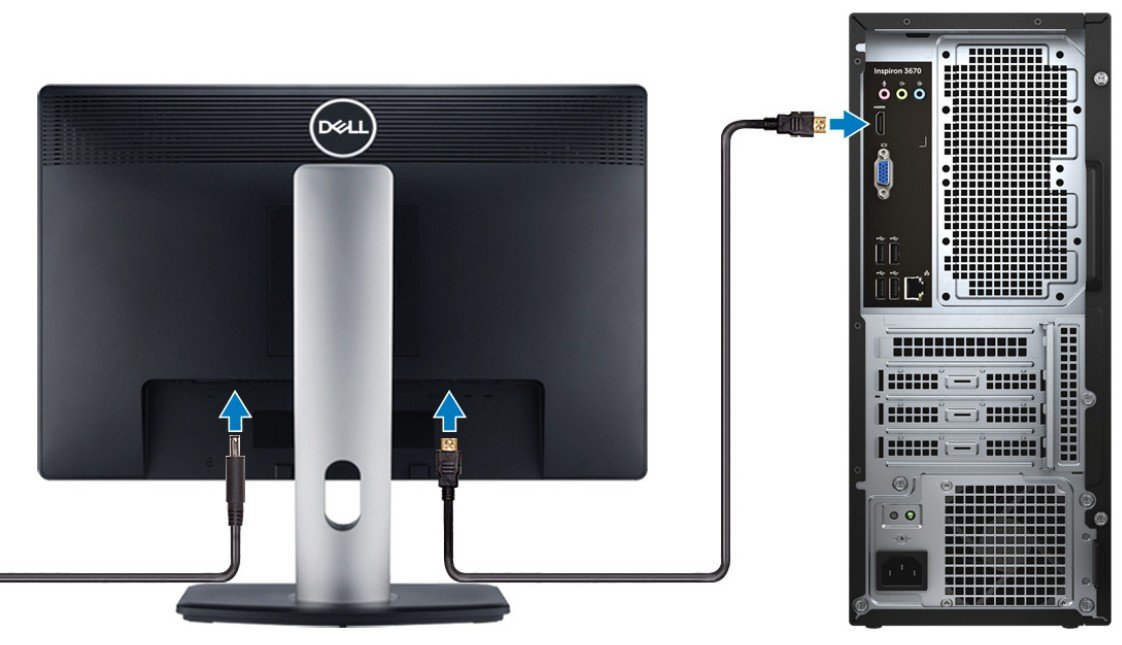
If not, then you must have an added video card here =
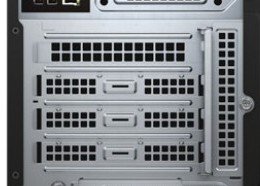
(edited)
#IWork4Dell

0
0
Posted June 17th, 2026 02:45
Don't forget about replacing the size 2032 CMOS battery. Bad batteries affect BIOS and therefore PC operation and cause all sorts of bizarre problems. Not being able to finish loading OS is just one of them. My Precision 3620 stopped at 1% with a bad battery.


DELL-ChrisM2
Community Manager
•
1957 Posts
•
9863 Points
0
0
Posted June 16th, 2026 16:50
First, what specific model of Inspiron Desktop?
#IWork4Dell
