Laptop Protection Bags

Discover the ultimate solution for safeguarding your valuable tech with our diverse selection of laptop protection bags. Designed to cater to every style and need, these bags blend functionality with aesthetics, ensuring your laptop stays secure and stylish on the go. Whether you're commuting to work or traveling across the globe, our collection offers a range of options that provide peace of mind and convenience. Explore the perfect companion for your digital lifestyle, where durability meets design in each of our expertly crafted laptop protection bags.

Filters

$25.99

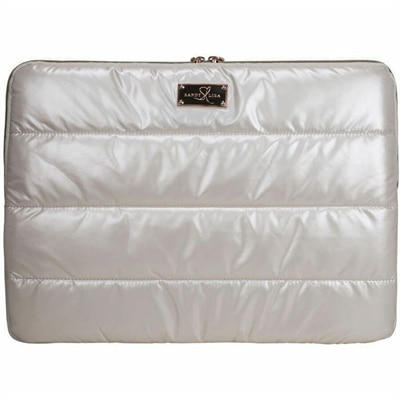
A puffy white chrome laptop sleeve with a buttery-soft interior that helps protect against scratches.
$25.99
$31.99

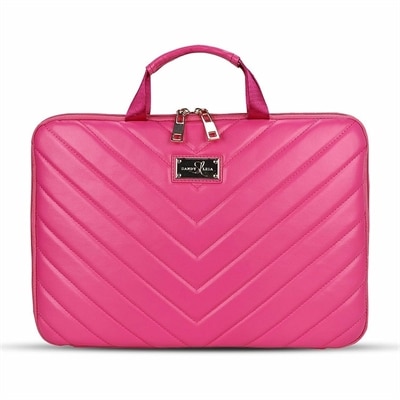
A vibrant pink chevron laptop sleeve with convenient handles, offering fashionable, functional protection for everyday use.

$31.99
$62.99

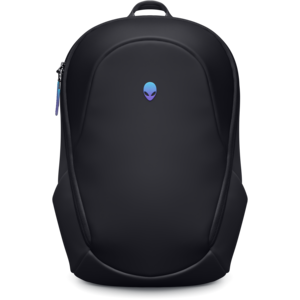
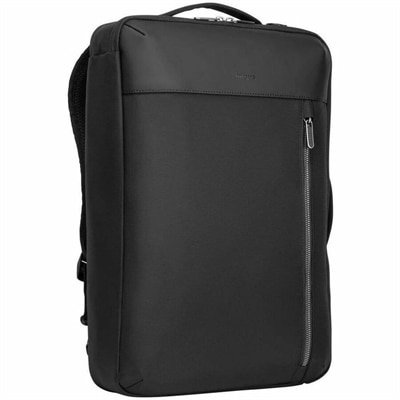
A versatile black convertible backpack with laptop protection, multiple carrying options, padded comfort, and organized storage.

$62.99
$59.99

A sustainable, lightweight protective case offering custom-fit coverage and exceptional usability for detachable laptops.

$59.99
$69.99

A durable gaming backpack designed to organize and protect devices and accessories for everyday adventures.

$69.99
$79.99

A sustainable briefcase offering protective laptop storage and smart organization for business travel.

$79.99
$24.99

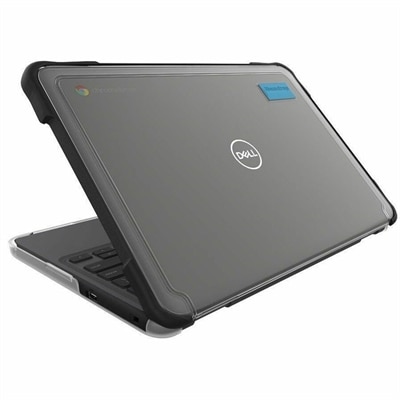
A lightweight, transparent Chromebook case with rubberized bumpers, full coverage, and two-foot drop protection.

$24.99

Laptop Protection Bags

Laptop protection bags provide a dedicated place for a computer while helping cushion everyday bumps, limit surface scratches, and keep work essentials together. Their protective value comes from a combination of fit, padding, construction, and the way the bag is carried. A slim laptop sleeve adds a soft barrier inside a backpack or tote, while a structured briefcase or laptop backpack offers a separate compartment along with room for chargers, notebooks, and accessories. Some designs have reinforced panels or firmer shells that help maintain their shape around the device, although no everyday carrying bag makes a laptop immune to drops or heavy pressure. Padding around the base and corners is especially useful when a bag is set beside a desk, placed under an airplane seat, or carried through a crowded hallway. A suspended laptop compartment can also create space between the computer and the bottom of the bag, reducing direct contact when the bag touches the floor. Fit matters as much as thickness: a computer should sit securely without excessive movement, but the compartment should not squeeze its edges or strain the zipper. Laptop size labels generally refer to screen measurements, so the device’s actual width, depth, and thickness need to work with the compartment’s interior dimensions. A protective cover already attached to the computer can change that fit, as can a thicker chassis or an extended hinge. Soft lining helps reduce rubbing against the finish, while a fabric barrier behind the zipper can keep hardware from brushing the laptop during packing. For someone moving between a kitchen table and a nearby workspace, lightweight padding may be enough for ordinary handling. A daily commuter navigating stairs, crowded trains, and multiple transfers may appreciate a more structured bag with reinforced corners and a secure closure. The most useful laptop protection bag balances those demands without adding unnecessary bulk to every trip. A sleeve carried inside another bag also needs enough surrounding space to avoid being compressed by books, shoes, or tightly packed clothing.

Materials influence how a laptop bag feels in the hand, how much it weighs when empty, and how well it handles regular travel. Nylon and polyester are common choices for lightweight construction, and tightly woven fabrics can help resist everyday abrasion. Performance still depends on the weave, backing, seams, and overall design rather than the fiber name alone. Canvas offers a more substantial feel, while leather adds a distinctive finish that may develop visible character with use and requires material-specific care. Neoprene sleeves provide a flexible, close-fitting layer, though flexibility alone does not indicate how much impact cushioning a sleeve provides. Water-resistant fabric can help with brief exposure to light rain or small splashes, but openings, seams, and zippers remain possible entry points unless the complete bag is specifically designed and rated for greater water protection. During a wet walk from the parking lot, a covered zipper and an overlapping flap can provide useful extra coverage. Inside, thoughtful separation keeps a power adapter or mouse from pressing against the laptop lid. Small pockets make it easier to find a charging cable without emptying the main compartment, and a separate document section helps keep paper from folding around bulky accessories. A water bottle pocket outside the laptop compartment can reduce close contact between liquids and electronics, although a securely closed bottle is still important. Comfort becomes more noticeable as walking distances grow. Wide, adjustable shoulder straps, a padded back panel, and well-positioned handles can make a loaded bag easier to manage. A crossbody strap leaves hands free for a transit pass or coffee, while two backpack straps can distribute the load across both shoulders. For airport connections, train rides, and overnight trips, Travel Laptop Bags can combine a dedicated computer compartment with space for workday essentials. A luggage pass-through can help stabilize the bag on a rolling suitcase, and a relatively slim profile makes movement through narrow aisles less awkward. Extra pockets are most useful when they match the accessories actually carried rather than encouraging a heavier load.

Long-term durability often shows in small construction details: even stitching, securely anchored handles, reinforced strap attachment points, and zippers that move smoothly without pulling the surrounding fabric out of shape. The bottom panel deserves particular attention because it repeatedly meets floors, benches, and the space beneath a desk. Abrasion-resistant reinforcement in that area can help the exterior tolerate routine contact, while enough structure keeps the bag from collapsing around its contents. Daily habits matter, too. A laptop compartment is best reserved for the computer rather than shared with keys, loose connectors, or a heavy charger. Overfilled pockets can push inward against the device, and an overstuffed main compartment can place unnecessary tension on seams and closures. A padded bag is intended for transport, not for operating a computer inside an enclosed space where airflow may be restricted. Before packing, shutting down or properly sleeping the laptop according to its manufacturer’s guidance helps prepare it for the trip. For routine care, crumbs and grit can be gently removed from an empty compartment, and minor exterior marks may respond to a soft cloth and a material-appropriate cleaner. Care labels take priority, especially for leather, coated fabrics, and bags with molded panels; machine washing or soaking can damage padding, finishes, or internal structure. A damp bag should dry fully away from direct heat before electronics go back inside. These practical details make laptop protection bags useful for college students carrying a computer between classes, professionals splitting time between home and an office, and travelers who need their essentials organized through several stops. They can also make thoughtful gifts for a graduate, a new employee, or someone beginning a more mobile routine, particularly when the recipient’s laptop dimensions and preferred carrying style are known. A comfortable handle, an easy-to-reach cable pocket, and padding where the computer needs it can become more valuable over months of use than a long list of compartments. The right balance supports everyday movement while keeping the laptop separate, secure, and easy to retrieve.

FAQs:

Add the products you would like to compare, and quickly determine which is best for your needs.

Add the products you would like to compare, and quickly determine which is best for your needs.