How to Rebuild the Policy Proxy and Message Broker for Dell Data Security Server
Summary: Policy Proxy and Message Broker services for Dell Data Security or Dell Data Protection servers may be rebuilt using these instructions.
This article applies to
This article does not apply to
This article is not tied to any specific product.
Not all product versions are identified in this article.
Symptoms
The Dell Data Security (formerly Dell Data Protection) server may need the Policy Proxy or Message Broker service to be rebuilt for:
- Troubleshooting
- Policy communication
- Inventory flow
Affected Products:
- Dell Security Management Server
- Dell Data Protection | Enterprise Edition Server
- Dell Security Management Server Virtual
- Dell Data Protection | Virtual Edition Server
Affected Versions:
- v8.0 and later
Affected Operating Systems:
- Windows
- Linux
Cause
Not applicable
Resolution
The rebuild process varies between Dell Data Security server products:
- Dell Data Security Management Server (formerly Dell Data Protection | Enterprise Edition Server)
- Dell Data Security Management Server Virtual (formerly Dell Data Protection | Virtual Edition Server)
Click either Dell Security Management Server or Dell Security Management Server Virtual for more information.
Dell Data Security Management Server
Click either Policy Proxy or Message Broker for steps on the rebuild process.
- Log in to the Dell Security Management Server.
- Stop the [PRODUCT] Policy Proxy service.
Note:
- [PRODUCT]=
- v8.15 and later = Dell
- v8.14.1 and earlier = Dell Data Protection
- For more information, reference How to Stop and Start Services in Dell Security Management Server.
- Go to
[DRIVE]\ProgramData\Dell\GateKeeper\.
Note: [DRIVE] = Drive installed with Dell Security Management Server
- Right-click the
Queuefolder and then select Rename. - Rename the
Queuefolder toQueue.old.
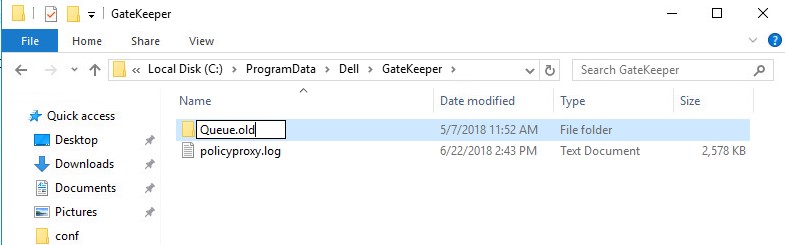
Warning: Do not delete the original
Queue folder.
- Right-click the Windows start menu and then click Run.
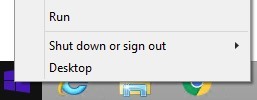
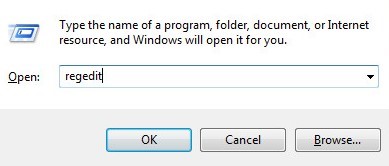
- In the Run UI, type
regeditand then press CTRL+SHIFT+ENTER. This runs the Registry Editor as admin.
Caution:
- If done incorrectly, modifying the Windows Registry can lead to data loss or operating system corruption. Dell Technologies recommends that you back up data before proceeding with any Windows Registry edit. It is also recommended that a full backup of the Windows Registry is made before starting the edit. See How to Modify the Windows Registry
for additional information.
- Contact Dell Data Security International Support Phone Numbers for assistance if you have concerns about performing this step.
- In the Registry Editor, go to
HKEY_LOCAL_MACHINE\Software\WOW6432Node\Dell\GateKeeper. - Double-click
GGCID. - Delete the Value data and then press OK.
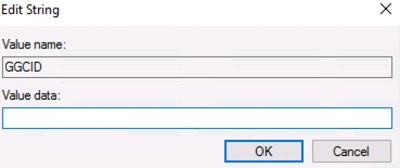
- Double-click
GKID. - Delete the Value data and then press OK.
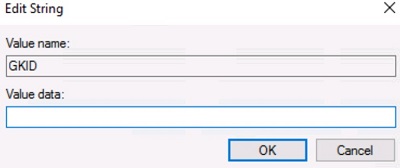
- Double-click
SlotId. - Delete the Value data and then press OK.
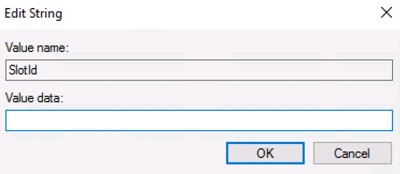
- Click File and then select Exit.
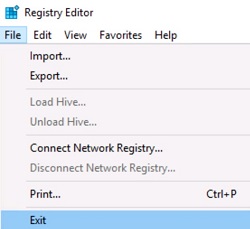
- Start the [PRODUCT] Policy Proxy service.
Note:
- The Policy Proxy queue folder,
GGCID,GKID, andSlotIdwill be re-created after service restart. - For more information, reference How to Stop and Start Services in Dell Security Management Server.
- Log in to the Dell Security Management Server.
- Stop all [PRODUCT] services.
Note:
- [PRODUCT]=
- v8.15 and later = Dell
- v8.14.1 and earlier = Dell Data Protection
- For more information, reference How to Stop and Start Services in Dell Security Management Server.
- Go to
[DRIVE]:\Program Files\Dell\Enterprise Edition\Message Broker\.
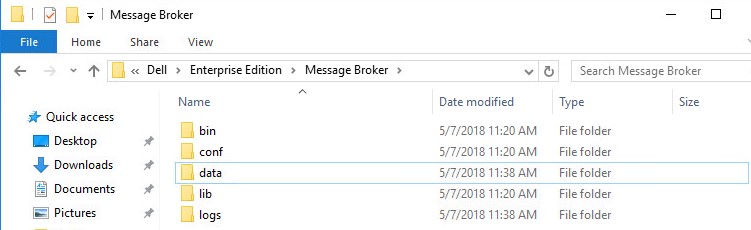
Note: [DRIVE] = Drive installed with Dell Security Management Server
- Right-click the
Datafolder and then select Rename. - Rename the
Datafolder todata.old.
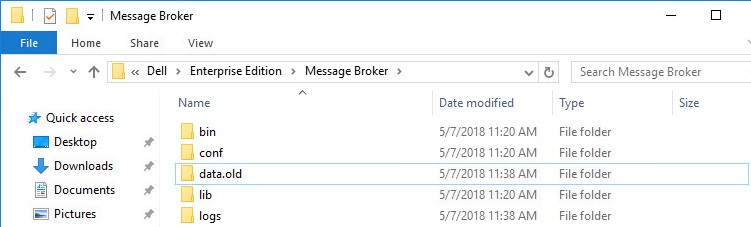
Warning: Do not delete the original
Data folder.
- Start the [PRODUCT] services.
Note:
- The Message Broker Data folder is re-created within 5 minutes of restarting the services.
- For more information, reference How to Stop and Start Services in Dell Security Management Server.
Dell Data Security Management Server Virtual
The instructions differ between v9.11.0 and Later and v9.10.1 and Earlier. Click the appropriate product version for steps on the rebuild process. For versioning information, reference How to Identify the Dell Data Security / Dell Data Protection Server Version.
v9.11.0 and Later
Click either Policy Proxy, Force a Clean Activation of Policy Proxy, or Message Broker for steps on the rebuild process.
- Log in to the Dell Enterprise Server Virtual administration console.

Note:
- The default credentials for Dell Security Management Server Virtual are:
- Username:
delluser - Password:
delluser
- Username:
- An administrator can change the default password within the product’s virtual appliance menu.
- Stop Dell Security Management Server Virtual services.
Note: For more information, reference How to Stop and Start Services in Dell Security Management Server Virtual.
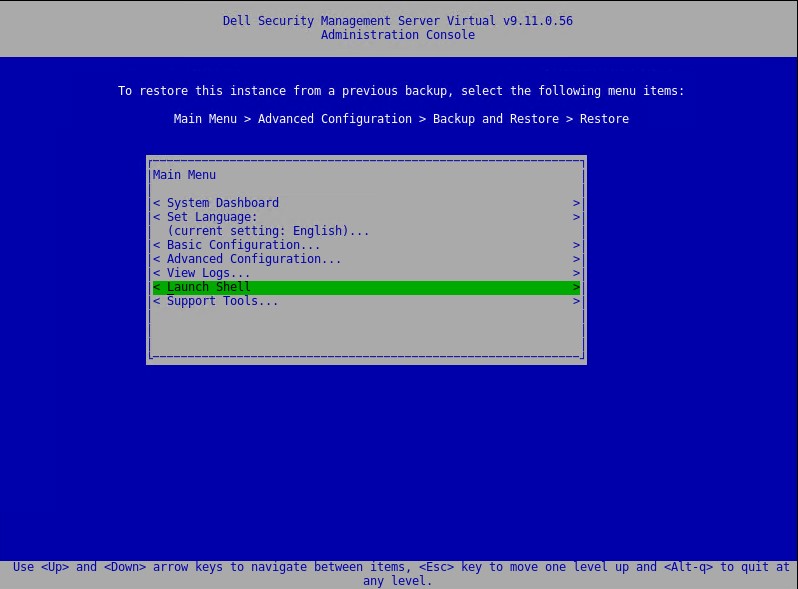
- From the main menu, select Launch Shell and then press Enter.
- Type
su dellsupportand then press Enter.

- Enter the Password for
dellsupportand then press Enter. - Type
sudo rm -R /home/delluser/.wine/drive_c/users/Public/Application\ Data/Dell/GateKeeper/Queue/and then press Enter.

- Type
exitand press Enter twice to return to the main menu.

- Start Dell Security Management Server Virtual services.
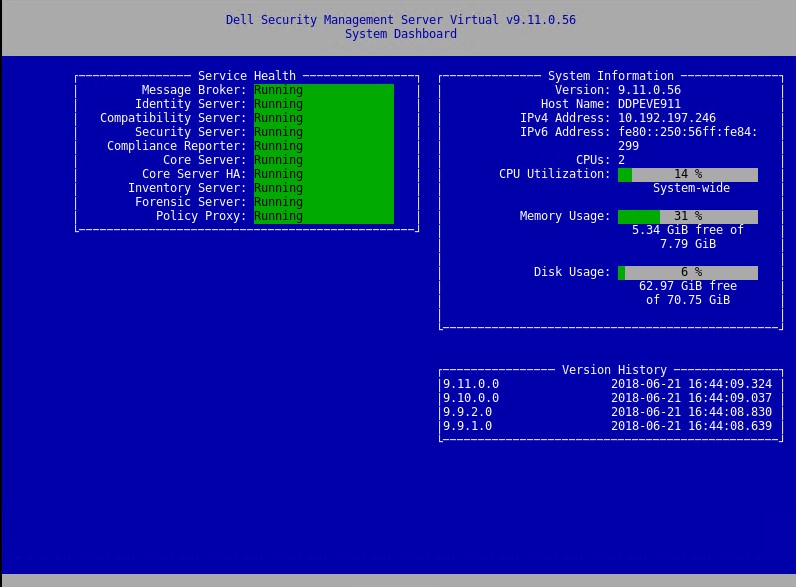
Note: After restoring a backup to a newly deployed Dell Security Management Server Virtual, you may need to clear some values. Follow these steps below to ensure that the Policy Proxy activates against the restored database.
- From the administration console, go to Basic Configuration, then Stop Application, and then press Enter.
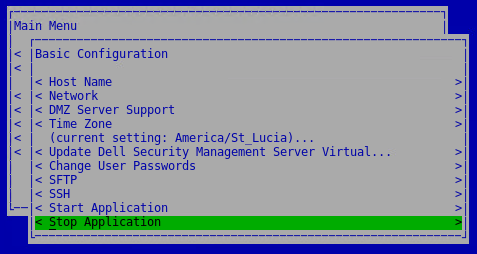
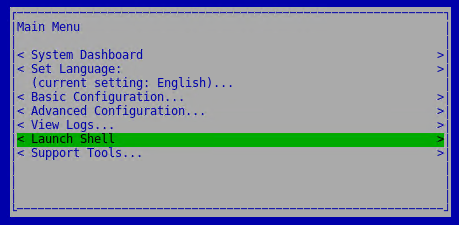
- Press ESC to return to the main menu, then arrow down to Launch Shell and then press Enter.
- Switch to the
dellsupportuser by typingsu dellsupportand then press Enter.

Note: The default password is
dellsupport.
- Create a backup of the system.reg file by typing
sudo cp /home/delluser/.wine/system.reg /home/delluser/.wine/system.reg.bckand then press Enter.

- Clear the value for
GGCIDin the system.reg file by typingsudo sed -i 's/^"GGCID"="[^~"]*"$/"GGCID"=""/g' /home/delluser/.wine/system.regand then press Enter.

- Clear the value for
GKIDin the system.reg file by typingsudo sed -i 's/^"GKID"="[^~"]*"$/"GKID"=""/g' /home/delluser/.wine/system.regand then press Enter.

- Switch back to the administration console by typing
su delluserand then press Enter.
Note: The default password is
delluser.
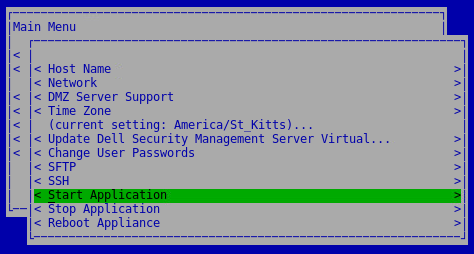
- Start services by going to Basic Configuration, then Start Application and then press Enter.
- Log in to the Dell Enterprise Server Virtual administration console.

Note:
- The default credentials for Dell Security Management Server Virtual are:
- Username:
delluser - Password:
delluser
- Username:
- An administrator can change the default password within the product’s virtual appliance menu.
- Stop Dell Security Management Server Virtual services.
Note: For more information, reference How to Stop and Start Services in Dell Security Management Server Virtual.
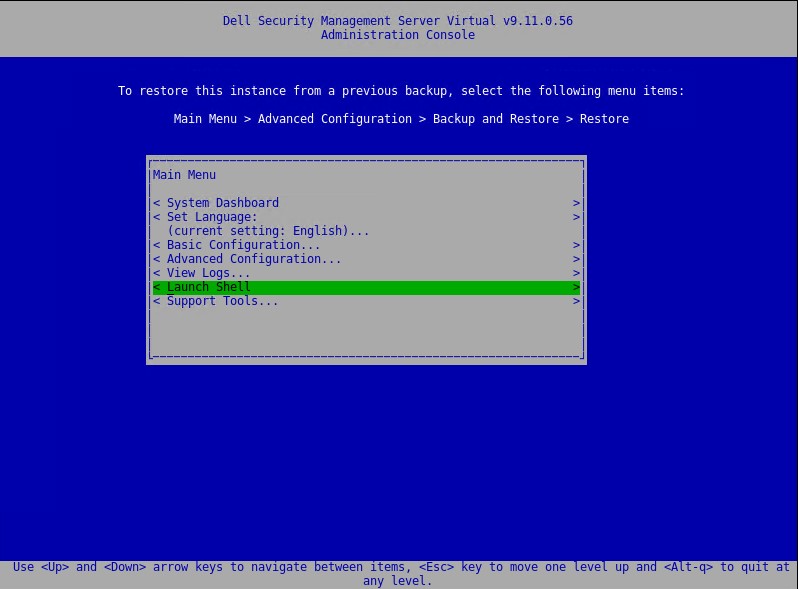
- From the main menu, select Launch Shell and then press Enter.
- Type
su dellsupportand then press Enter.

- Enter the Password for
dellsupportand then press Enter. - Type
sudo rm -R /opt/dell/server/message-broker/dataand then press Enter.

- Type
exitand press Enter twice to return to the main menu - Start Dell Security Management Server Virtual services.
v9.10.1 and Earlier
Click either Policy Proxy or Message Broker for steps on the rebuild process.
- Log in to the Dell Enterprise Server Virtual administration console.

Note:
- The default credentials for Dell Security Management Server Virtual are:
- Username:
ddpuser - Password:
ddpuser
- Username:
- An administrator can change the default password within the product’s virtual appliance menu.
- Stop Dell Security Management Server Virtual services.
Note: For more information, reference How to Stop and Start Services in Dell Security Management Server Virtual.
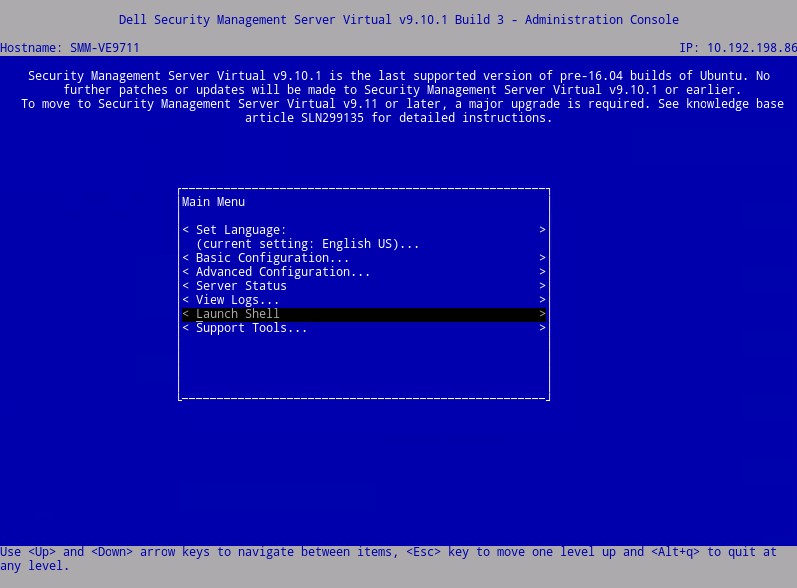
- From the main menu, select Launch Shell and then press Enter.
- Type
su ddpsupportand then press Enter.

- Enter the Password for
ddpsupportand then press Enter. - Type
sudo rm -R /home/ddpuser/.wine/drive_c/users/Public/Application\ Data/Dell/GateKeeper/Queue/and then press Enter.

- Type
exitand press Enter twice to return to the main menu.

- Start Dell Security Management Server Virtual services.
Note: For more information, reference How to Stop and Start Services in Dell Security Management Server Virtual.
- Log in to the Dell Enterprise Server Virtual administration console.

Note:
- The default credentials for Dell Security Management Server Virtual are:
- Username:
ddpuser - Password:
ddpuser
- Username:
- An administrator can change the default password within the product’s virtual appliance menu.
- Stop Dell Security Management Server Virtual services.
Note: For more information, reference How to Stop and Start Services in Dell Security Management Server Virtual.
- From the main menu, select Launch Shell and then press Enter.
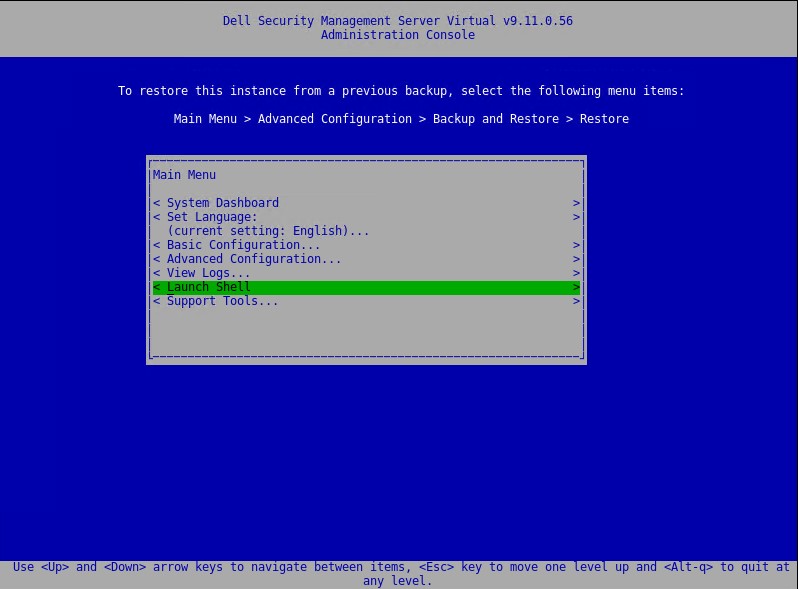
- Type
su ddpsupportand press Enter.

- Enter the Password for
ddpsupportand then press Enter. - Type
sudo rm -R /opt/dell/server/message-broker/dataand then press Enter.

- Type
exitand press Enter twice to return to the main menu

- Start Dell Security Management Server Virtual services.
Note: For more information, reference How to Stop and Start Services in Dell Security Management Server Virtual.
To contact support, reference Dell Data Security International Support Phone Numbers.
Go to TechDirect to generate a technical support request online.
For additional insights and resources, join the Dell Security Community Forum.
Additional Information
Videos
Affected Products
Dell EncryptionArticle Properties
Article Number: 000156377
Article Type: Solution
Last Modified: 24 Oct 2023
Version: 15
Find answers to your questions from other Dell users
Support Services
Check if your device is covered by Support Services.