Avamar: Deployment KB: Invalid Package Application Parameter while logging into Avamar Installation Manager
Résumé: Logging in to the Avamar Installation Manager fails reporting "Invalid Package Applicable parameter" when the correct password is used.
Cet article concerne
Cet article ne concerne pas
Cet article n’est associé à aucun produit spécifique.
Toutes les versions du produit ne sont pas identifiées dans cet article.
Symptômes
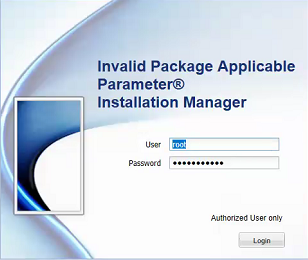
Logging in to the Avamar Installation Manager fails reporting "Invalid Package Applicable parameter" when the correct password is used:
Cause
The exact cause is unknown, but a workaround is provided in the resolution section below.
Résolution
1. Using PuTTY, establish an SSH session to the Avamar Utility Node.
2. Log in as admin.
3. Run the following command to restart the avinstaller service:
avinstaller.pl --restart
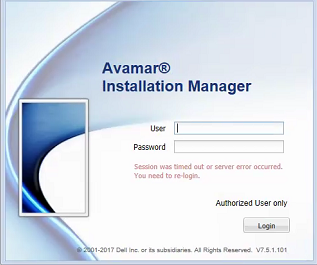
4. Once the service has restated, refresh the web browser:
Produits concernés
AvamarProduits
AvamarPropriétés de l’article
Numéro d’article: 000048112
Type d’article: Solution
Dernière modification: 20 Aug 2026
Version: 5
Trouvez des réponses à vos questions auprès d’autres utilisateurs Dell
Services de support
Vérifiez si votre appareil est couvert par les services de support.