PowerFlex 3.X: Update Service Details does not change OS credentials
Summary: Credentials are not updated when "Update Service Details" is run.
This article applies to
This article does not apply to
This article is not tied to any specific product.
Not all product versions are identified in this article.
Symptoms
PowerFlex Manager 3.6 and earlier:
- Creation of new credential with updated user/password
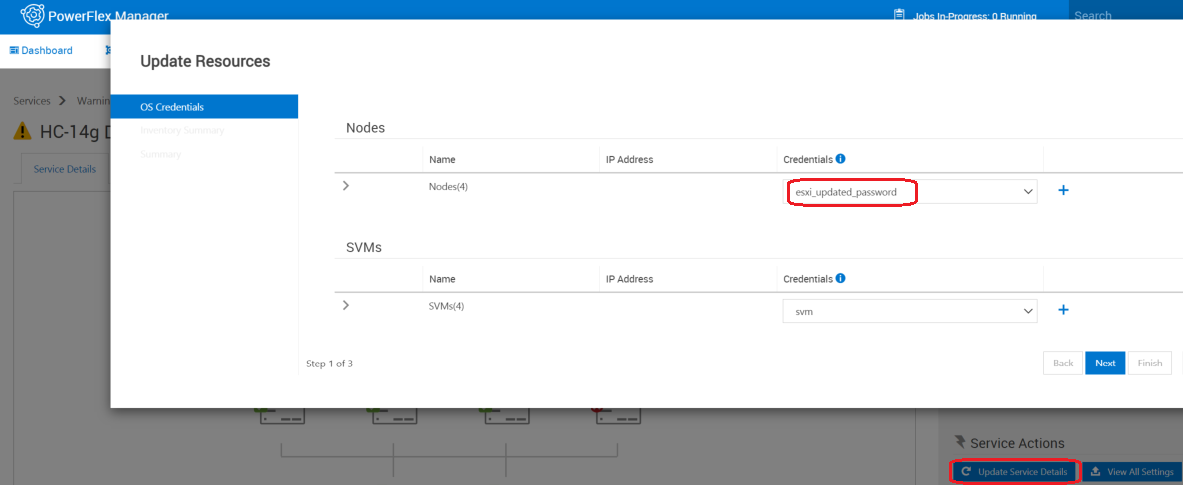
- Service is updated by selecting "Update Service Details" and change to the new credentials
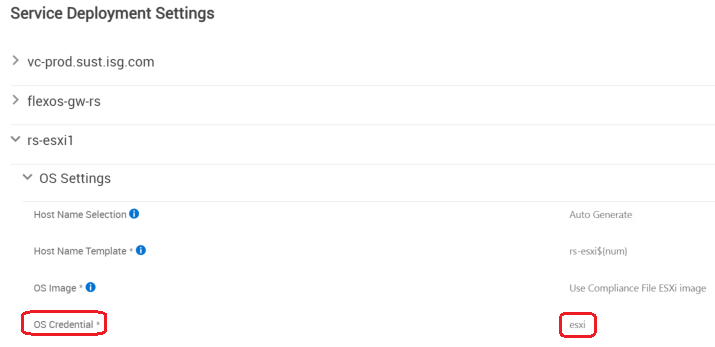
- Select "View All Settings", OS credentials are still using the original credentials.
- Add new credentials in Settings -> Credential Management
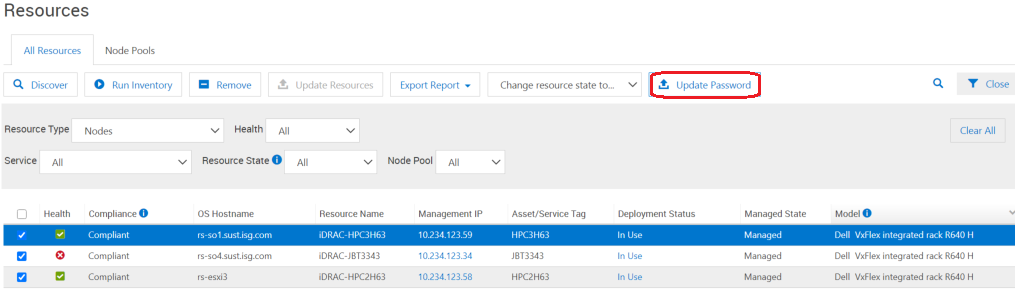
- Go to Resources Pane, check box next to hosts to update, select "Update Password"
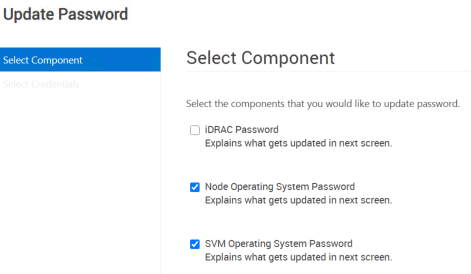
- Select Node and SVM Operating System check boxes and click Next
- Select new credentials, and select Finish
Impact
- SVM password updates successfully
- OS password may not update on all hosts
Cause
Software issue.
Resolution
Option 1: if there's a change to existing credentials
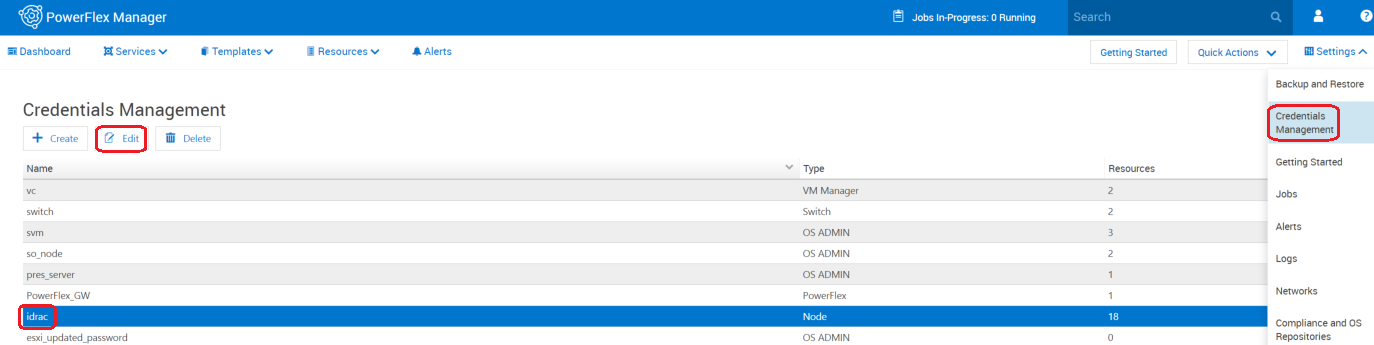
- Edit the password field with the updated password in Credential Manager.
- Settings > Credential Management > edit

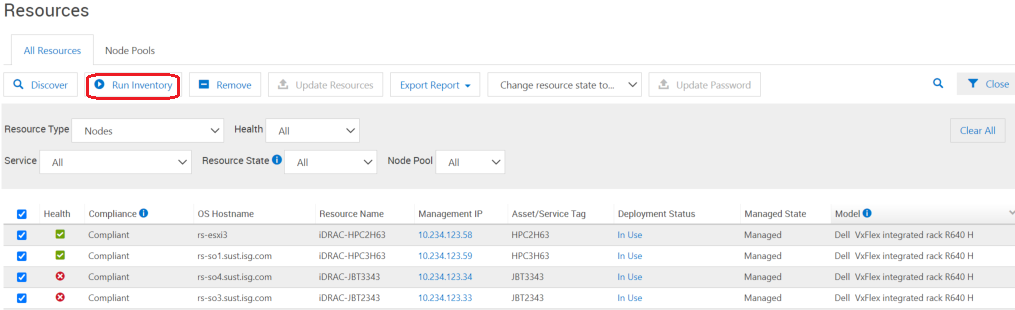
- In the Resource pane, click "Run "Inventory" to ensure that the new credential is working.
Option 2: If new credential is being created
- Change the password manually on components outside of PowerFlex Manager.
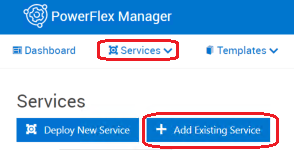
- In PowerFlex Manager, go to Services > click on name of your service > click "remove service" > Service removal type = Remove Service > Leave nodes in Managed mode > Remove.
- Create new credential in Credential Manager:
- Settings > Credential Management > Create
- Go to Services > Add Existing Service to add Service back in (use newly created credential)
Fixed in version:
PowerFlex Manager release 3.7
Affected Products
PowerFlex SoftwareArticle Properties
Article Number: 000184515
Article Type: Solution
Last Modified: 20 Aug 2026
Version: 10
Find answers to your questions from other Dell users
Support Services
Check if your device is covered by Support Services.