AppSync: While upgrading AppSync to version 4.2.0.0 or 4.3.0.0 a pop-up error is received stating: Unable to stop "EMC AppSync server Service"
Summary: Pop-up error stating: Unable to stop "EMC AppSync server Service" is received while performing upgrades.
This article applies to
This article does not apply to
This article is not tied to any specific product.
Not all product versions are identified in this article.
Symptoms
While upgrading AppSync from version 4.1.0.0 or 4.1.0.1 to 4.2.0.0/4.3.0.0 or upgrading from version 4.2.0.0 or 4.2.0.1 to 4.3.0.0 the below pop-up error is received:
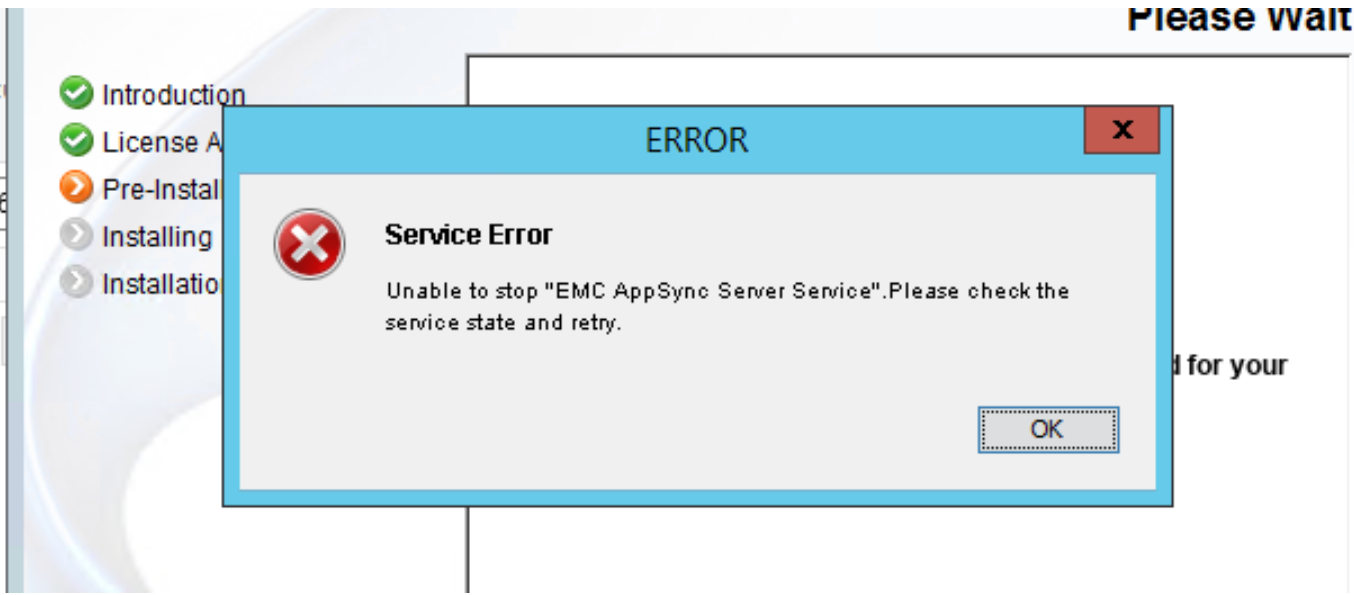
The pop-up states:
Error specification:
The AppSync server service is taking a longer time to respond(stop), due to which above pop-up occur.
The pop-up states:
Unable to stop "EMC AppSync Service". Please check the service state and retry.
Error specification:
The AppSync server service is taking a longer time to respond(stop), due to which above pop-up occur.
Cause
Support Assist being added to AppSync can trigger this issue.
Support Assist is formally known as the ESRS (EMC Secure Remote Support) Gateway.
Support Assist is formally known as the ESRS (EMC Secure Remote Support) Gateway.
Resolution
Workaround:
Regardless of versions, removing Support Assist from the AppSync GUI in " Settings -> Dell EMC SupportAssist " and then exiting and re-entering the AppSync GUI to verify it is removed, will workaround this issue.
The Dell EMC SupportAssist can be re-added following a successful upgrade if desired.
Resolution:
If upgrading from AppSync 4.2.0.0 or 4.2.0.1, a hotfix exists for AppSync 4.2.0.0 and 4.2.0.1.
Refer to this article when calling in a service request.
If upgrading from AppSync 4.1.0.0 or 4.1.0.1, refer to this article when calling in a service request.
Regardless of versions, removing Support Assist from the AppSync GUI in " Settings -> Dell EMC SupportAssist " and then exiting and re-entering the AppSync GUI to verify it is removed, will workaround this issue.
The Dell EMC SupportAssist can be re-added following a successful upgrade if desired.
Resolution:
If upgrading from AppSync 4.2.0.0 or 4.2.0.1, a hotfix exists for AppSync 4.2.0.0 and 4.2.0.1.
Refer to this article when calling in a service request.
Note: This hotfix can be applied on AppSync version 4.2.0.0 or 4.2.0.1 so apply the hotfix on AppSync version 4.2.0.0/4.2.0.1 first and then upgrade to AppSync version 4.3.0.0.
If upgrading from AppSync 4.1.0.0 or 4.1.0.1, refer to this article when calling in a service request.
Affected Products
AppSyncArticle Properties
Article Number: 000189601
Article Type: Solution
Last Modified: 11 May 2026
Version: 7
Find answers to your questions from other Dell users
Support Services
Check if your device is covered by Support Services.