IDPA : Le tableau de bord ACM peut afficher le mot de passe racine de Hypervisor Manager désynchronisé si le référentiel d’identité par défaut de vCenter a changé
Résumé: Cet article décrit les erreurs de mot de passe ACM « out-of-sync » causées par les modifications apportées au référentiel d’identité par défaut dans vCenter (Hypervisor Manager).
Cet article concerne
Cet article ne concerne pas
Cet article n’est associé à aucun produit spécifique.
Toutes les versions du produit ne sont pas identifiées dans cet article.
Symptômes
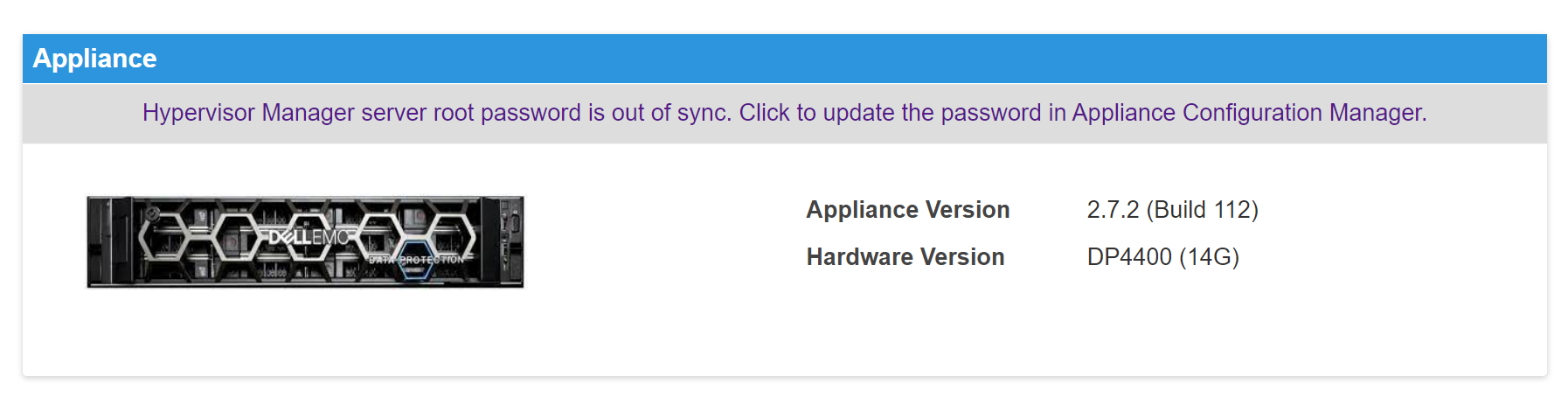
Le tableau de bord ACM peut afficher un avertissement indiquant « Hypervisor Manager server root password id out of sync » (ID de mot de passe racine du serveur Hypervisor Manager désynchronisé) dans le panneau de virtualisation.
Cause
Le système d’exploitation local a été désactivé en tant que référentiel d’identité par défaut dans le vCenter IDPA, ce qui empêche l’ACM d’établir la connexion à ce composant en tant qu’utilisateur root. Par conséquent, les utilisateurs qui tentent de se connecter au vCenter IDPA via l’interface utilisateur doivent spécifier le nom d’utilisateur complet (root@localos).
Résolution
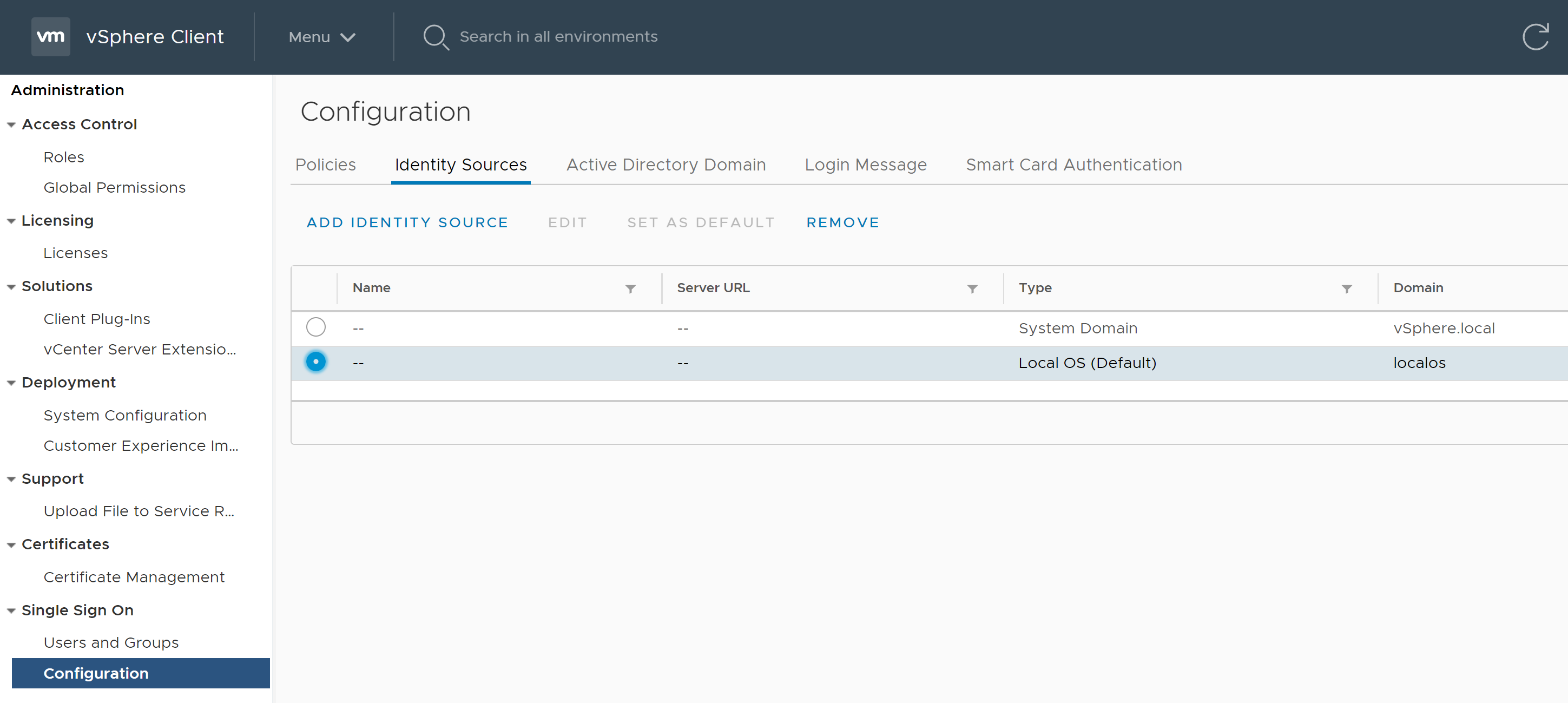
Définissez « localos » comme référentiel d’identité par défaut dans vCenter.
- Ouvrez l’interface utilisateur vCenter dans le navigateur (https://:443)
- Connectez-vous en tant qu’utilisateur « administrator@vsphere.local »
- Accédez à « Administration » -> « Authentification unique » -> « Configuration » -> « Référentiels d’identité »
- Sélectionnez le domaine « Local OS » et choisissez « Set as Default » (Définir comme système d’exploitation local par défaut).
Produits concernés
PowerProtect Data Protection Appliance, PowerProtect Data Protection SoftwarePropriétés de l’article
Numéro d’article: 000210353
Type d’article: Solution
Dernière modification: 16 May 2026
Version: 5
Trouvez des réponses à vos questions auprès d’autres utilisateurs Dell
Services de support
Vérifiez si votre appareil est couvert par les services de support.