Avamar NetWorker or PPDM WC IDRAC 9 boot disk order issue disk 0 and disk 1 BMR failing
Summary: The customer is using an A:\ drive USB to load disk drivers or the ISO for Avamar, NetWorker, or PowerProtect Data Manager BMR. The BMR process needs the C:\ to be disk 0 after drivers are loaded or we receive a Critical volume error. The USB disk is loaded together with the Virtual CD iso image. ...
Symptoms
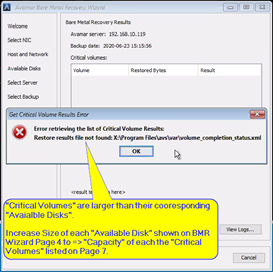
The Customer sees the following when performing the BMR process.
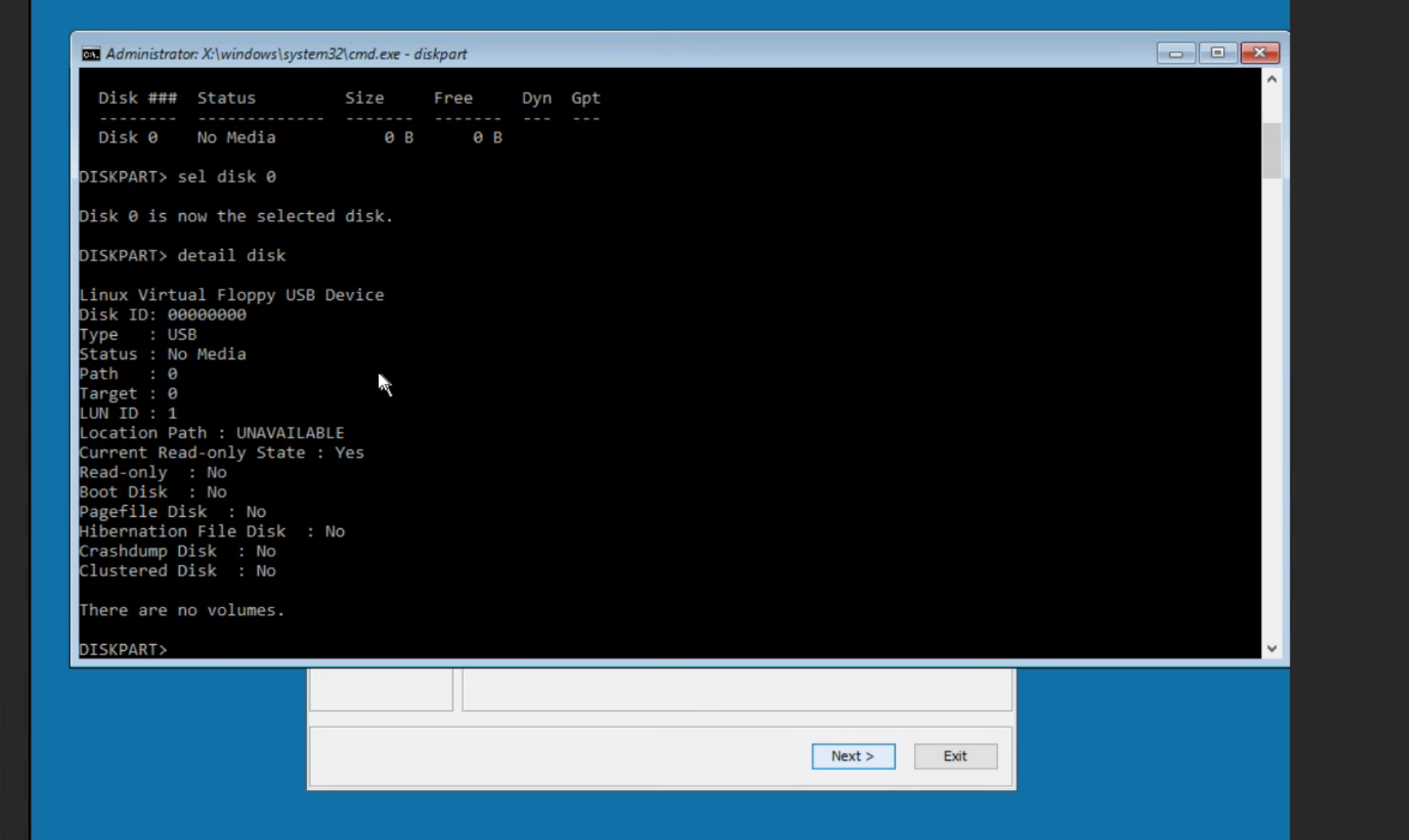
This is confirmed with the "diskpart" command as shown below when the USB disk is loaded together with the Virtual CD iso image.
Disk 0 is expected to be the C:\ drive with the proper size.
Alternatively, Fixed the BMR issue by dismounting the network drive after loading RAID drivers. Then ran "diskpart" rescan so the disks became disk 0 and disk 1.
Cause
Resolution
Here are the steps done to work around the USB presenting as "disk 0."
Boot off the CD virtual media in the iDRAC.
Wait on working through the Wizard and perform steps in the dos administrator window.
After booting copy the needed files for the driver files to the "x:\" into a named folder from the attached virtual media.
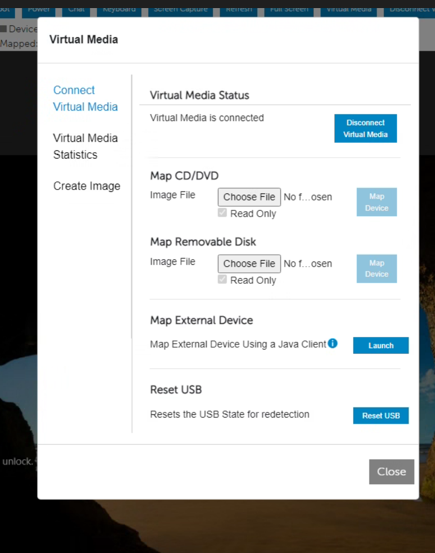
Now select the "disconnect virtual media" button shown below in the iDRAC window.
The "D:\" cd drive and the USB drive get removed but since the BMR runs in a memory drive "X:\" and should remain with your driver files.
The "diskpart", List disk should show empty no "disk 0" and the customer can then run the BMR wizard and load the raid driver.