PowerVault ME4: ME4084, ME484 troubleshooting replacement drive not recognized
Summary: Disk drives replaced under warranty may not be recognized when the disk drive in carrier (DDIC) interposer board does not line up with the drive slot connector in the ME4084/ME484 drawer or alternatively in some instances where the drive carrier latch is not secured properly causing the carrier to open when the drawer is closed. Follow the video guidance below to correctly remove, assemble, and insert the drive carrier. ...
Instructions
When replacing a drive under warranty on a PowerVault ME4084 84 disk chassis Dell provides the disk drive with disk drive carrier (DDIC) that must be assembled before insertion in the PowerVault ME4084 or ME484 array. Drive replacement instructions are provided in the Dell PowerVault ME4 Series Storage System Owner’s Manual under the section: Replacing a DDIC in a 5U enclosure. Use the embedded videos at the end of the article for walk through instructions.
Note: These instructions apply to the first generation carriers disk drive carrier with part number: KPD98. Dell may supply an alternative drive carrier, part number: PCH87, this uses different upper and lower brackets that will not match the figures shown here.
When assembling the carrier is is essential that the interposer board is positioned correctly, otherwise the edge connecter ("PCB gold fingers") is not aligned correctly causing it to miss the connection with the receptable when inserted in the chassis drawer drive slot. PowerVault ME administrators may report that the replacement drive is not detected in PowerVault Manager or command-line interface (CLI).
Examples of incorrect and correct alignment of the interposer board within the drive carrier.
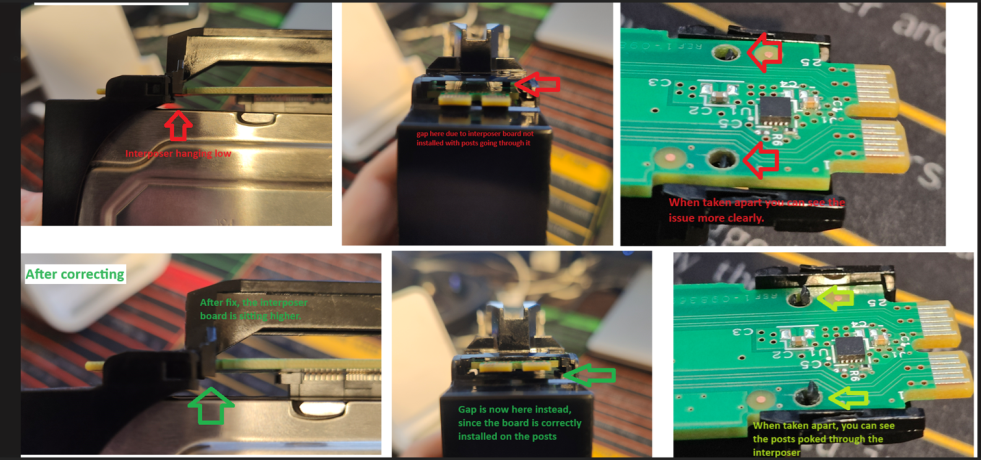
Figure 1: Correct alignment of the interposer board on drive carrier part number KPD98
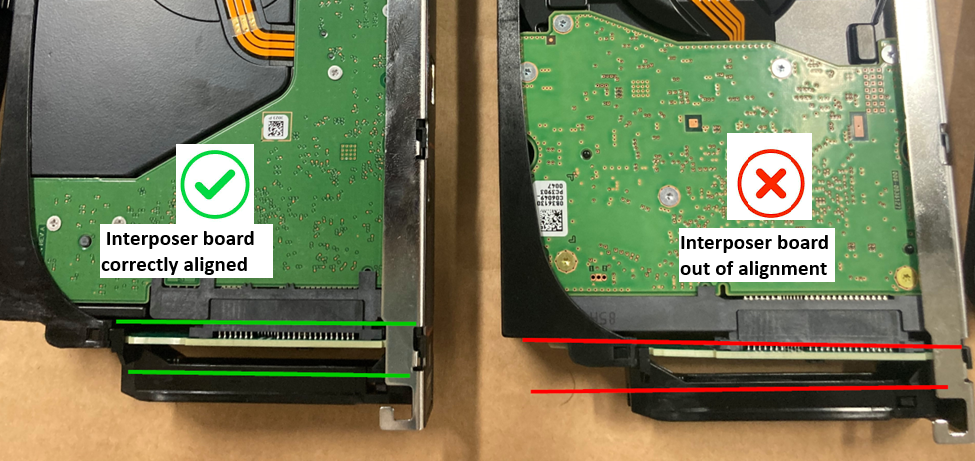
Figure 2: Correctly aligned interposer board compared with incorrectly aligned interposer board
Ensure that the drive carrier latch is correctly secured.
In addition, if the assembled drive carrier latch is not in the correct position when inserted in the drive slot, it may open when the chassis drawer is closed causing the drive not to be recognized and or the disk group to become degraded due to a missing drive. PowerVault administrators may report that the disk drive is removed. Watch the steps taken in the embedded videos to remove and insert the drive carrier KPD98 in a PowerVault ME4084 or ME484. The steps are described in the Dell PowerVault ME4 Series Storage System Owner’s Manual section Installing a DDIC in a 5U enclosure.
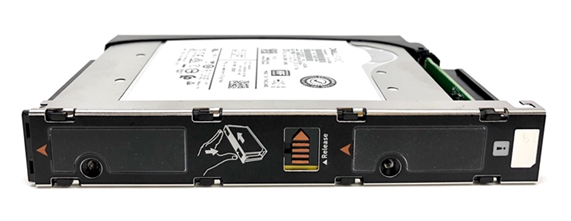
Figure 3: Assembled drive carrier part number KPD98
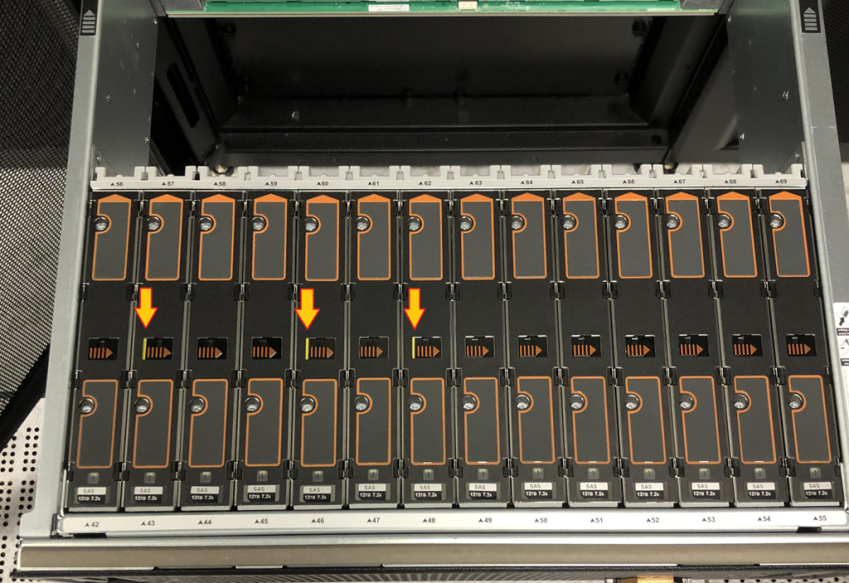
Figure 4: Drive carrier latches that are not closed correctly and likely to open inside the drawer when closed.
Further assistance
- If you must contact Dell technical support should the drive not be recognized provide a support bundle from the PowerVault ME4084 array. See PowerVault ME4: How to collect a support bundle
- If available, use a smartphone camera to include a picture of the assembled drive in the carrier to help clarify the issue.
Videos
How to replace a 3.5" profile drive in PowerVault ME4084 or ME484 using first generation disk drive carrier (part number: KPD98)
How to replace a 2.5" profile drive in PowerVault ME4084 or ME484 using first generation disk drive carrier (part number: KPD98)
How to replace the drive carrier using the current generation drive carrier (part number: PCH87)