VxRail: Cluster Global Proxy Requirement for IPv6 Single-stack Cluster and Dual-stack Cluster
Summary: VxRail IPv6 Single-Stack cluster or Dual-Stack cluster, if it needs a proxy server to access the Dell websites and services, then the proxy server must support Dual-Stack (IPv4 and IPv6). ...
Instructions
The Dell websites and associated backend services mainly operate on IPv4 (Connectivity service is an exception, it supports IPv6). For a VxRail cluster operating on IPv6 Single-Stack or Dual-Stack(IPv4 and IPv6), if it needs a proxy server to access the Dell websites and services, it is necessary to use a Dual-Stack proxy server to facilitate access to these Dell resources. A Dual-Stack proxy server is designed to handle network traffic for both IPv4 and IPv6 protocols, effectively translating IPv6 queries from the VxRail cluster into IPv4-compatible requests for communication with Dell's online resources.
Dell's online resources that require this proxy server setup include, but are not limited to, the following:
- Dell Community
- Dell Knowledge Base
- Dell Main Website
- Dell Support Portal
- Dell Marketplace
- Dell Internet Upgrades Configuration Store
How to check if the proxy server supports Dual-Stack.
- Log in to the proxy server
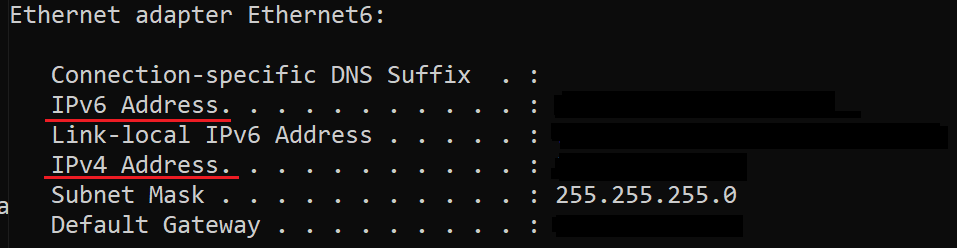
- Run below command to check if the server supports IPv4 and IPv6.
- Linux
ifconfig - Windows
ipconfig
- Linux
- The command should return IPv4 and IPv6 addresses for a Dual-Stack server, for example:
- Linux

- Windows
- Linux
Reference of how to set the cluster global proxy server.
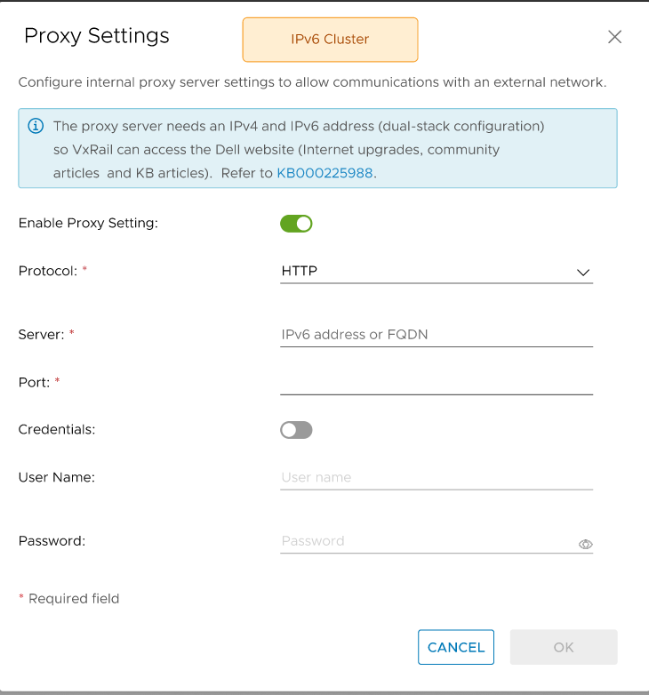
IPv6 Single-Stack cluster
- Hosts and Clusters > Configure > VxRail > Settings > Configure Proxy Settings
- Input the IPv6 address or FQDN of the Dual-Stack proxy server.
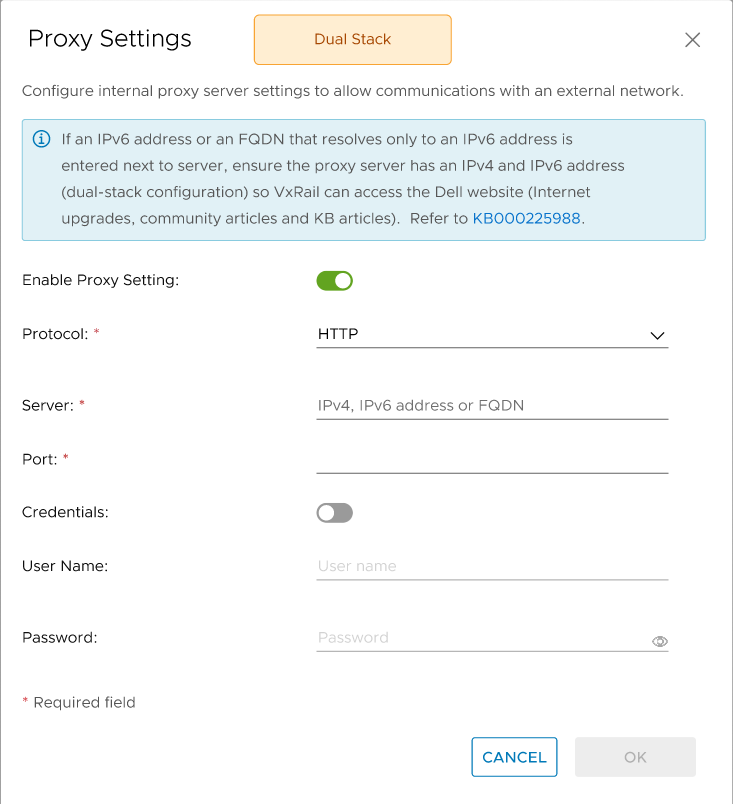
Dual-Stack cluster
- Hosts and Clusters > Configure > VxRail > Settings > Configure Proxy Settings
- Input the IPv4 or IPv6 address or FQDN of the Dual-Stack proxy server.
Additional Information
This KB is intended to explain the cluster global proxy server requirement (must support IPv4), it does not apply to the proxy server that is dedicated for the Connectivity feature.
The Connectivity feature can access Dell backend service using Single-Stack (IPv4 or IPv6) and Dual-Stack proxy server.
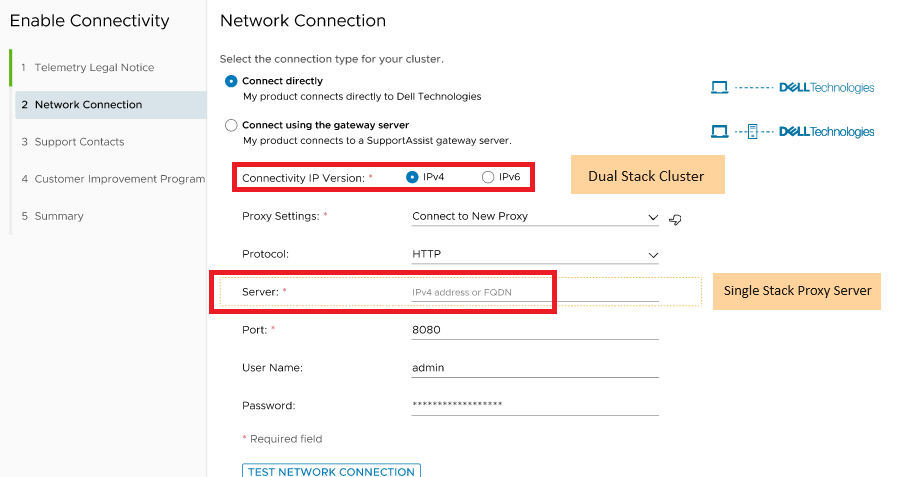
If you use a Single-Stack proxy server on a Dual-Stack Cluster, when enabling the connectivity, the "Connectivity IP Version" must be the same with the proxy server IP version.
For example, if the "Connectivity IP Version" is IPv4, the input proxy server must be an IPv4 server, also if the "Connectivity IP Version" is IPv6, the input proxy server must be an IPv6 server.