NetWorker: Failed to find Media kit message
Summary: Failed to find Media kit error message encountered while attempting to add a package to the Software Repository in NetWorker.
This article applies to
This article does not apply to
This article is not tied to any specific product.
Not all product versions are identified in this article.
Symptoms
Error selecting folder where installation file resides (.rpm, .exe, .msi, and so forth):
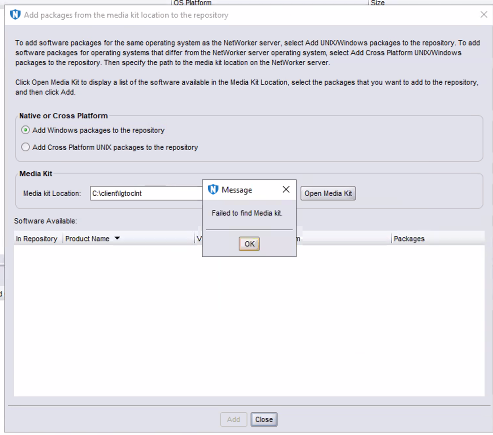
Figure 1. Failed to find Media kit error message
Cause
The issue is a result of separation of the package as provided in its original download state.
Separating the installer files from the metadata causes NetWorker's Client Push components to fail to recognize it.
The folder should contain extra metadata files such as LGTO_METAFILE.linuxx86_64 and sd_product.res.
Resolution
While browsing for the Media kit, select the folder containing all extracted files in the downloaded package.
If the metadata files are not present, NetWorker fails to add the package.
Article Properties
Article Number: 000297764
Article Type: Solution
Last Modified: 10 يونيو 2026
Version: 2
Find answers to your questions from other Dell users
Support Services
Check if your device is covered by Support Services.