NMM: SQL VDI Incremental Backup Fails "Backup level 'MSSQL:' is obsolete. Change the backup level to logs only and restart the backup."
Summary: NetWorker Module for Microsoft (NMM) SQL VDI incremental backups fail with "Backup level 'MSSQL:' is obsolete. Change the backup level to logs only and restart the backup."
Symptoms
NetWorker Module for Microsoft (NMM) SQL VDI backups with level Incremental, Backup fails with the following error:
157931:(pid 10772):Backup level 'MSSQL:' is obsolete. Change the backup level to logs only and restart the backup.
37758:(pid 10772): Usage: nsrsqlsv [<options>] {path} options: [-CGjqRTvkuHXZ] [-A SQL virtual server name] [-s NetWorker Server] [-c NetWorker client] [-N name] [-b pool] [-g group] [-S count] [-l level] [-m masquerade] [-O "sqlOption1[,sqlOption2][,...]"] [-D debuglevel] [-I <textfilename>] [-U <SQL Server username>] [-P <SQL Server user password>] [-h "DB_to_exclude1[,DB_to_exclude2][,...]"] [-h ["DB_to_exclude_wildcards"]] [-f aes] [-w browse] [-y retention] [-a <optionKey=value>] path: d-path | i-path d-path: MSSQL: | [MSSQL:]s-path [[MSSQL:]s-path [...]] i-path: MSSQL$inst-name: | MSSQL$inst-name:s-path [...] s-path: database | database. | database.filegroup | database.filegroup. | database.filegroup.file
Cause
This is expected behavior. SQL VDI does not support incremental backups.
The only supported levels are (FULL, Logs Only, Cumulative Incremental)
Supported levels can be found in the Dell NetWorker Module for Microsoft Administration Guide
The below table explains the three level of backups:
| Backup Levels | Description |
| Full | Entire database backup, including all filegroups or files in the database. |
| Logs only | Logs only backup corresponds to a SQL Server transaction log backup. A log file backup by itself cannot be used to recover a database. A log file backup is used after a database recovery to restore the database to the point of the original failure.
NOTE: The logs only backup option appears in NMC. When using the Command Line to perform logs only backup, use the txnlogs command.
|
| Cumulative incremental | Cumulative incremental captures all changes since the last full backup. |
Resolution
Change the Action/Client schedule from Incremental to Logs Only.
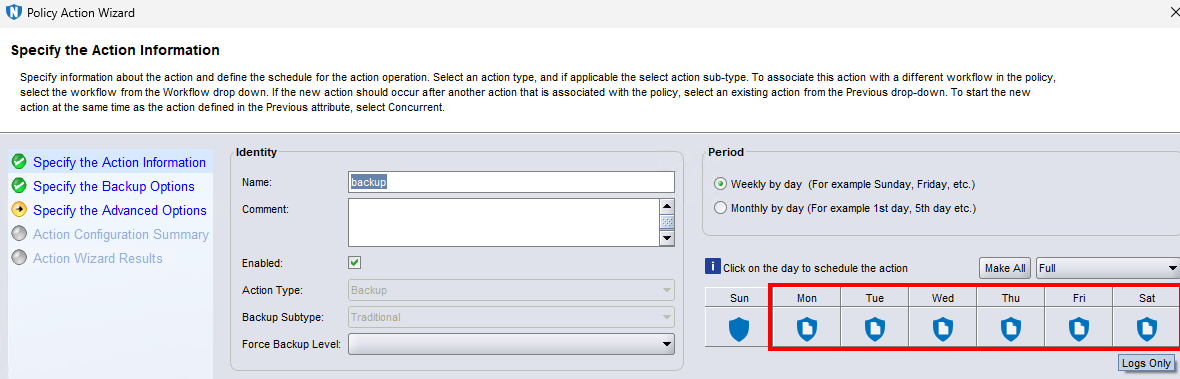
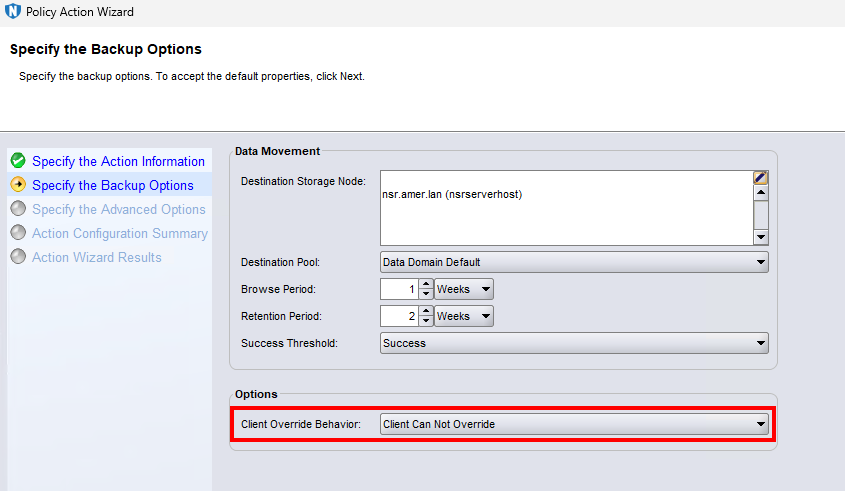
Ensure that the Client Override Behavior setting in the action properties is set correctly to avoid the wrong backup level taking precedence. For example, client properties may have an old schedule configured that still defines incremental even though action properties have been set to "logs only." In this case, set Client Override Behavior to "Client Cannot Override."