IDPA: ESXi Failure While Performing Upgrade: "Failed to Upgrade VSAN"
Summary: This KB article walks through the procedure to upgrade the VSAN disk format (ONDISK-FORMAT) manually in case ACM fails to upgrade VSAN.
Symptoms
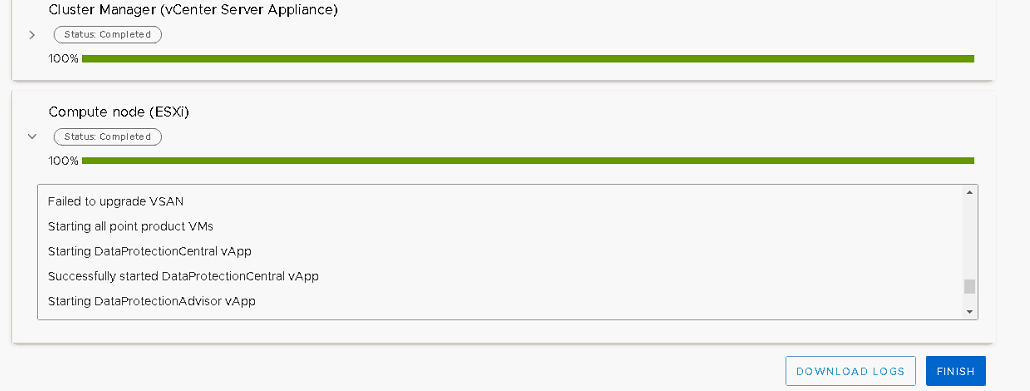
The message "Failed to to Upgrade VSAN" is seen in the "Hypervisor and Server Firmware" or "Compute node (ESXi)" upgrade section of the ACM upgrade UI:
Failed to Upgrade VSAN
Check errors in the "/data01/tmp/patch/logs/esxi-logs.log" file. The following command to upgrade VSAN On-disk format fails:
15/02/19 00:37:15 upgrade_vsan_disk_format() Executing command : rvc -a root@localos:Idpa_1234@192.168.100.101 -c \"vsan.disks_stats /192.168.100.101/DPappliance/computers/DPappliance-VSAN\" -c \"quit\"
Cause
It is important to verify "Add disks to storage" option is set to manual and all disk groups are healthy before starting the version upgrade to avoid this issue.
Resolution
Log in to the vSphere WebClient for Integrated Data Protection Appliance (IDPA) vCenter and perform the following checks:
-
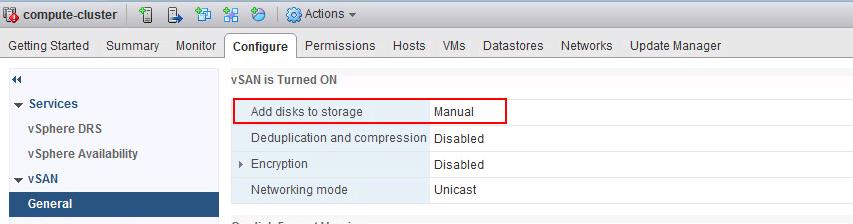
Verify that "VSAN disk Claiming" mode is set to "Manual" before attempting to upgrade VSAN on-disk format upgrade.
-
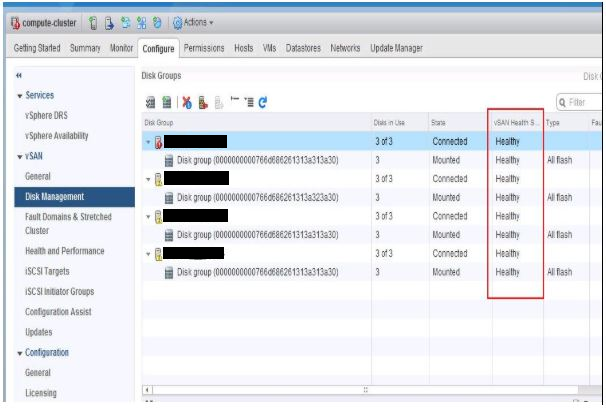
Verify that all the disks and disk groups are in a healthy state. Validate the state from vSphere Web Client for VSAN.
To Validate the disk status from vSphere Web Client, select the VSAN Cluster from hosts and clusters view > Configure > Disk Management under VSAN.
Click each ESXi host or disk group to check the heath of the Disks under disk group.
-
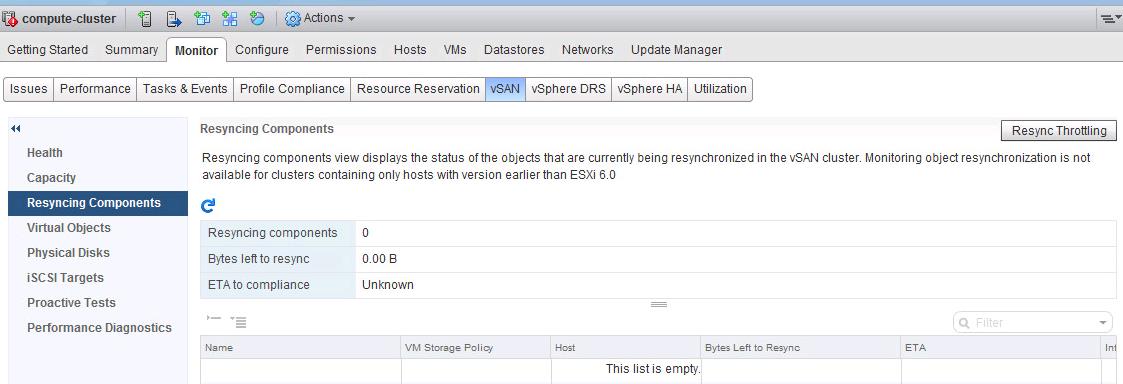
Verify that no component rebuilding tasks are currently in progress in the VSAN cluster. Validate the tasks from vSphere Web Client.
If all the checks are passed on VSAN, manually upgrade VSAN On-disk format.
-
Run the Pre-Check Upgrade task before attempting to upgrade VSAN On-disk format. It performs most of the validation for us. Confirm that Disk Pre-check is Green with the Status Ready to Upgrade -Pre-Check Completed Successfully.
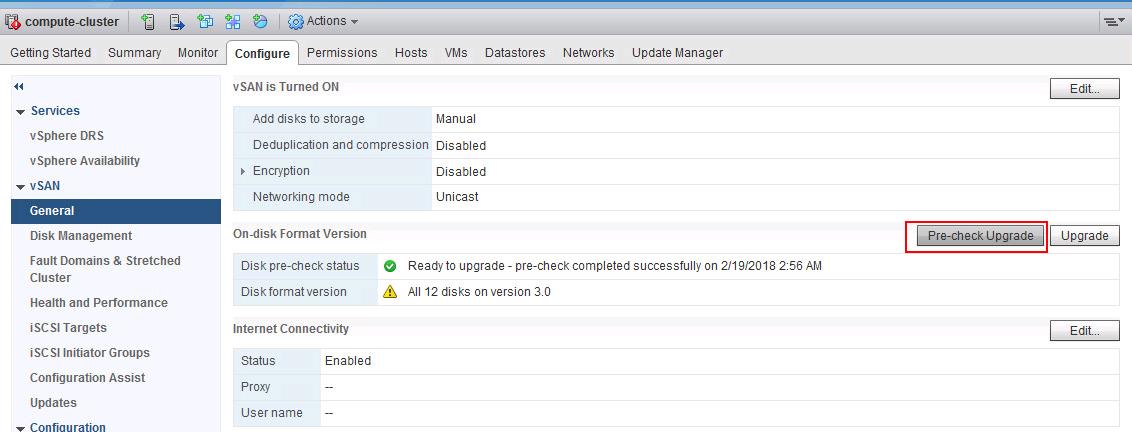
If any errors are reported during the Pre-Check, they must be fixed before attempting to upgrade On-disk Format.
-
If the Pre-check upgrade works successfully, click "Upgrade."