Dell Data Lakehouse: Alert DDL_1002 DDL-ConsumptionFailed
Summary: This article provides troubleshooting steps and resolution for the Dell Data Lakehouse System Software license consumption failure, which triggers the critical alert DDL_1002. The failure occurs due to internal issues. Follow the steps outlined in this article for resolving the issue, obtaining a valid License Activation Code, and re-registering the license. If the issue persists, collect a log bundle and escalate to the Dell Support team for further assistance. ...
Symptoms
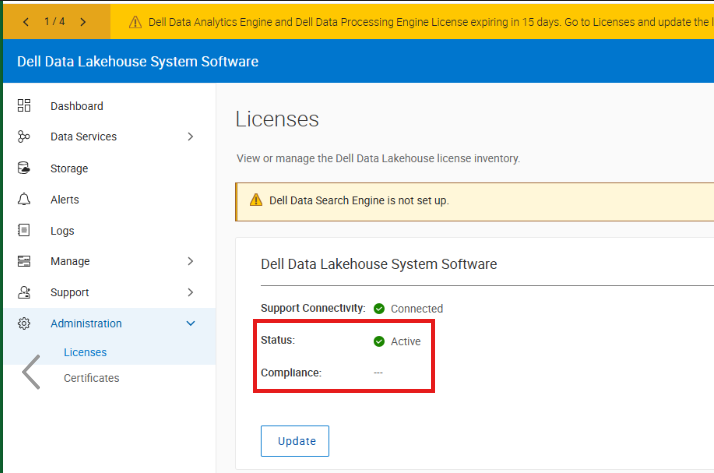
The compliance field in the Dell Data Lakehouse System Software license is empty, but the status shows ACTIVE.
Cause
Warning Severity:
This event may be produced in the below ways:
[WARNING] Dell Data Lakehouse System Software license consumption failed due to internal issues.
Normal Severity:
This event is triggered when the DDL‑1002 warning alert is automatically acknowledged after the successful Dell Data Lakehouse System Software License consumption.
Resolution
Login into admin UI
Go Administration -> Licenses section, the compliance field in Dell Data Lakehouse System Software license is empty but the status shows ACTIVE.
Go to Alerts, click DDL_1002 and, follow the Remedies.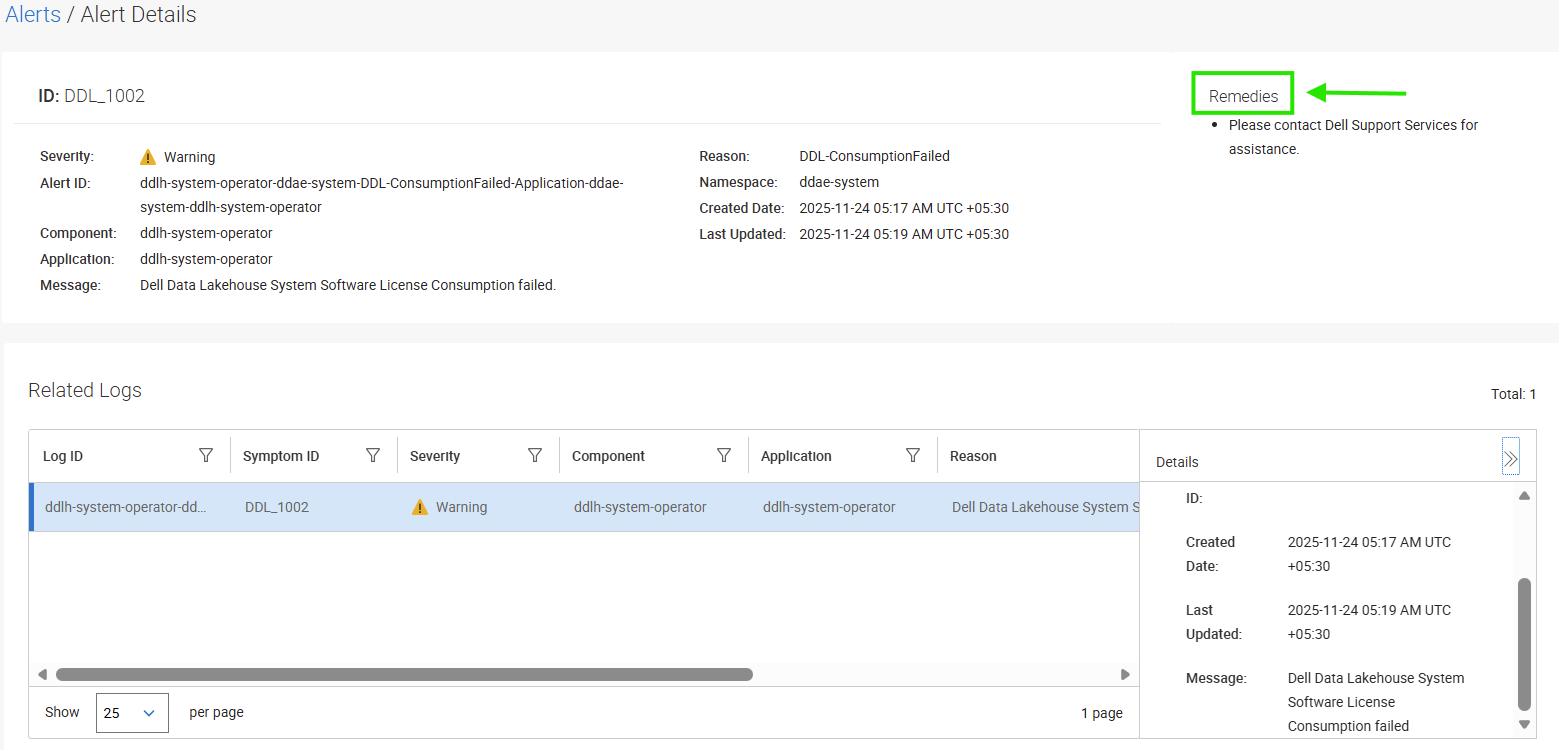
After attempting the Remedies if there is still an issue, contact Dell support.