Data Domain: UI 예외 오류에서 RPM 업로드 실패 발생
Summary: iDRAC이 host_bios.json에서 보안 부팅 항목을 제공하지 않아 UI가 응답하지 않고 RPM 업로드가 실패하여 sms_system_get_secure_boot API 오류가 발생합니다.
This article applies to
This article does not apply to
This article is not tied to any specific product.
Not all product versions are identified in this article.
Symptoms
관찰된 증상
- Data Domain Web UI가 매우 느리거나 응답하지 않습니다.
- 95% 진행률이 표시된 후 UI를 사용한 RPM 패키지 업로드가 실패합니다. 오류
There was an exception retrieving data. Please view your log files" - Maintenance > System 페이지로 이동하면 아래 오류가 표시됩니다.
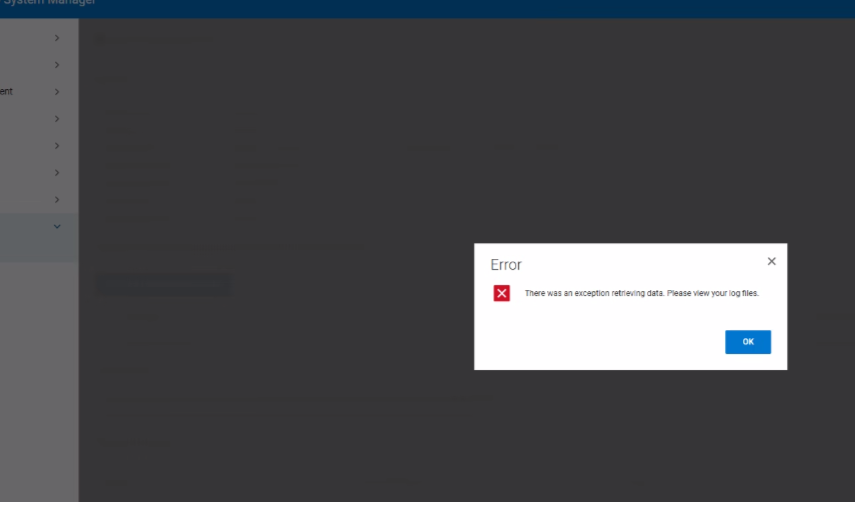
- Log entry:
09 Jan 2026 11:49:59,972 ERROR [xxx-xxx-127.0.0.1-8009-exec-563] An exception occurred while handling a client request
com.datadomain.webf.shared.sms.SMException:
- 백엔드 로그 표시
ERROR: pta_json_get_specific_obj: error parsing JSON object SecureBoot
ERROR: pta_json_file_get_object: failed to get JSON object value
ERROR: plat_pta_secure_boot_get_status: Secure Boot: failed to get object "SecureBoot"
ERROR: Failed to get Secure Boot status, rc = 8
Cause
근본 원인 분석
다음과 같은 이유로 Data Domain Web UI가 응답하지 않고 RPM 업로드가 실패합니다. host_bios.json iDRAC에서 검색된 파일에 필요한 보안 부팅 필드가 포함되어 있지 않습니다. 필드가 누락되면 sms_system_get_secure_boot 예외를 발생시켜 UI가 업로드 워크플로를 완료하지 못하게 하는 API 호출입니다.
기여 요인
- DDOS 구성 요소는
HOSA REST API보안 부팅 상태를 얻기 위해; JSON 항목이 없으면 API가 I/O 오류를 반환합니다. - 결과 오류가 웹 서버로 전파되어 관찰된 "
Exception error occurred메시지
Resolution
해결 단계
- iDRAC를 재설정하여 적절한 BIOS JSON 프로비저닝을 복원합니다. 다음 문서를 참조하십시오. Data Domain: BMC/iDRAC 재설정 절차
- UI 응답성을 확인하고 UI를 사용하여 RPM 업로드를 다시 시도합니다.
- 문제가 지속되면 심층 분석을 위해 SUB(System Update Package) 로그를 수집하고 Dell 지원에 문의하십시오.
Affected Products
Data DomainArticle Properties
Article Number: 000496707
Article Type: Solution
Last Modified: 21 أغسطس 2026
Version: 2
Find answers to your questions from other Dell users
Support Services
Check if your device is covered by Support Services.