Data Domain:發生 UI 例外情況時的 RPM 上傳失敗錯誤
Summary: UI 沒有回應且 RPM 上傳失敗,因為 iDRAC 未在 host_bios.json 中提供安全開機項目,導致 sms_system_get_secure_boot API 發生錯誤。
This article applies to
This article does not apply to
This article is not tied to any specific product.
Not all product versions are identified in this article.
Symptoms
觀察到的症狀
- Data Domain Web UI 極慢或無回應。
- 在顯示 95% 進度後,使用 UI 上傳 RPM 套件失敗。錯誤
There was an exception retrieving data. Please view your log files」 - 前往 「維護 > 系統 」頁面會傳送以下錯誤:
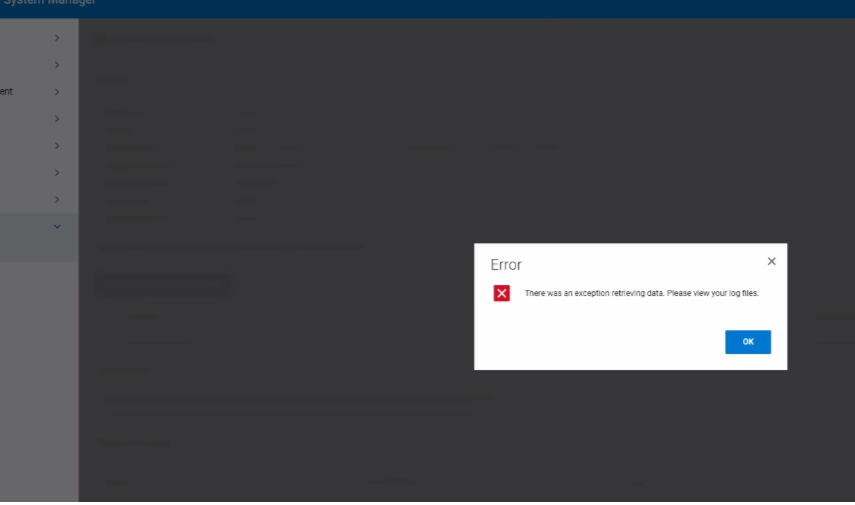
- 記錄項目:
09 Jan 2026 11:49:59,972 ERROR [xxx-xxx-127.0.0.1-8009-exec-563] An exception occurred while handling a client request
com.datadomain.webf.shared.sms.SMException:
- 後端記錄顯示
ERROR: pta_json_get_specific_obj: error parsing JSON object SecureBoot
ERROR: pta_json_file_get_object: failed to get JSON object value
ERROR: plat_pta_secure_boot_get_status: Secure Boot: failed to get object "SecureBoot"
ERROR: Failed to get Secure Boot status, rc = 8
Cause
根本原因分析
Data Domain Web UI 沒有回應,RPM 上傳失敗,因為 host_bios.json 從 iDRAC 擷取的檔案不包含必要的安全開機欄位。缺少欄位會導致 sms_system_get_secure_boot API 呼叫以引發異常,使 UI 無法完成上傳工作流。
影響因素
- DDOS 元件仰賴
HOSA REST API獲取安全啟動狀態;如果沒有 JSON 條目,API 將返回 I/O 錯誤。 - 產生的錯誤會傳播到 Web 伺服器,導致觀察到「
Exception error occurred訊息的典型原因。
Resolution
解決方案步驟
- 重設 iDRAC 以還原正確的 BIOS JSON 佈建。請參閱文章 Data Domain:BMC/iDRAC 重設程序
- 確認 UI 回應能力,然後使用 UI 重試 RPM 上傳
- 如果問題仍然存在,請收集系統更新套件 (SUB) 記錄以進行更深入的分析,並聯絡 Dell 支援。
Affected Products
Data DomainArticle Properties
Article Number: 000496707
Article Type: Solution
Last Modified: 21 أغسطس 2026
Version: 2
Find answers to your questions from other Dell users
Support Services
Check if your device is covered by Support Services.