CloudBoost: How to Download and Secure Recovery Metadata and Key Files After Configuration
Summary: In CloudBoost version 18.1, appliance management moves on‑premise using the GUI. After initial setup, admins must download both recovery.metadata and recovery.key files that are required for future disaster‑recovery, and store them securely; clicking “Acknowledge” deletes the files from the appliance. ...
This article applies to
This article does not apply to
This article is not tied to any specific product.
Not all product versions are identified in this article.
Instructions
Prerequisite
- Appliance must be running CloudBoost version 18.1 or later.
Procedure
- Complete the initial appliance configuration using the on‑premise GUI.
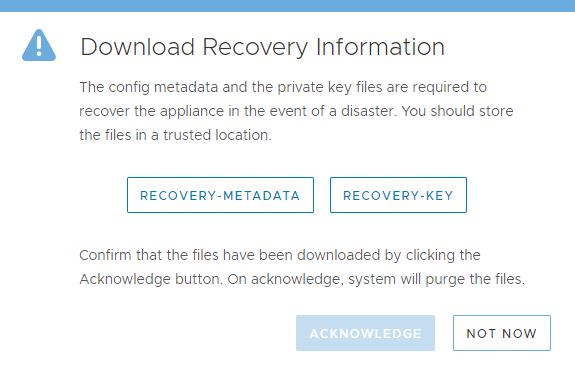
- When the GUI displays the download window, click the links to download both
recovery.metadata and recovery.key files. - Save the two files in a secure location that is backed up and accessible only to authorized personnel.
- Click the Acknowledge button in the GUI.
Caution: After clicking Acknowledge, the recovery files are permanently deleted from the appliance. Ensure that the files are saved securely before acknowledging.
Additional Information
If the following files were not downloaded, contact CloudBoost Support for assistance in regenerating the recovery files:
recovery.metadata and recovery.key files
Affected Products
CloudBoost Virtual ApplianceProducts
CloudBoost, CloudBoost Virtual ApplianceArticle Properties
Article Number: 000014740
Article Type: How To
Last Modified: 10 نيسان 2026
Version: 7
Find answers to your questions from other Dell users
Support Services
Check if your device is covered by Support Services.