PowerFlex 3.0: Unable to upgrade ScaleIO. Validate node fails during Query phase
Summary: Unable to upgrade ScaleIO. Validate node fails during Query phase
Symptoms
Unable to upgrade ScaleIO. Validate node fails during Query phase
During the upgrade we had checked the box to select "Do not upgrade SDCs
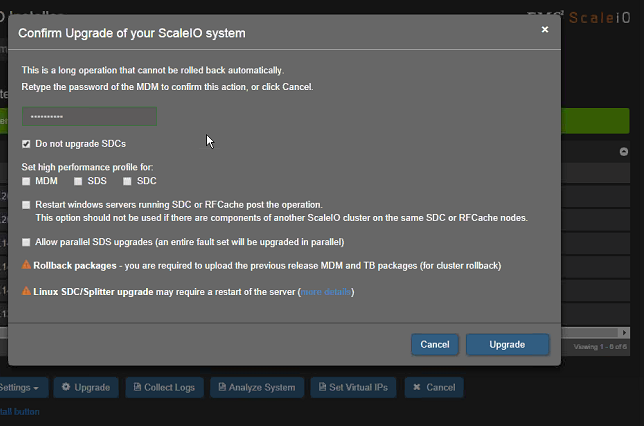
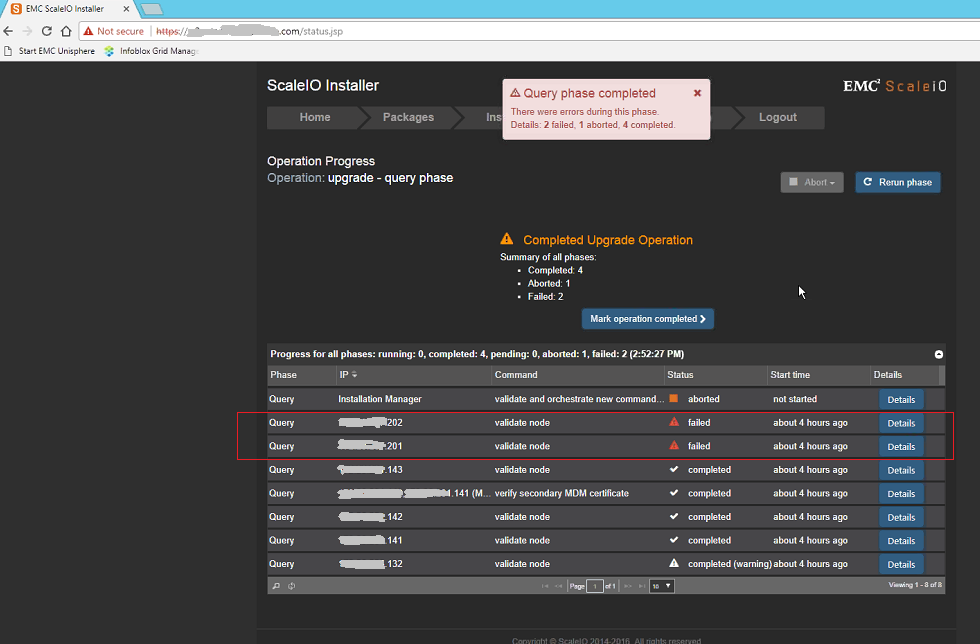
However still Validate node fails during Query phase for the SDCs and there is no option to start the upload phase.
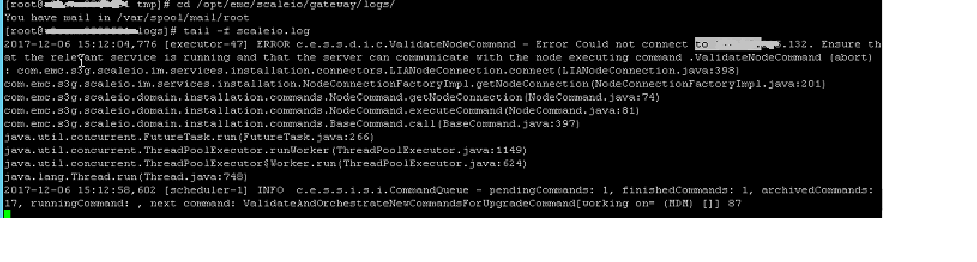
Navigate to /opt/emc/scaleio/gateway/logs folder and check the scaleIO.log file. We may see the following error:-
Error Could not connect to <IP Address>. Ensure that the relevant service is running and that the server can communicate with the node executing command. ValidateNodeCommand (abort)
Cause
Resolution
Configure the Installation Manager Properties by .editing the gatewayUser.properties file and adding SDCs in the ignore list:-
a. Use a text editor to open the gatewayUser.properties file, located in the following directory on the Installation Manager/gateway server:
Windows: C:\Program Files\EMC\ScaleIO\Gateway\webapps\ROOT\WEB-INF\classes\
Linux: /opt/emc/scaleio/gateway/webapps/ROOT/WEB-INF/classes
b. To exclude the SDCs nodes being checked/upgraded with the Installation Manager, list the IP addresses to ignore on the im.ip.ignore.list line
Example: im.ip.ignore.list=10.0.0.1,10.0.0.2,..........
c. Save the file and exit from the text editor.
d. Restart the scaleio-gateway service:
Windows: Restart the EMC ScaleIO Gateway service from the services console (services.msc)
Linux: Type the command : service scaleio-gateway restart