VxRail: Clusters Does Not Support Read-only Account
Summary: VxRail clusters do not support read-only account, the "View VxRail clusters" privilege does not provide any function.
This article applies to
This article does not apply to
This article is not tied to any specific product.
Not all product versions are identified in this article.
Symptoms
There are two VxRail related privileges in vCenter, "View VxRail clusters" and "Manage VxRail clusters."
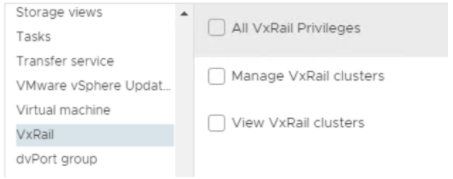
Follow the below steps to create a new account with a read-only Role.
- From vSphere select: Administration > Access Control > Roles, clone a role from Read-only.
- Only add "View VxRail clusters" privilege to the new role.
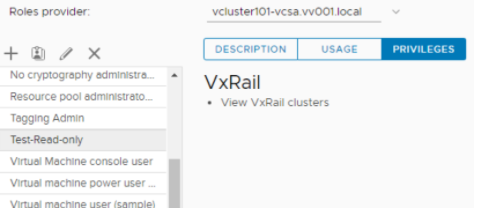
- Create a new account under the vsphere.local domain, and assign the new role to the created account.
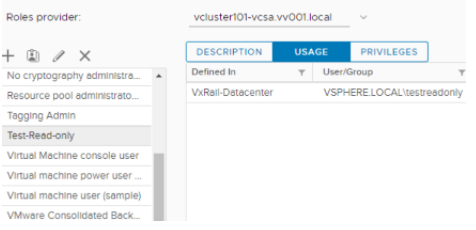
- Add the new account to the list of Global Permissions and assign to the VxRail data center.
- Use the new account to login vCenter. It can log in, but the VxRail plugin pages are all missing.
Cause
The "View VxRail clusters" privilege is only a feature place holder, there is no function implemented in this privilege.
Resolution
"Manage VxRail clusters" privilege is mandatory for an account to view and manage VxRail plugin functions.
Read-only mode is not supported for the VxRail cluster.
Affected Products
VxRail, VxRail Appliance Series, VxRail SoftwareArticle Properties
Article Number: 000190488
Article Type: Solution
Last Modified: 09 نيسان 2026
Version: 5
Find answers to your questions from other Dell users
Support Services
Check if your device is covered by Support Services.