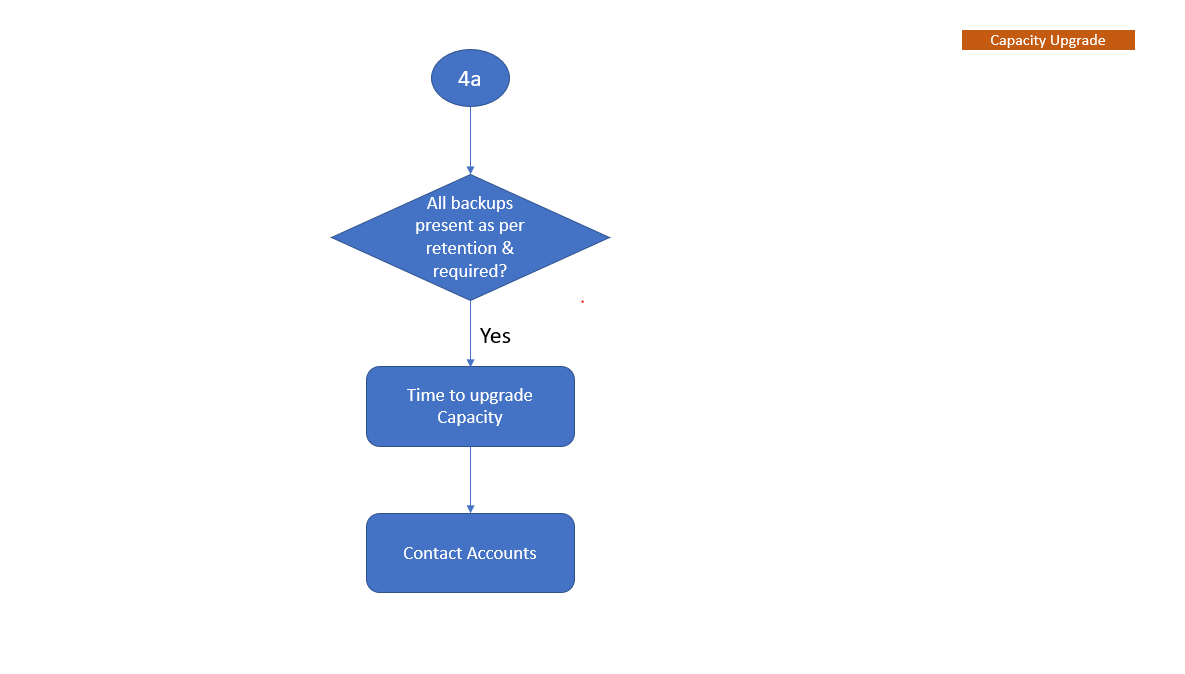
Avamar: Data Domain 용량 확인 경로
Summary: Data Domain 용량 확인 경로
Symptoms
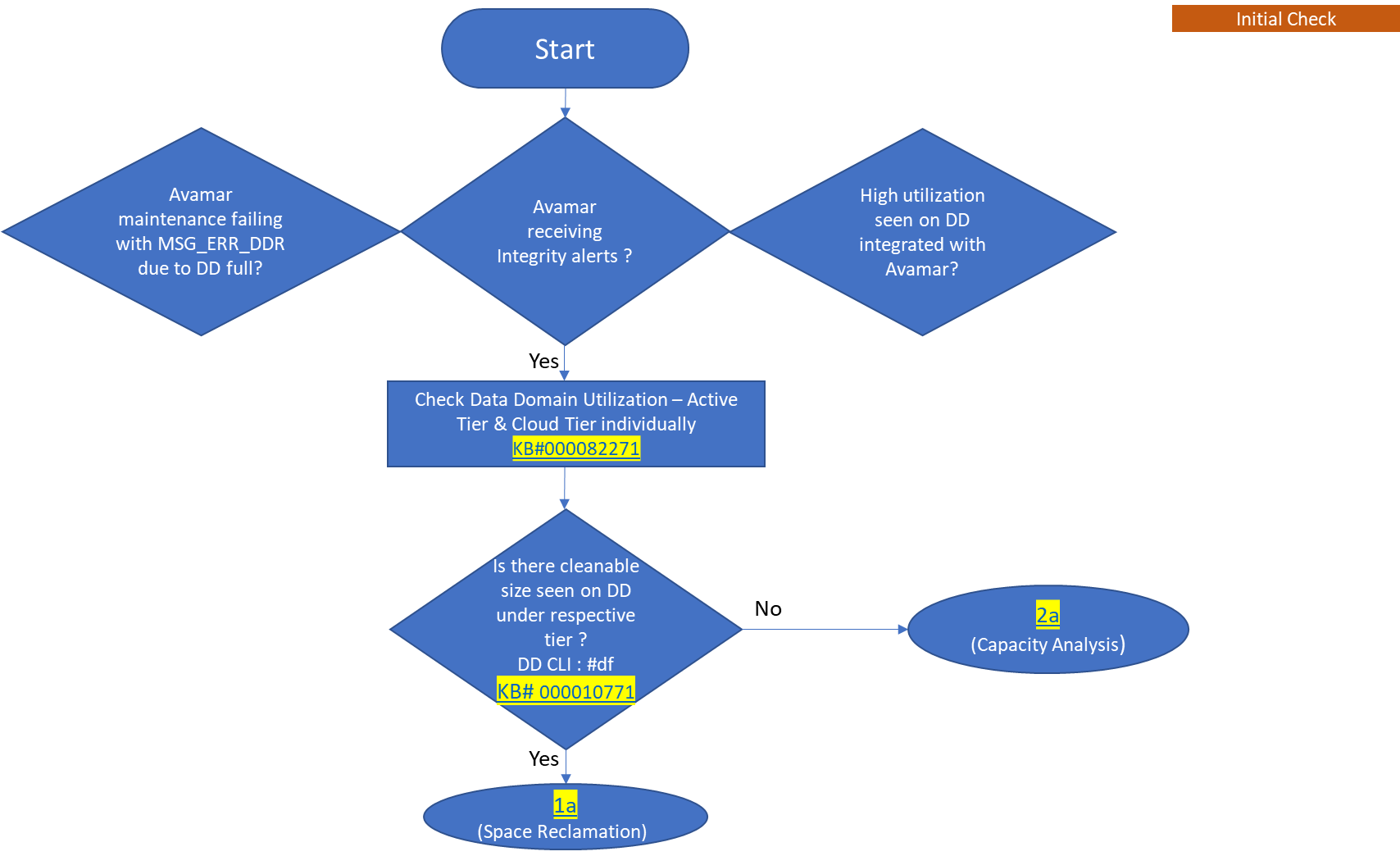
- Data Domain이 가득 찼기 때문에 MSG_ERR_DDR에서 Avamar 유지 보수가 실패합니다.
- Avamar가 무결성 알림을 수신하고 있습니다.
- Avamar와 통합된 Data Domain에서 활용도가 높게 나타납니다.
Cause
이 해결 경로에서는 Data Domain이 데이터 수집 소스로 Avamar를 사용하는 경우 용량 관리를 수행하는 방법을 설명합니다. 즉, Avamar 백업이 Data Domain에 상주하는 경우입니다.
Resolution
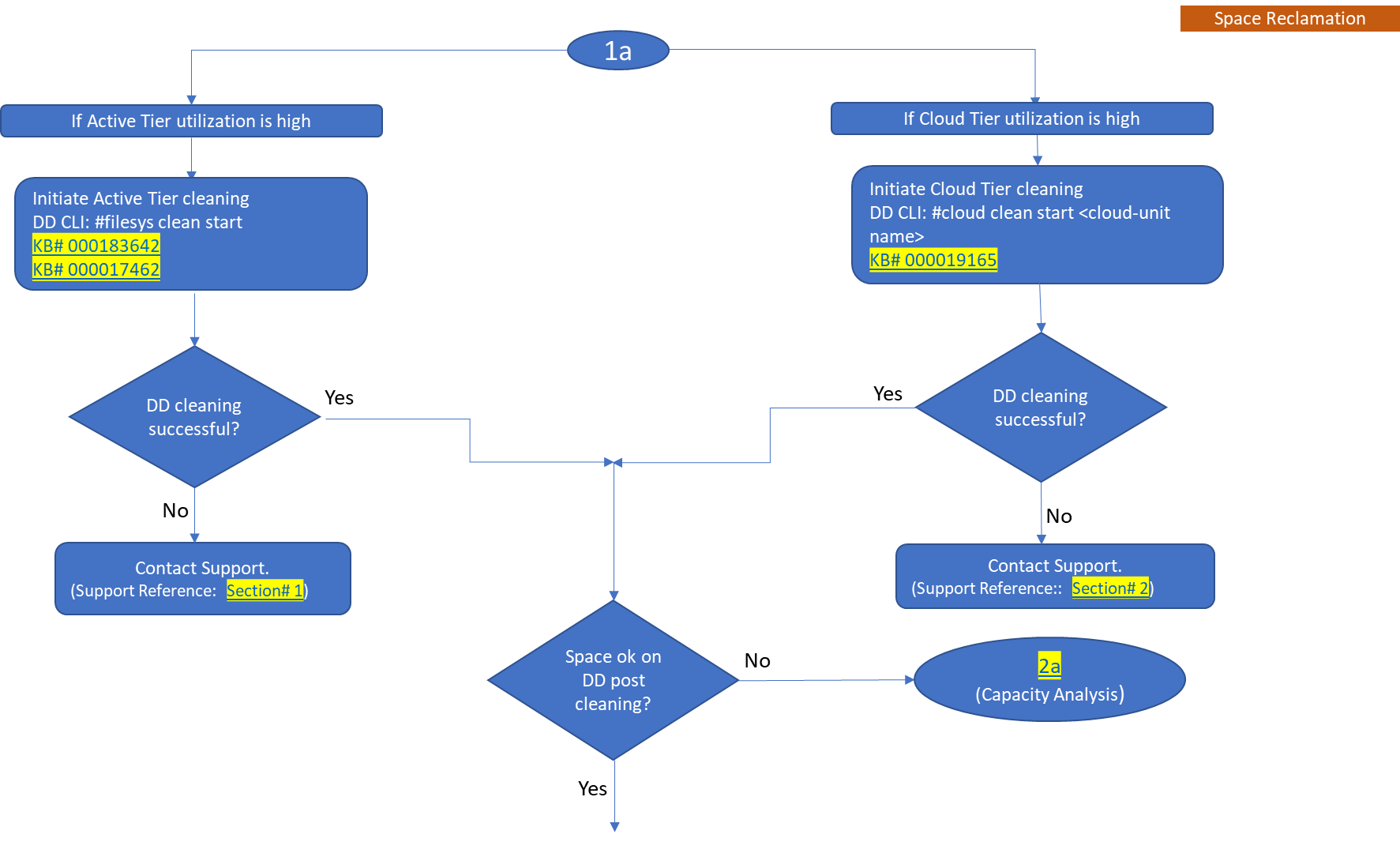
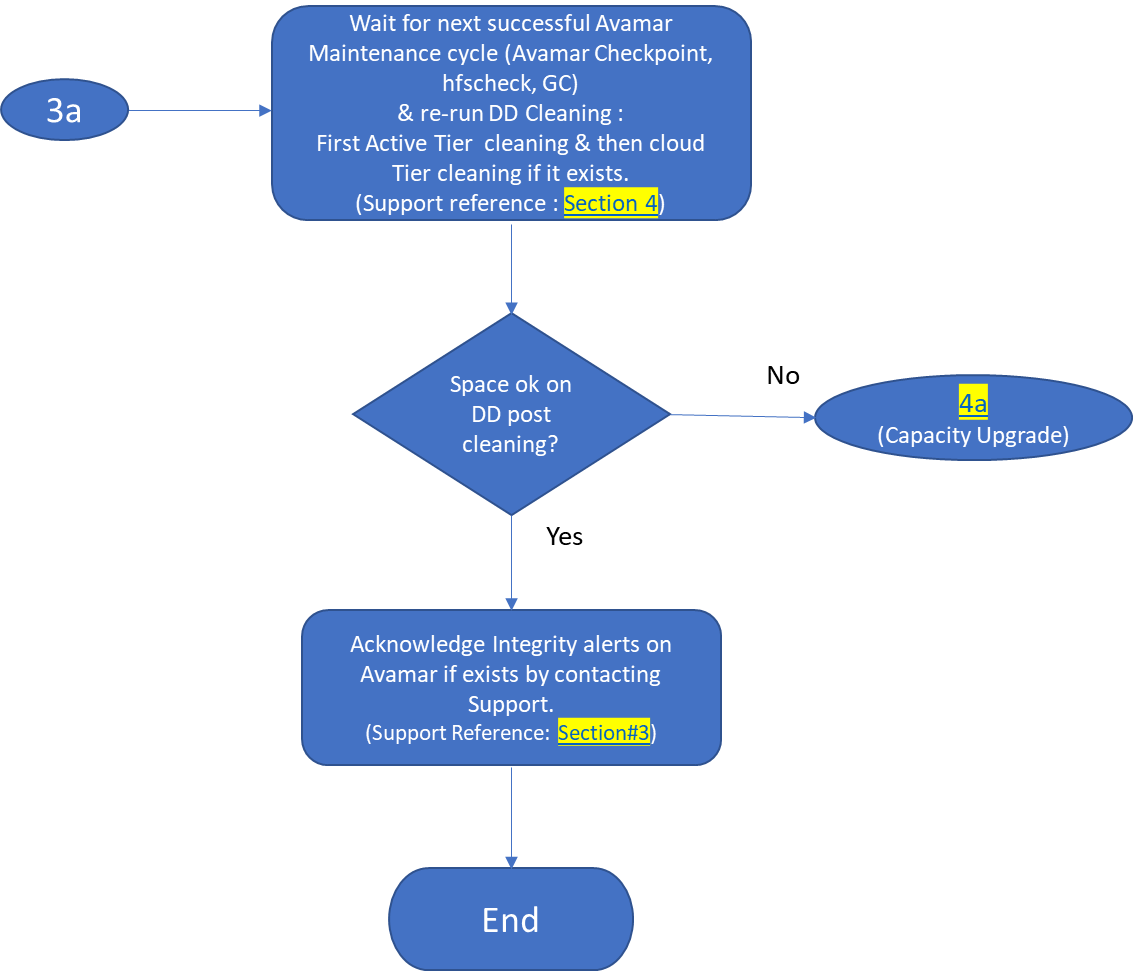
순서도는 Data Domain이 Avamar와 통합되는 시기를 이해하는 데 도움이 되는 용량 관리 워크플로를 보여 줍니다.
참고: 참조된 KB에 첨부된 PDF를 다운로드하려면 로그인하십시오.
-
초기 검사
YouTube 시청
-
공간 재확보
YouTube 시청
참고: 또한 Data Domain의 새로운 기능인 Automatic Cleaning에 대해서도 알아보십시오.
Dell KB 문서 199927: PowerProtect DP Series: Protection Storage: Data Domain: Automatic Cleaning을 참조하십시오.
아래 비디오를 클릭하여 "Data Domain에서 Automatic Cleaning을 설정하는 방법"을 알아보십시오.
YouTube 시청
-
용량 분석
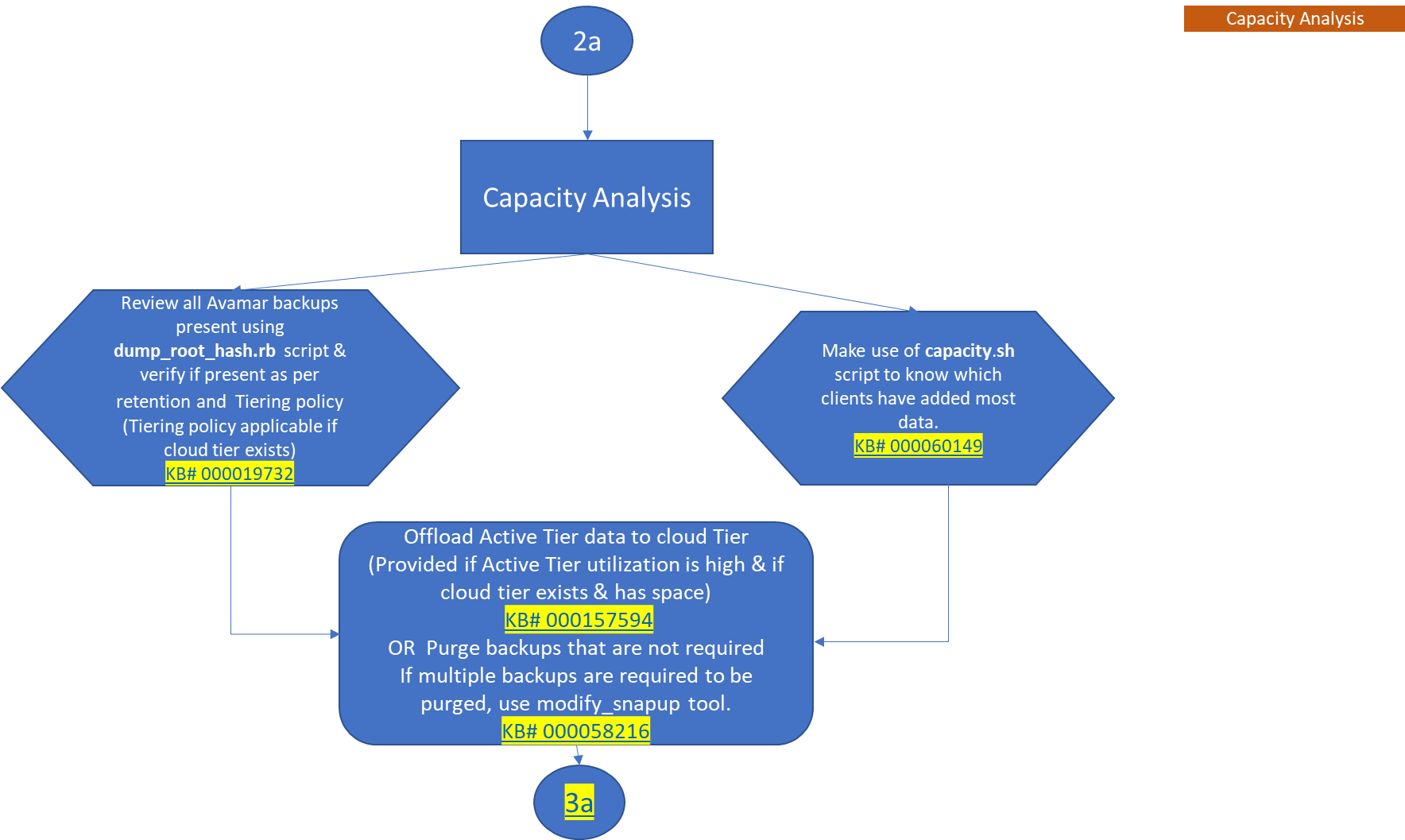
YouTube 시청
-
용량 업그레이드