Dell APEX Cloud Platform for Red Hat Openshift: Cluster deployment failed due to machine-config-operator degraded
Summary: An OpenShift Container Platform (OCP) issue causing cluster deployment failure, machine-config-operator degraded.
Symptoms
Cluster deployment configuration process failed with error "Failed to execute step Wait For OCP Control Plane Ready"
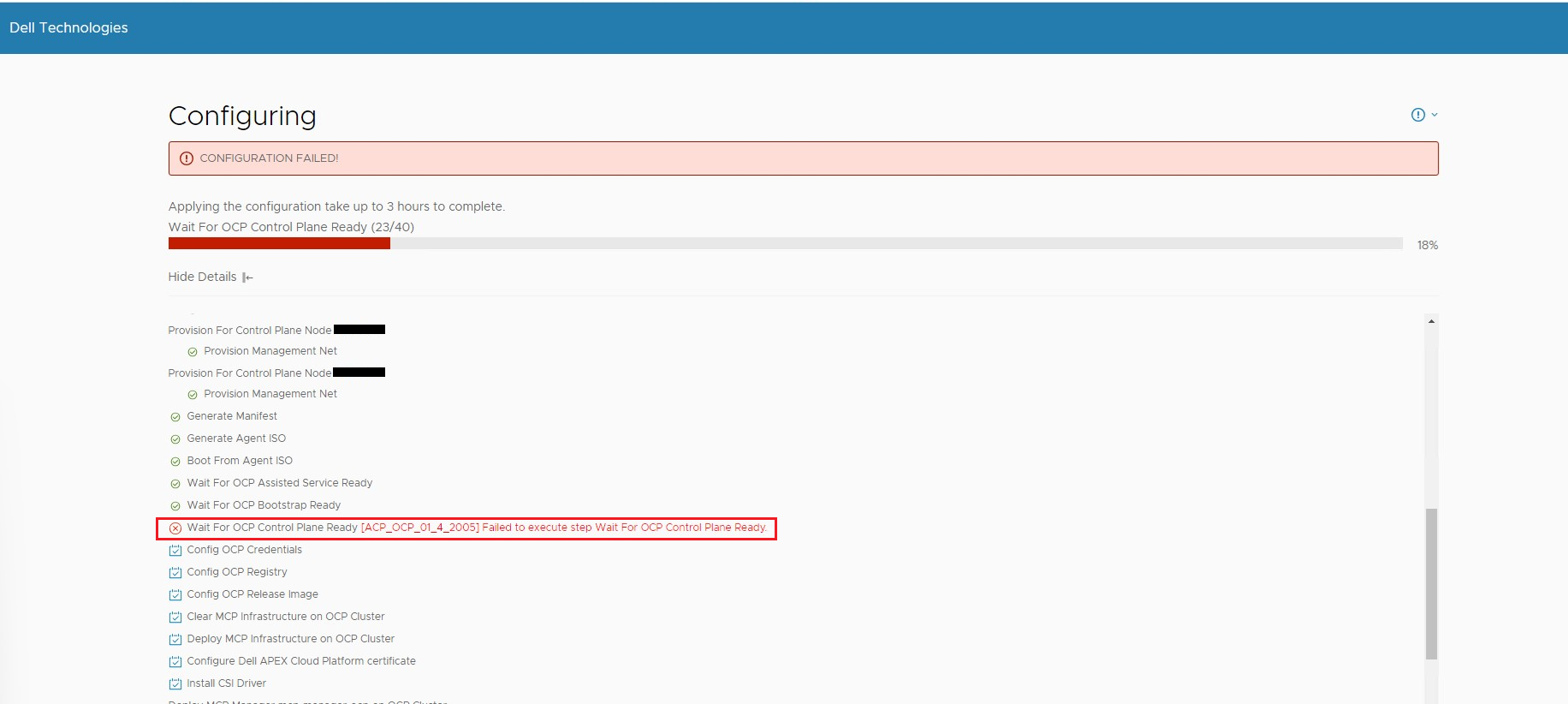
Log in to primary node via SSH (default credential is root/Passw0rd!), run the following commands to check clusteroperator and node status.
1. Run:kubectl --kubeconfig="/usr/share/mcp_ocp/pv/mcp-installer-ocp/auth/kubeconfig" get nodes
For example, the command shows node2.rackx00.local has error:
NAME    VERSION   AVAILABLE   PROGRESSING   SINCE   STATUS

node1.rackx00.local   Ready                      control-plane,master,worker   24h   v1.29.8+f10c92d
node2.rackx00.local   Ready,SchedulingDisabled   control-plane,master,worker   25h   v1.29.8+f10c92d
node3.rackx00.local   Ready                      control-plane,master,worker   25h   v1.29.8+f10c92d
2. Run: kubectl --kubeconfig="/usr/share/mcp_ocp/pv/mcp-installer-ocp/auth/kubeconfig" get co
For example, the command shows one machine-config is degraded with message "MachineConfigPool master is not ready"
NAME                                       VERSION   AVAILABLE   PROGRESSING   DEGRADED   SINCE   MESSAGE

......

machine-config                   True        True          True       24h     Unable to apply 4.17.3: error during syncRequiredMachineConfigPools: [context deadline exceeded, failed to
update clusteroperator: [client rate limiter Wait returned an error: context deadline exceeded, error MachineConfigPool master is not ready, retrying. Status: (pool degraded: true total: 3, ready 2, updated
: 2, unavailable: 1)]]
......
3. Run: kubectl --kubeconfig="/usr/share/mcp_ocp/pv/mcp-installer-ocp/auth/kubeconfig" get node <error_node_name> -oyaml | grep "currentConfig\|desiredConfig"
For example, the command shows two different rendered-master machine config:
machineconfiguration.openshift.io/currentConfig: rendered-master-xxxxxxxxxxxxxxxxxxxxxx
machineconfiguration.openshift.io/desiredConfig: rendered-master-yyyyyyyyyyyyyyyyyyyyyy
Cause
This is a known issue of OCP 4.17.
Resolution
Reset all the nodes, then re-run Day1.