PowerFlex: How to Setup Rack or Appliance Deployment on a BYO Hypervisor
Summary: This knowledge article describes how to set up a Bring Your Own (BYO) Hypervisor for the PowerFlex Management Platform (PFMP) in a Rack or Appliance Deployment use case with PFMP versions 4.6.x, 4.8.x, and 5.x.x. ...
Instructions
Pre-requisites
- The following instructions require Request Process Qualification (RPQ) approval.
- There are specific network requirements for PFMP. Ensure that they are met by the environment by referring to the Dell PowerFlex Network Planning Guide. Please use the appropriate guide version to match the PFMP version.
Option 1: Hosting the PFMP VMs on Nutanix Acropolis Hypervisor
- With PowerFlex 4.6.2 and above, you can now host PFMP on a Nutanix Acropolis Hypervisor.
- For detailed info, see: Deploying Dell PowerFlex Manager on Nutanix Acropolis Hypervisor
- This can be an existing customer, Nutanix Acropolis Hypervisor, or a new XC order for this use case.
- Once PFMP VMs are deployed on the Nutanix cluster and the relevant network connections have been set up, Dell PowerFlex Professional Services proceeds with the PFMP install process to set up PFMP.
Option 2: Customer KVM\ESXi cluster (Hypervisor)
DELL provides virtual machine images to support the BYO Hypervisor use case:
- QCOW format
- OVA format:
- Installer Virtual Machine
- Management Virtual Machine (MVM)
Example for Appliance
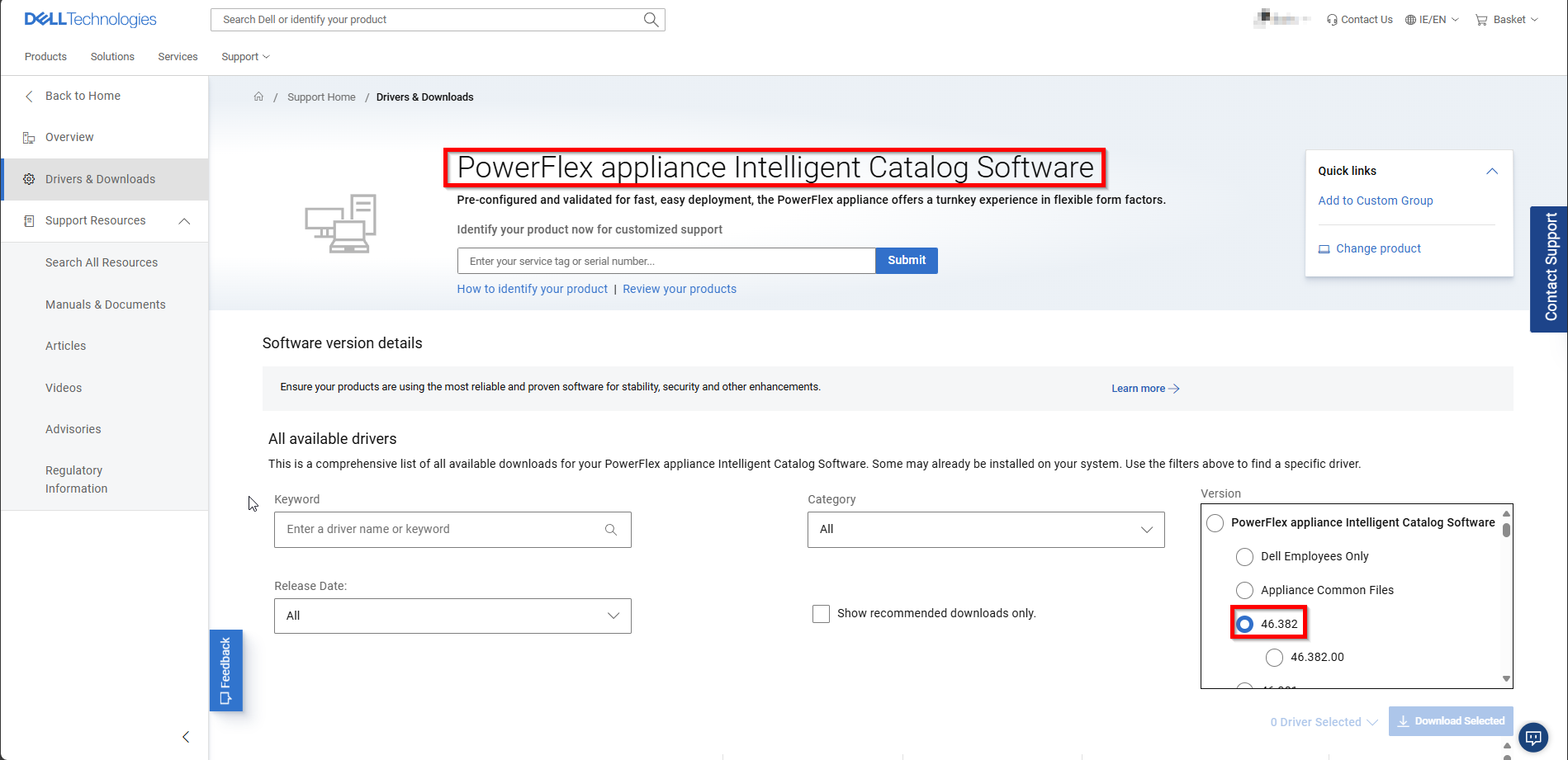
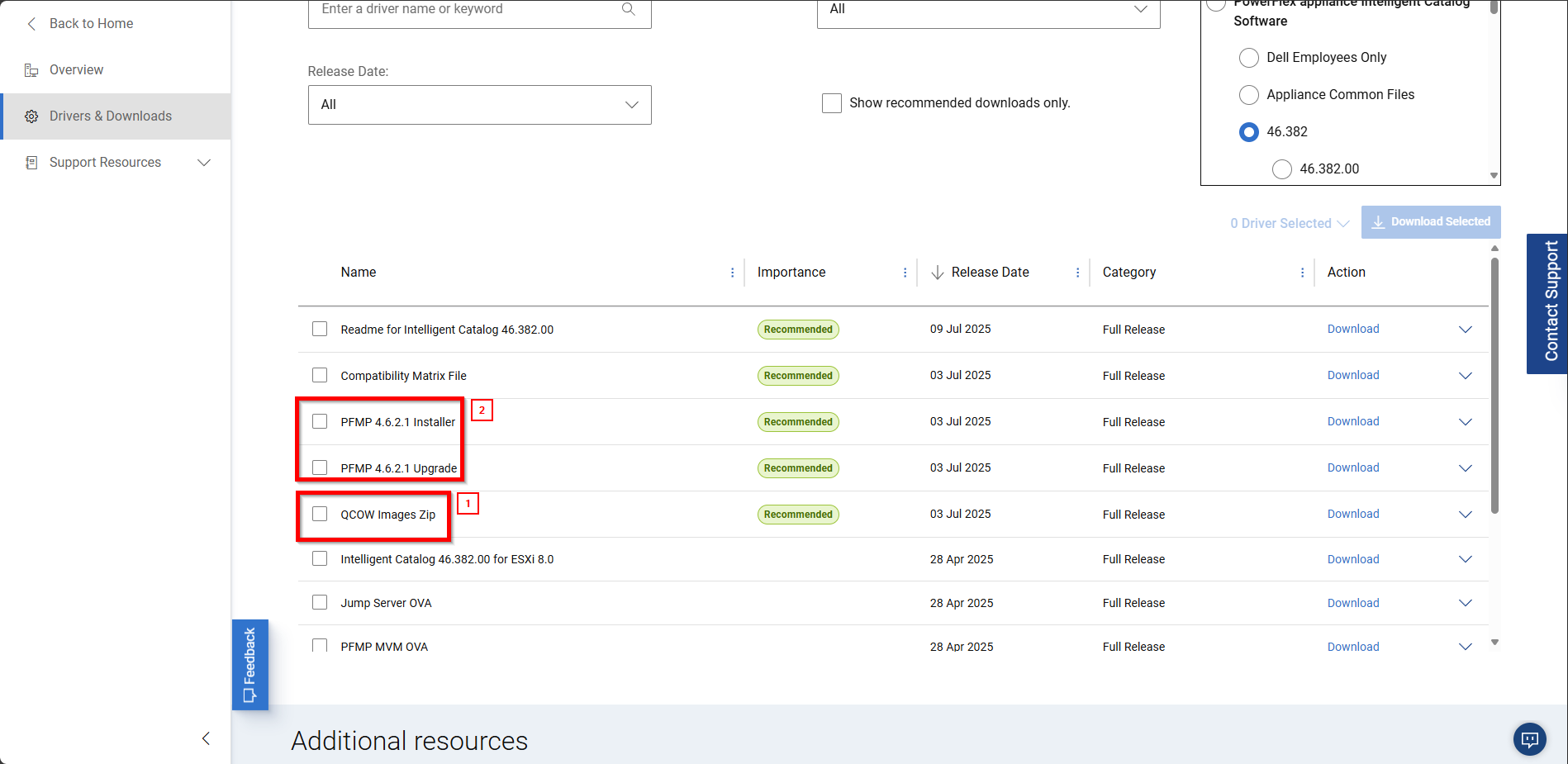
Supported configurations:
- The KVM use case can be deployed as QCOW VMs (Provided by PowerFlex) running on a KVM hypervisor or OpenShift Virtualization.
- The ESXi use case can be any version of ESXi able to run Dell OVA – tested versions include ESXi 7.x, 8.x., and VCF 9.x.
- The installation requires three instances of the MVM and one (temporary) instance of the Installer virtual machine to be deployed.
In a Customer-managed Hypervisor use case, the PowerFlex supplied images (available from 4.6.1 and above) include the following support statements:
- The DELL PowerFlex virtual machine images come preconfigured with all the Operating System (OS) prerequisites and configuration needed to deploy PFMP.
- The OS patching support for the VM is owned by the PowerFlex upgrade process.
- The OS license aspects for the embedded OS on the VM are owned by the PowerFlex offering.
Once PFMP is deployed successfully, see the PowerFlex Rack/Appliance install guide with the steps to configure PFMP for an Rack/Appliance Deployment (requires SOLVE access).
Refer to the following table for clarification on support ownership for various customer use cases:
| PowerFlex Rack/Appliance Management Nodes (nodes ordered from DELL) |
If a customer chooses this option, it will remove Dell's ability to manage the Hypervisor OS and HW maintenance steps of the node - it should be managed like an Unmanaged node going forward.
|
| Rack/Appliance Compute Only Nodes |
If a customer chooses this option, it will remove Dell's ability to manage the Hypervisor OS and HW maintenance steps of the node - it should be managed like an Unmanaged node going forward.
|
| Non-VMware in a customer environment |
|
Additional Information
Generic Limitations
- Customer admin owns the management of the HW, hosting the BYO Hypervisor.
- Customer admins own the management of the Hypervisor OS (Deployment and Upgrade).
- The Installer VM will not be managed as it is temporary.
- Supported OS for the BYO Hypervisor management.
Install Options
- Nutanix AHV 10.1
- ESXi 7.x, ESXi 8.x, and VCF 9.x
- Red Hat Enterprise Linux 8.10/9.x with KVM Hypervisor
- Rocky\Alma Linux that is Red Hat compatible with the above versions.
- SUSE Linux Enterprise Server (SLES) 15 SP4\5\6 with KVM Hypervisor
LCM Limitation
- PFMP manages the HW LCM and OS for Rack/Appliance nodes.
- OS maintenance for the customer-deployed Linux Hypervisor OS instances hosting PFMP is not in scope for PFMP, and documentation on how to perform it is not included.
- Refer to the following guidelines on how to gracefully perform maintenance operations on PFMP VM instances: Maintenance for a PowerFlex controller node.