Data Domain: Configuring MTree Replication using the UI
Summary: This KB article describes how to configure MTree replication using the UI.
This article applies to
This article does not apply to
This article is not tied to any specific product.
Not all product versions are identified in this article.
Instructions
Configuring MTree Replication Using the UI
Purpose
The article describes how to configure MTree replication using the UI.
Applies to
- All Data Domain systems
- MTree Replication
Solution
-
Add both Source and Destination systems on the same UI (Enterprise Manager):
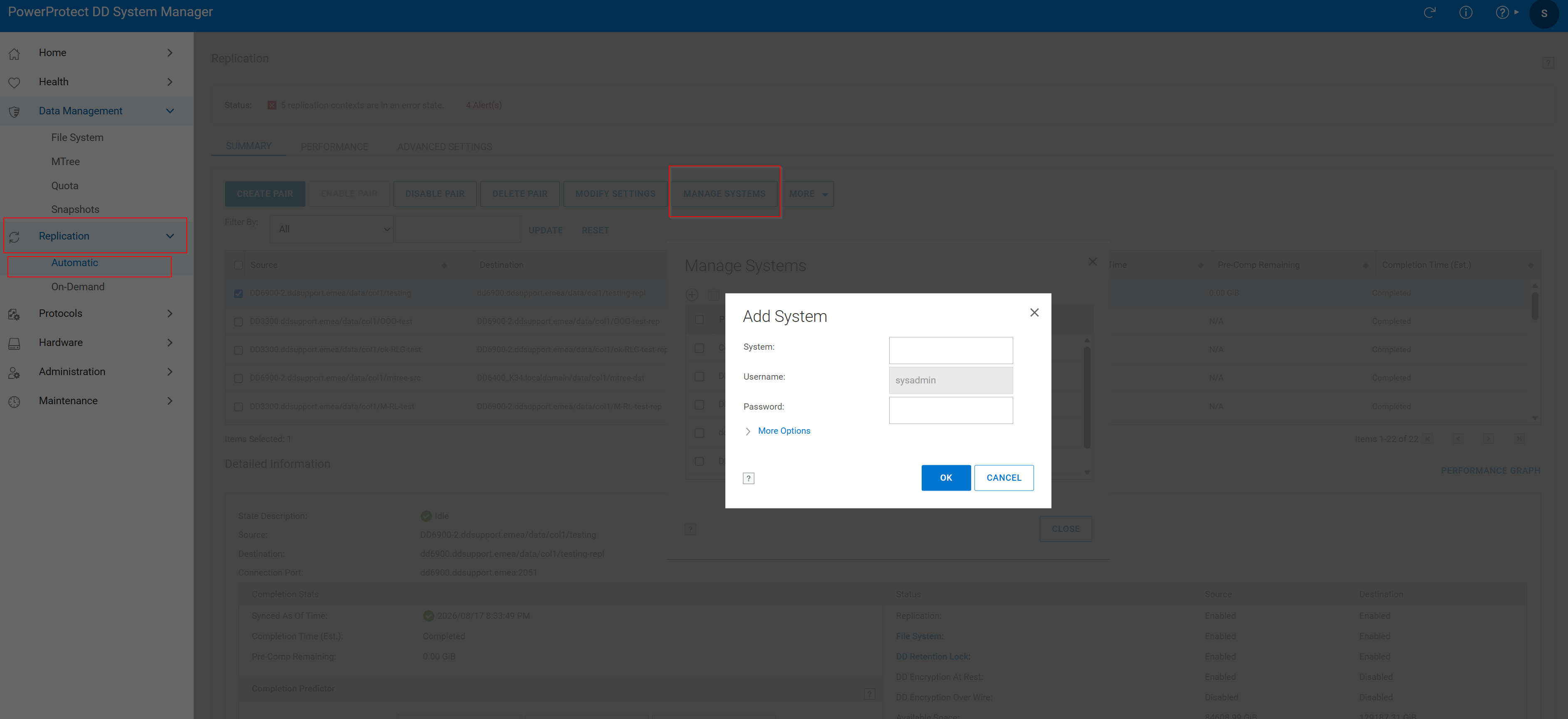 Figure 1. Add System
2. Create Replication Pair:
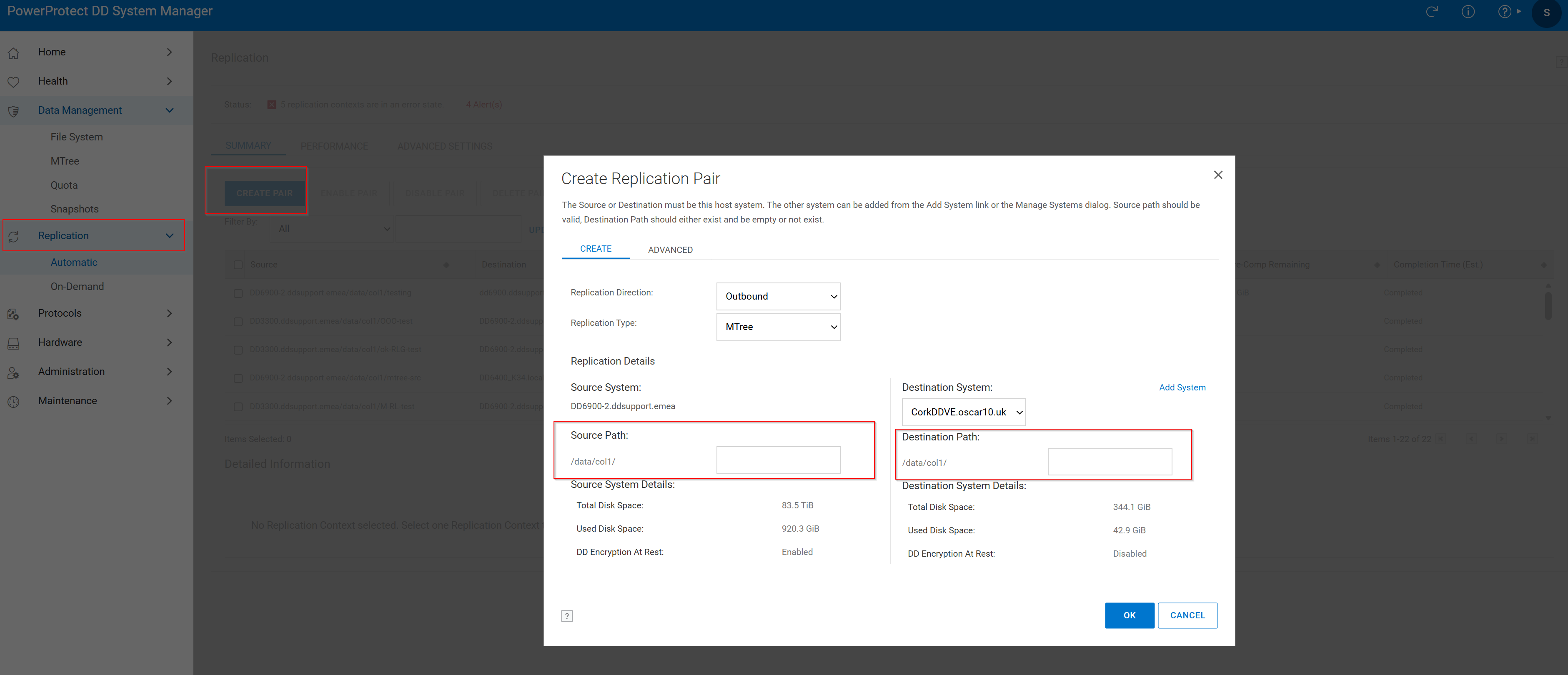 Figure 2. Create Replication Pair > Source Path
- Click Replication Tab then click Create Pair.
- Choose the Source System and Source Path. The Mtree should already exist in source.
- Choose the Destination System and Destination Path. The Destination MTree should not be already exist. If it is already exists, review the following knowledge articles:
Replication is created successfully with the following window:
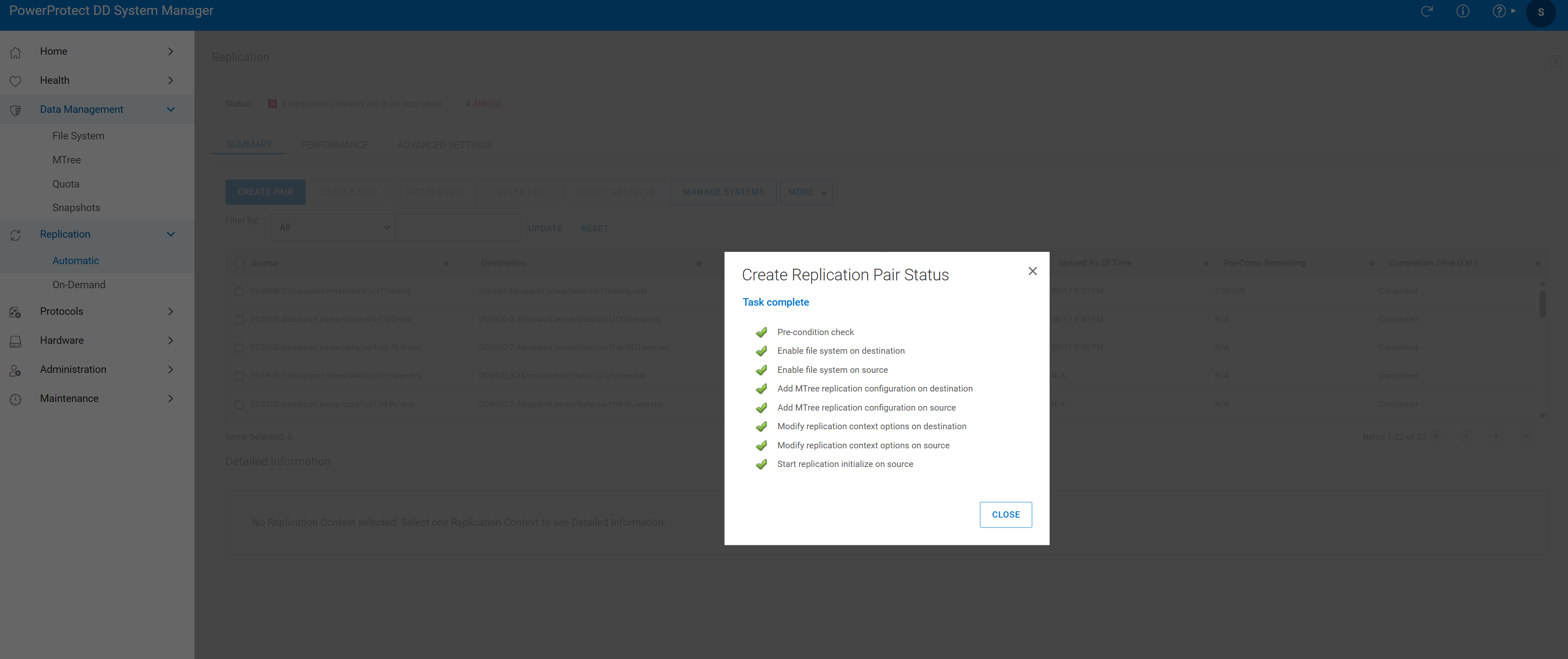 Figure 3. Task Complete
- Verify the replication pair:

Figure 4. Replication Verification
Additional Information
Affected Products
Data DomainProducts
Data DomainArticle Properties
Article Number: 000010996
Article Type: How To
Last Modified: 18 أغسطس 2026
Version: 7
Find answers to your questions from other Dell users
Support Services
Check if your device is covered by Support Services.