NetWorker: NMC Login window stops responding after clicking the 'Log In' button
Summary: After entering credentials in the NetWorker Management Console (NMC) Login window and clicking the 'Log In' button, the window stops responding. The Management Console window never appears. ...
This article applies to
This article does not apply to
This article is not tied to any specific product.
Not all product versions are identified in this article.
Symptoms
- NMC login window stops responding after clicking Log In.
- Management Console window does not appear.
- Java application hosting the login window hangs (Java Console stops responding).
- Multiple PostgreSQL services appear stale.
- Restarting gstd service only works intermittently.
- Reinstalling NetWorker does not resolve the issue.
- Antivirus is enabled on the NetWorker server; excluding NetWorker folders does not help.
*Log in button remains grayed out.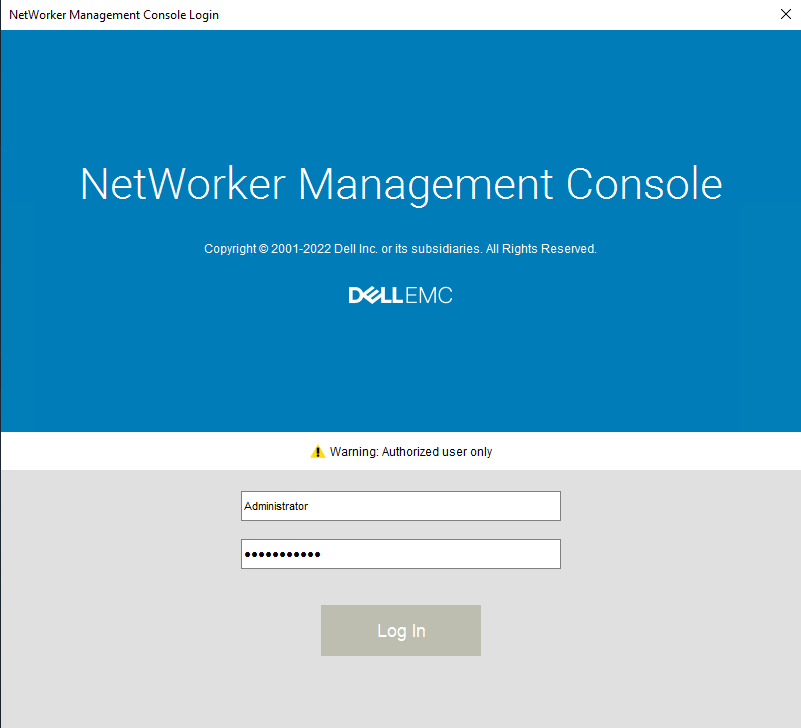
Cause
The issue is caused by the Threat Prevention feature in McAfee antivirus software, specifically the Access Protection setting.
Resolution
Disable Access Protection in McAfee:
- Open the McAfee application.
- Navigate to Threat Prevention settings.
- Disable Access Protection.
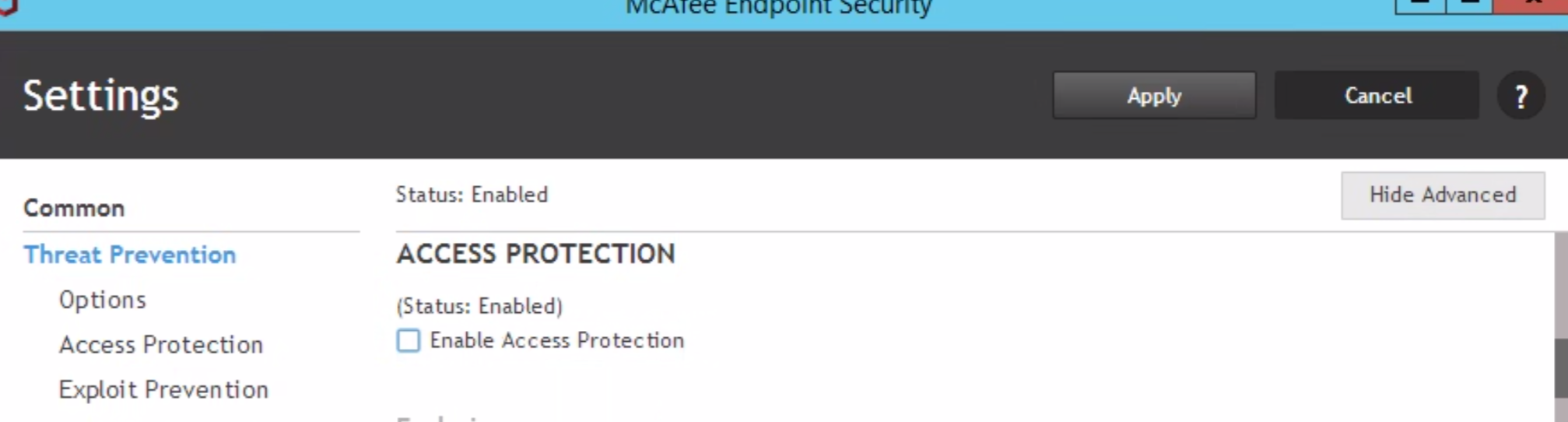
Restart GST Services:
- Stop the GST Service.
- Ensure GST Web Service and GST Database Service (and related processes such as
httpd.exeandpostgres.exe) are fully stopped.- If any processes remain, terminate them manually.
- Start the GST Service.
Affected Products
NetWorker, NetWorker Management ConsoleArticle Properties
Article Number: 000217025
Article Type: Solution
Last Modified: 12 يناير 2026
Version: 3
Find answers to your questions from other Dell users
Support Services
Check if your device is covered by Support Services.