Live Optics | SAN Health | Complete a SAN Health Array Profile
Summary: The Dell SAN Health utility collects data from any Fibre Channel SAN environment and produces a detailed Excel spreadsheet and PowerPoint of the SAN Configuration. Directors and switches supported include Dell Connectrix, Brocade, McData, Cisco, and Cisco Nexus. This document provides instructions on how to run a SAN Health Collection. ...
This article applies to
This article does not apply to
This article is not tied to any specific product.
Not all product versions are identified in this article.
Instructions
- Select Storage from the list from the Category types and select SAN Health from the list of storage assets.
- Click on Download Utility
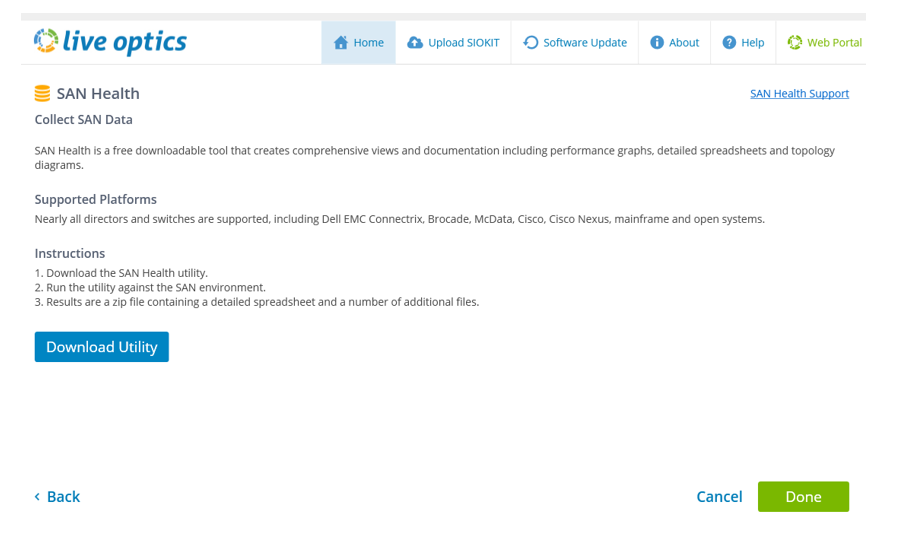
Install the SAN Health Utility.
- When a previous version of SAN Health installed, it must be uninstalled before continuing with this install
- The Dell SAN Health utility is delivered in a .zip file
- The .zip file contains the utility and a "Tips and Tricks" PDF file with runtime instructions
- Click on the InstallSANHealthVVVV_EMC.zip file - VVVV 421a or higher
- A temporary file is opened with the InstallSANHealthVVVV_EMC.exe
- VVVV = 4.2.1a or higher
- Select a folder where .exe can be saved
- Click on InstallSANHealthVVVV_EMC.exe to start the Installation

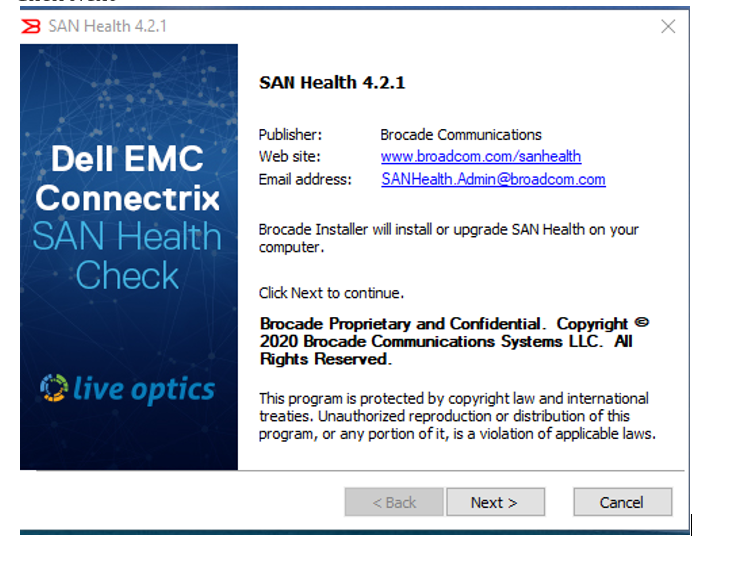
- The initial SAN Health installation screen appears
- Click Next
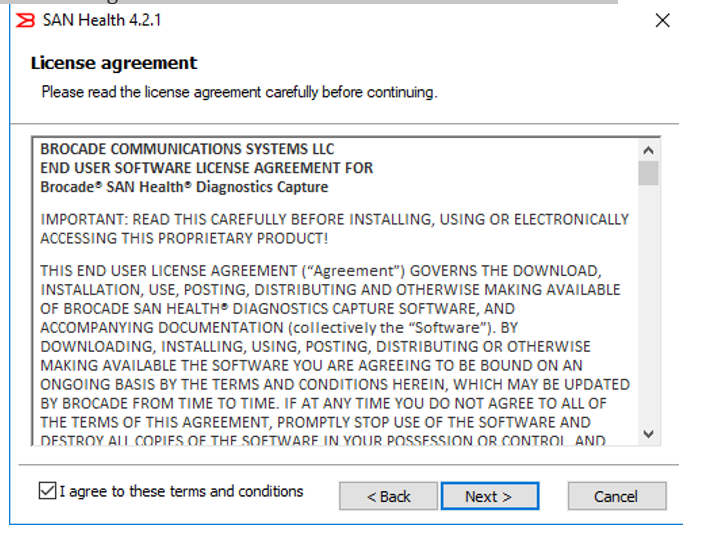
- Review the terms of the license agreement. Check the box next to "I agree to these terms and conditions" and click next
- Install folder location and complete audit and working folder location screen (Default values are recommended)
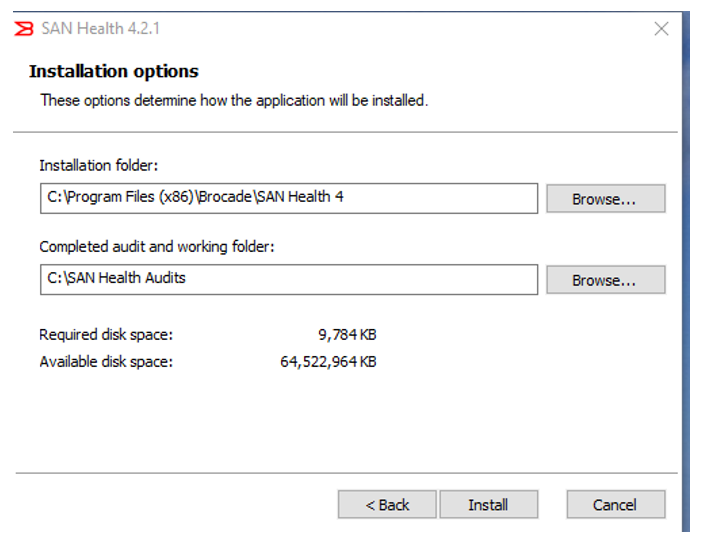
- Click Install
- Delete any older versions of SAN Health installed prior to installing the latest version.
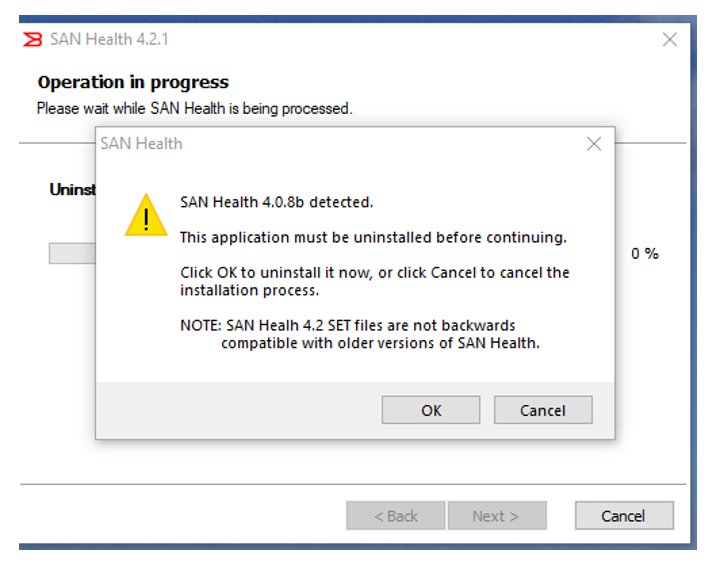
- Once the installation has been completed, click "Finish" to exit the installer.
- The screen should automatically open when install is complete OR
- Locate the "San Health 4" desktop icon and double-click to run.
- The screen includes helpful links to videos, the San Health support matrix, and options for getting assistance.
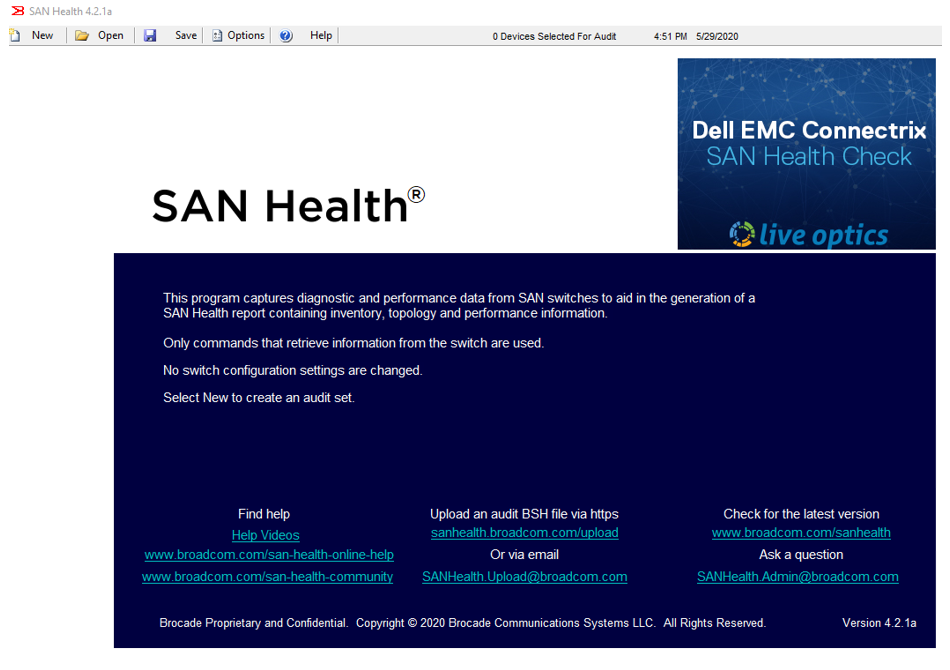
- Select NEW at the top of the screen to create an audit set
Run the SAN Health Utility.
- Enter site details including the user and company information. A valid email must be entered in the "Report Return" field.
- If applicable, check the box for "Another company you are working with" and enter the email address of your Dell Sales Engineer. Reports generated are then also be sent directly to their email address.
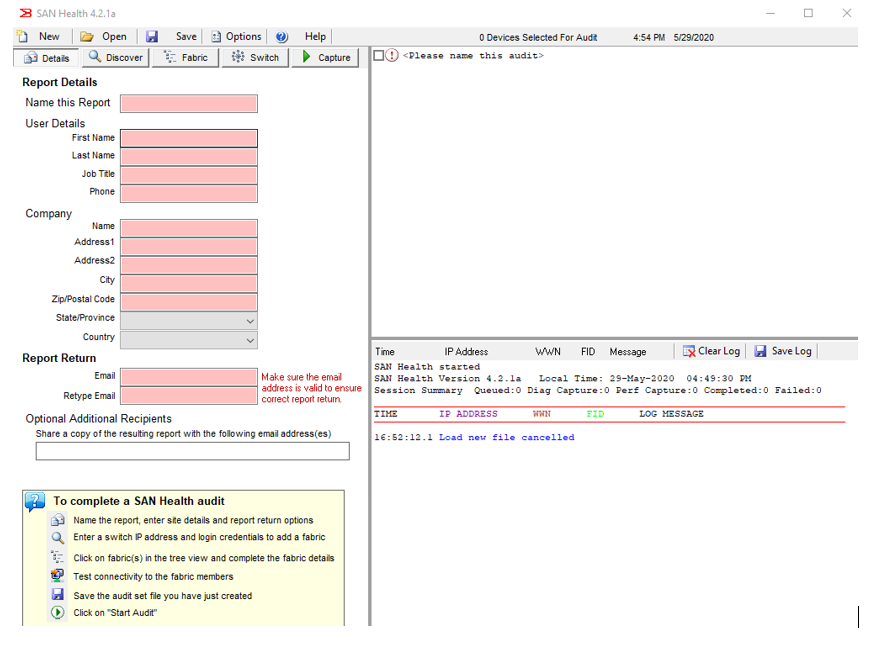
- Click on "Switches" and enter the credentials for your switches. The tool gathers statistics on devices where the credentials are identified.
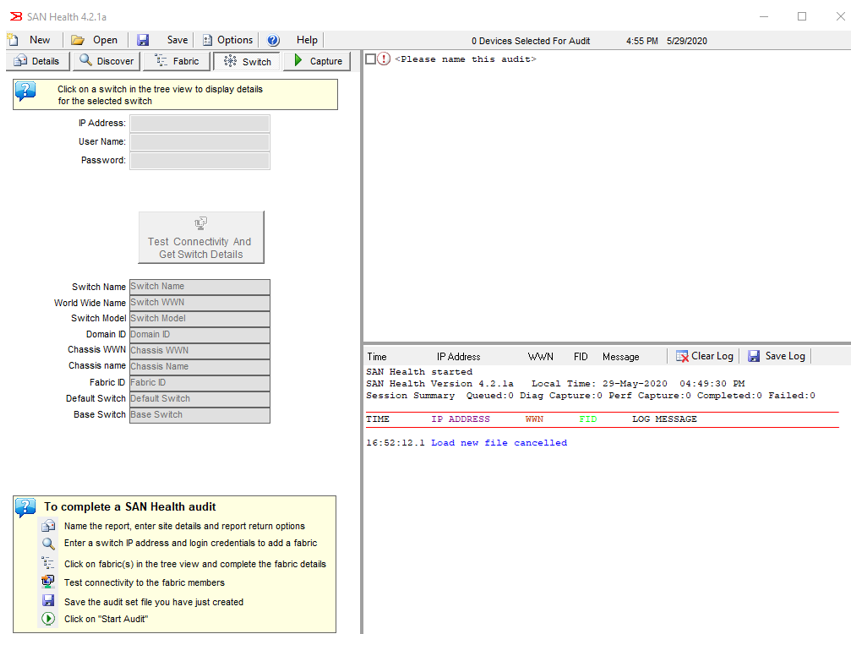
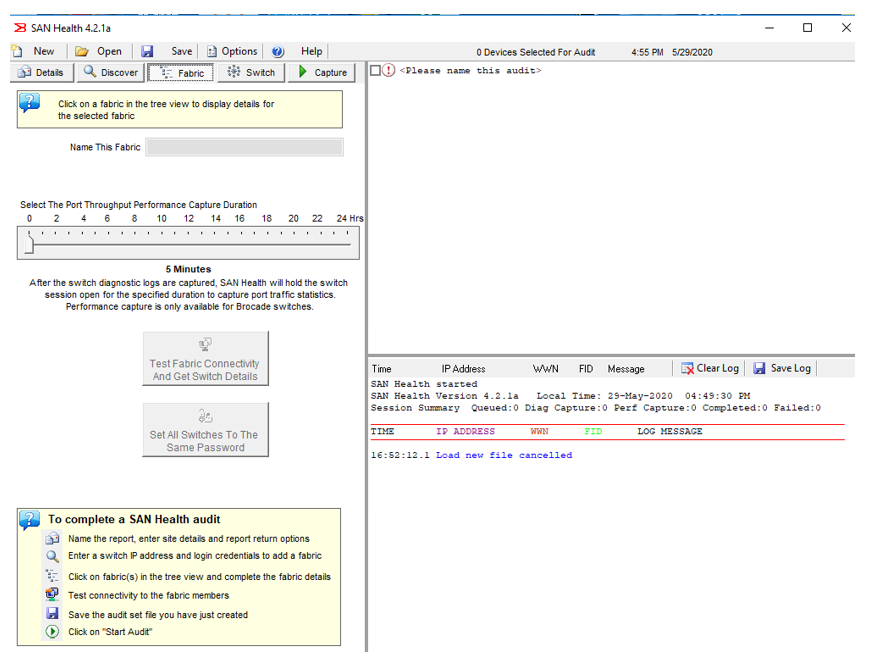
- Click on "Fabric" and enter the details of your fabric
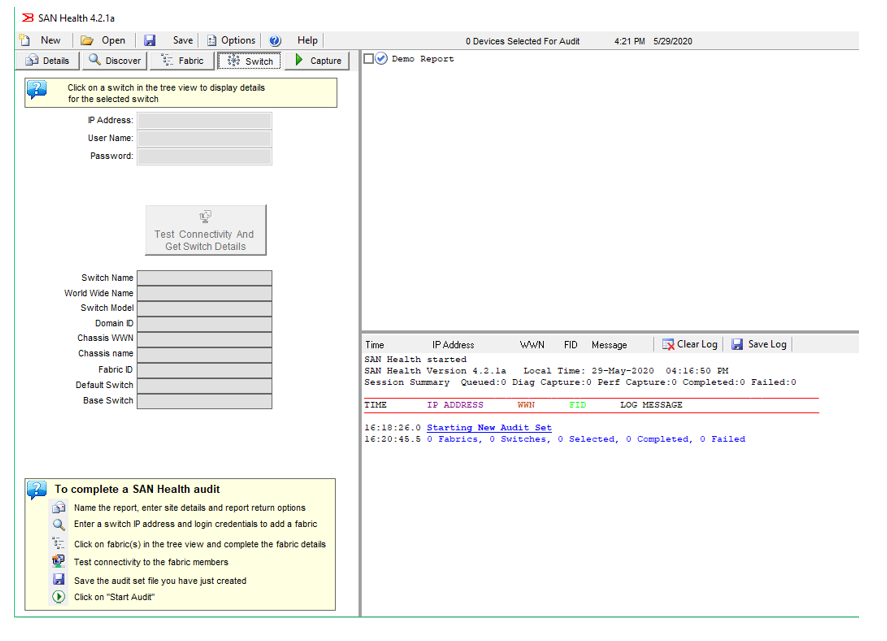
- Click on "Switch" in the tree view display and review the details for your switches.
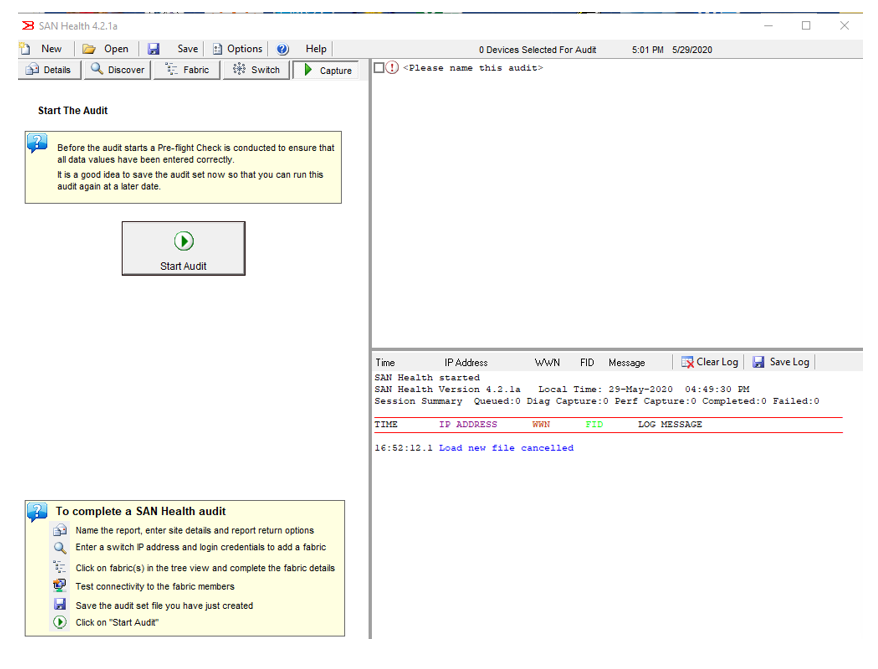
- Click on Capture then
- Click on Start Audit to start collecting information of your SAN
- A full report is delivered by email in approximately 24 hours
Affected Products
AnalyticsArticle Properties
Article Number: 000230304
Article Type: How To
Last Modified: 26 مارس 2025
Version: 3
Find answers to your questions from other Dell users
Support Services
Check if your device is covered by Support Services.