PowerProtect DDSM(DD System Manager) 및 DDMC(Data Domain Management Server) 액세스가 AD 인증을 통해 실패함
Summary: PowerProtect DDSM(DD System Manager) 및 DDMC(Data Domain Management Server) 액세스가 AD 인증을 통해 실패함
This article applies to
This article does not apply to
This article is not tied to any specific product.
Not all product versions are identified in this article.
Symptoms
Data Domain 어플라이언스는 Windows Active Directory 액세스 관리가 설정된 환경에서 구성되었습니다. PowerProtect DDSM(DD System Manager) 및 DDMC(Data Domain Management Server) 인증은 로컬 사용자에서는 성공적으로 작동하지만 AD(Active Directory) 사용자에서는 실패합니다. 인증에 AD 사용자를 사용하는 경우 DDSM 로그인이 실패하고 "사용자에게 DD System Manager에 액세스할 수 있는 권한이 부족합니다."라는 메시지가 표시됩니다.
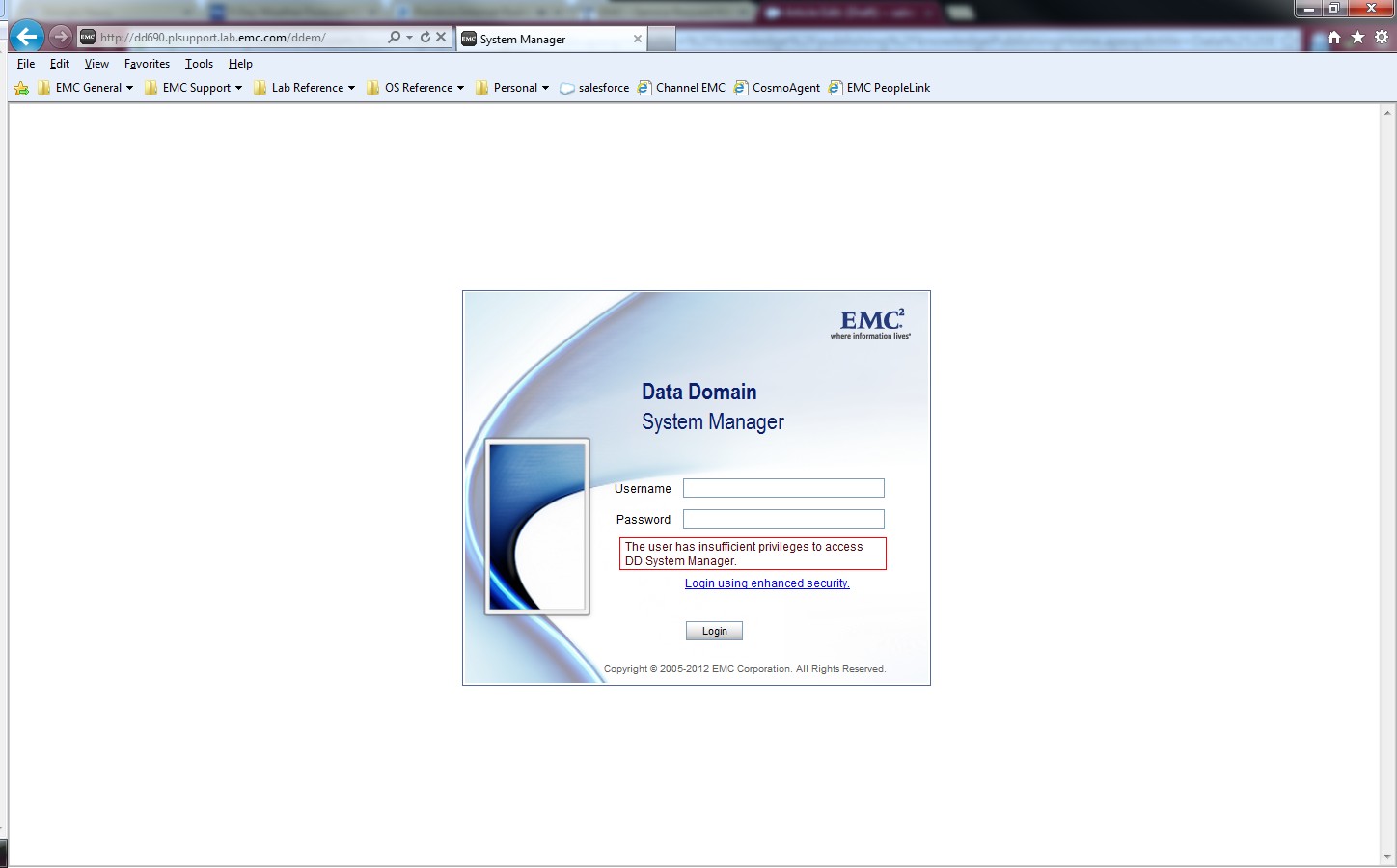
"System SettingsAccess > Management > Windows"의 Windows Authentication 및 Allowed Group 설정이 Microsoft Active Directory LDAP에 대해 올바르게 구성되어 있습니다. AD 사용자 계정으로 Data Domain CIFS 공유 인증에 성공했습니다.
DDMC 오류:
DDMC 오류:
sms: NOTICE: In session create 5034-the user has insufficient privilegeCause
Data Domain에서 adminaccess 인증이 비활성화되어 있습니다.
Resolution
DDSM 및 SSH를 사용하여 AD 사용자 인증을 허용하려면 Data Domain 시스템에서 adminaccess 인증 옵션을 활성화합니다.
sysadmin@MyDataDomain# adminaccess authentication show
CIFS authentication:    disabled
sysadmin@MyDataDomain# adminaccess authentication add cifs
CIFS authentication:    enabled
sysadmin@MyDataDomain# adminaccess authentication show
CIFS authentication:    enabled
정보 및 절차는 PowerProtect Data Domain 운영 체제 관리 가이드의 "액세스 제어 관리" 섹션에 설명되어 있습니다.
Affected Products
Data DomainProducts
Data DomainArticle Properties
Article Number: 000023929
Article Type: Solution
Last Modified: 30 آذار 2026
Version: 5
Find answers to your questions from other Dell users
Support Services
Check if your device is covered by Support Services.