如何为 Dell Data Security 服务器提交策略
Summary: 按照以下说明了解如何为 Dell Data Security 和 Dell Data Protection 服务器提交策略。
This article applies to
This article does not apply to
This article is not tied to any specific product.
Not all product versions are identified in this article.
Instructions
了解在 Dell Security Management Server(以前称为 Dell Data Protection Enterprise Edition Server 或 Dell Data Protection Virtual Edition)中提交策略的步骤。
受影响的产品:
- Dell Security Management Server
- Dell Security Management Server Virtual
- Dell Data Protection Enterprise Edition Server
- Dell Data Protection Virtual Edition Server
受影响的版本:
- 8.0 版及更高版本
必须在 Dell Security Management Server 中保存并提交策略,才能在托管端点上生效任何更改。
Dell Security Management Server 的策略设置在产品版本 v9.2.0 和更高版本或 v8.0.0 到 9.1.X 之间有所不同。单击相应的版本,了解特定的步骤。有关版本信息,请参阅 如何确定 Dell Data Security 服务器版本。
v9.2.0 和更高版本
- 登录到 Dell Data Security 管理控制台。
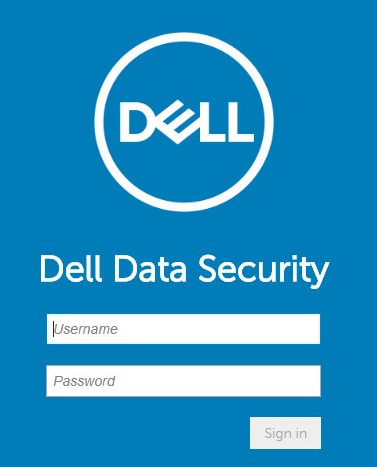 提醒:有关更多信息,请参阅 如何访问 Dell Data Security 服务器管理控制台。
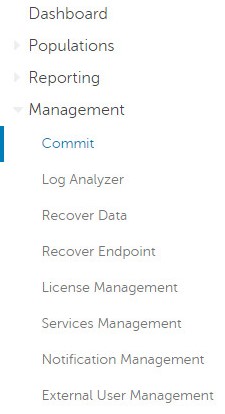
 - 从左侧菜单窗格中,单击 Management,然后选择 Commit。
- 填写批注,详细说明要提交的已保存的策略更改。
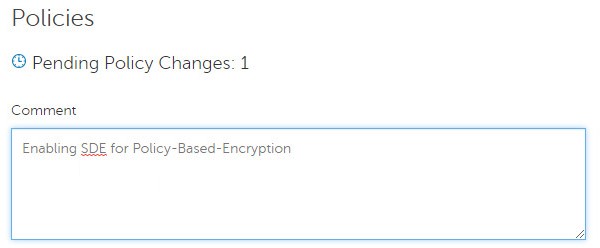
- 单击 Commit Policies。

v8.0.0 至 v9.1.X
- 提交凭据以登录到 Dell Data Protection 管理控制台。
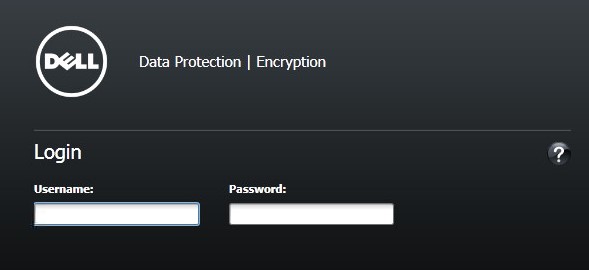 提醒:有关更多信息,请参阅 如何访问 Dell Data Security 服务器管理控制台。
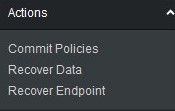
 - 从左侧窗格中,单击 Commit Policies。
- 填写批注,详细说明已保存的策略更改,然后单击 Apply Changes。
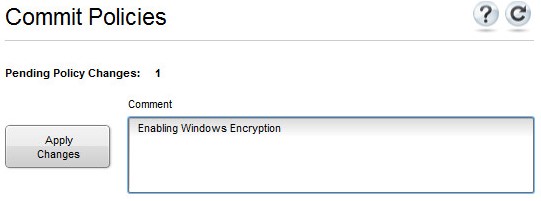 提醒:根据受影响的策略、端点和域的数量分配 待定策略更改 编号。
要联系支持部门,请参阅 Dell Data Security 国际支持电话号码。
转至 TechDirect,在线生成技术支持请求。
要获得更多见解和资源,请加入戴尔安全社区论坛。
Additional Information
Videos
Affected Products
Dell EncryptionProducts
Dell Data SecurityArticle Properties
Article Number: 000123779
Article Type: How To
Last Modified: 19 نيسان 2026
Version: 15
Find answers to your questions from other Dell users
Support Services
Check if your device is covered by Support Services.