Dell ESA 7.0 PAK Manager PAK 檔案 DellEMCEnterpriseStorageAnalytics-7.0.0-build-2260_signed.pak 不是 zip 格式。
Summary: PAK Manager PAK 檔案 DellEMCEnterpriseStorageAnalytics-7.0.0-build-2260_signed.pak 不是 zip 格式。
This article applies to
This article does not apply to
This article is not tied to any specific product.
Not all product versions are identified in this article.
Symptoms
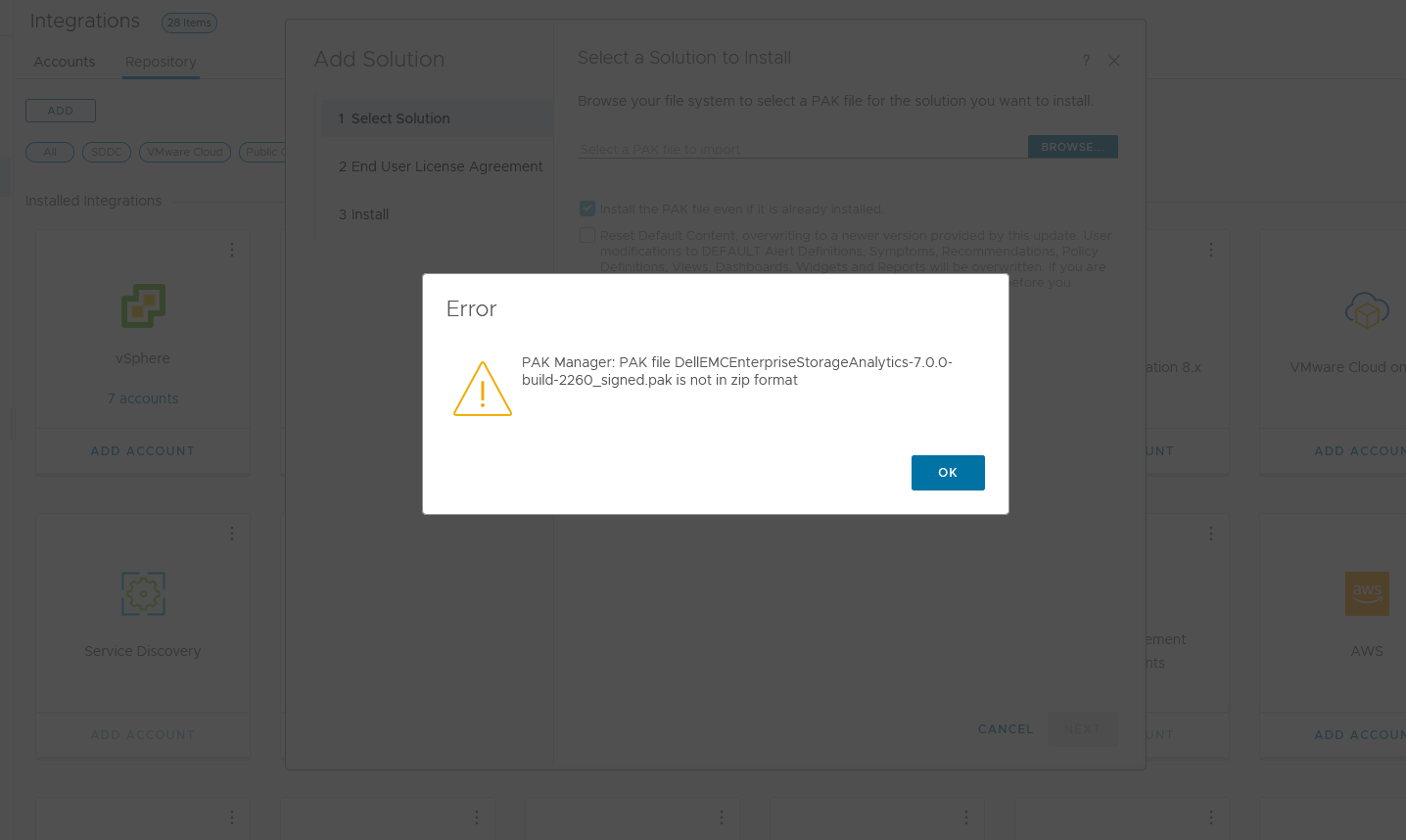
在 VMware vRealize Operations (vROps) 中,嘗試上傳此 PAK 檔案 DellEMCEnterpriseStorageAnalytics-7.0.0-build-2260_signed.pak 時,持續看到出現訊息:
PAK Manager: PAK file DellEMCEnterpriseStorageAnalytics-7.0.0-build-2260_signed.pak is not in zip format.或
PAK Manager: PAK file reservedTemp_2696460655826554461.pak is not in zip format
Cause
下載的 pak 檔案已損壞。
Resolution
使用下載的檔案之前,最好先執行檢查總和,以確認檔案的完整性。
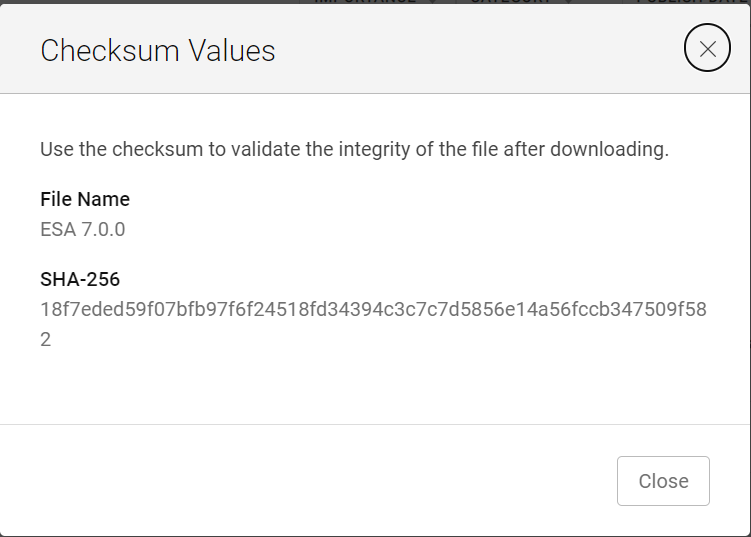
1.下載 ESA 7.0 檔案 (DellEMCEnterpriseStorageAnalytics-7.0.0-build-2260_signed.pak) 並取得其總和檢查值。
2.叫用 PowerShell
3.運行校驗和以驗證下載檔的字母數位校驗和值是否與其網站上所述的值匹配。

4.選取要安裝
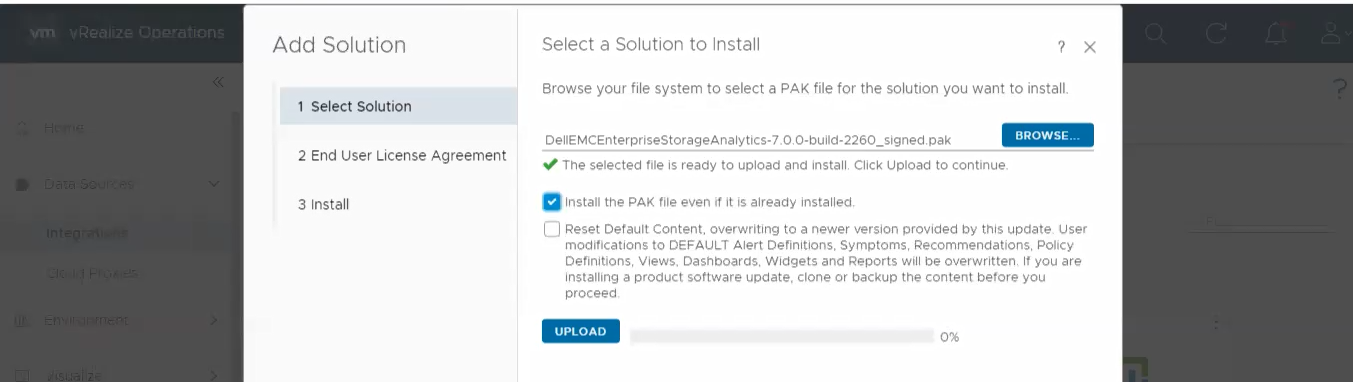
的解決方案 5.按一下「UPLOAD」,確認已驗證的檔案已成功上傳
1.下載 ESA 7.0 檔案 (DellEMCEnterpriseStorageAnalytics-7.0.0-build-2260_signed.pak) 並取得其總和檢查值。
2.叫用 PowerShell
輸入:
Press winkey+ R.
Type cmd.
The command prompt is opened.
Type PowerShell and press enter.
3.運行校驗和以驗證下載檔的字母數位校驗和值是否與其網站上所述的值匹配。
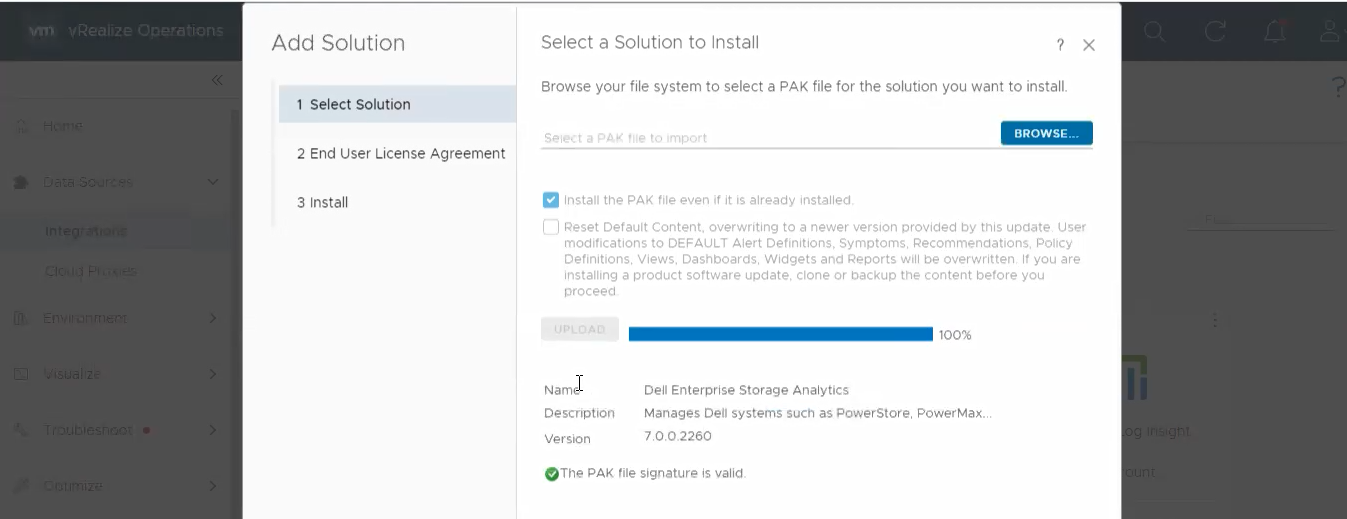
4.選取要安裝
的解決方案 5.按一下「UPLOAD」,確認已驗證的檔案已成功上傳
Article Properties
Article Number: 000204311
Article Type: Solution
Last Modified: 12 آذار 2024
Version: 2
Find answers to your questions from other Dell users
Support Services
Check if your device is covered by Support Services.