PowerFlex 3.X: How to Collect a Full get_info Bundle Using the PowerFlex Gateway
Summary: This article covers the steps to generate a get_info bundle from all PowerFlex nodes in a cluster.
This article applies to
This article does not apply to
This article is not tied to any specific product.
Not all product versions are identified in this article.
Instructions
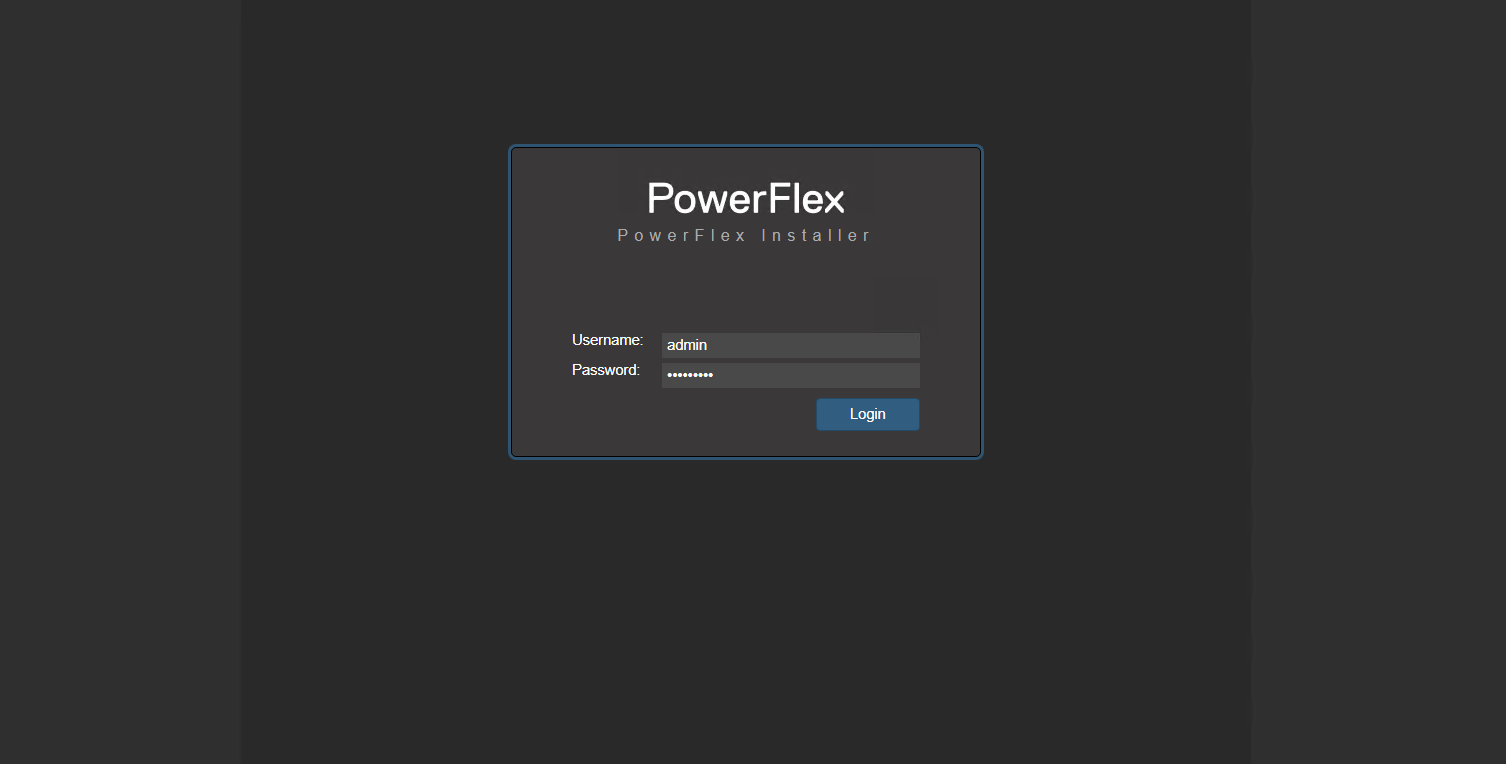
- Log in to the PowerFlex Gateway web UI
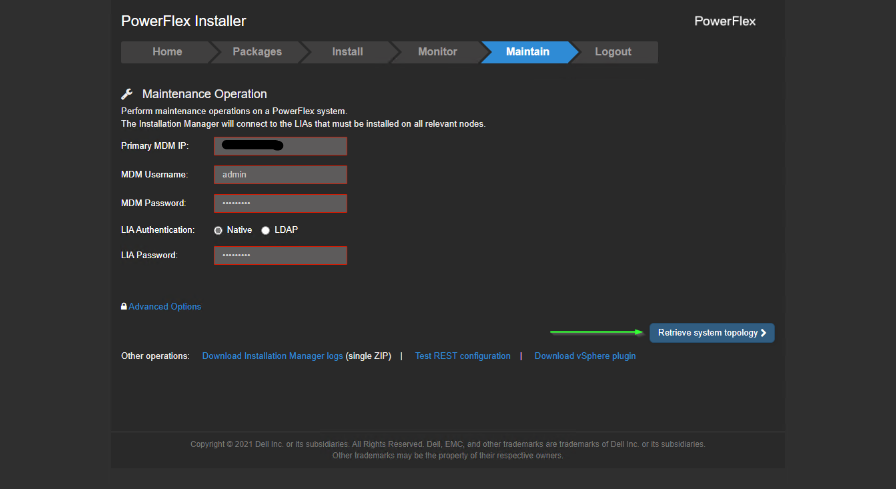
- Click the Maintain tab. Enter the Primary MDM IP, Username, Password, and LIA Password.
NOTE: If you do not know the Primary MDM IP, click Test REST Configuration on the Maintain page. Click the Blue Ribbon Connect to MDM on x.x.x.x, x.x.x.x (enter MDM credentials in the display). When prompted, enter the MDM username and password. The page lists the IP next to the property named Management IPs.
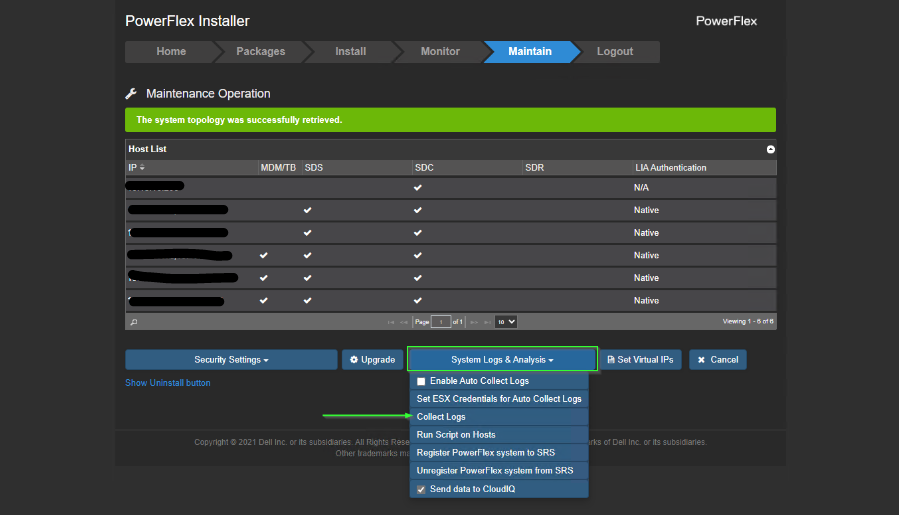
- Click System Logs & Analysis > Collect Logs
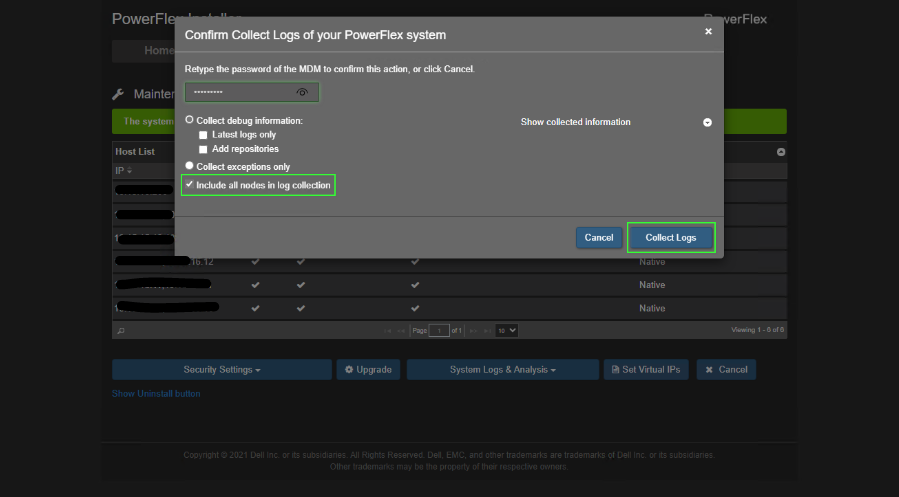
- Enter the ESXi root password if the UI prompts you to do so. This allows the Gateway to validate that the ESXi host is SDC. Logs from SDCs are not pulled in the bundle collection.

- Enter the MDM password when prompted and click Collect Logs
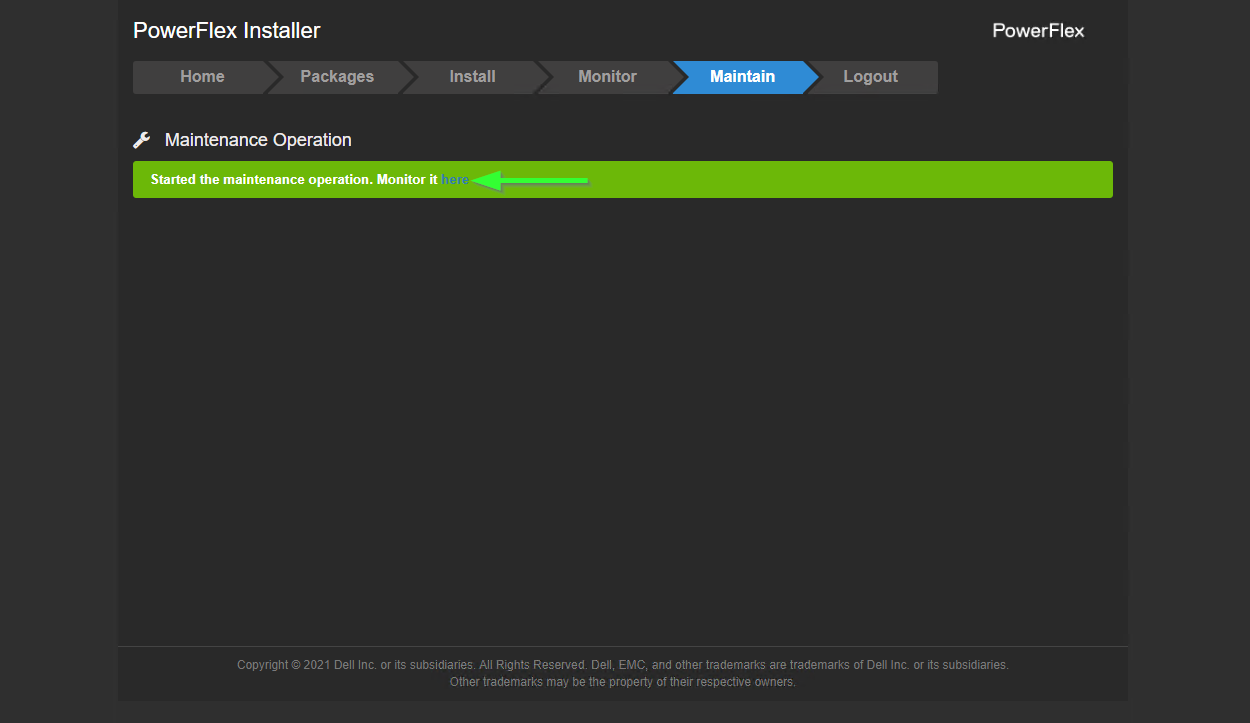
- Click the hyperlink here to monitor the log collection status
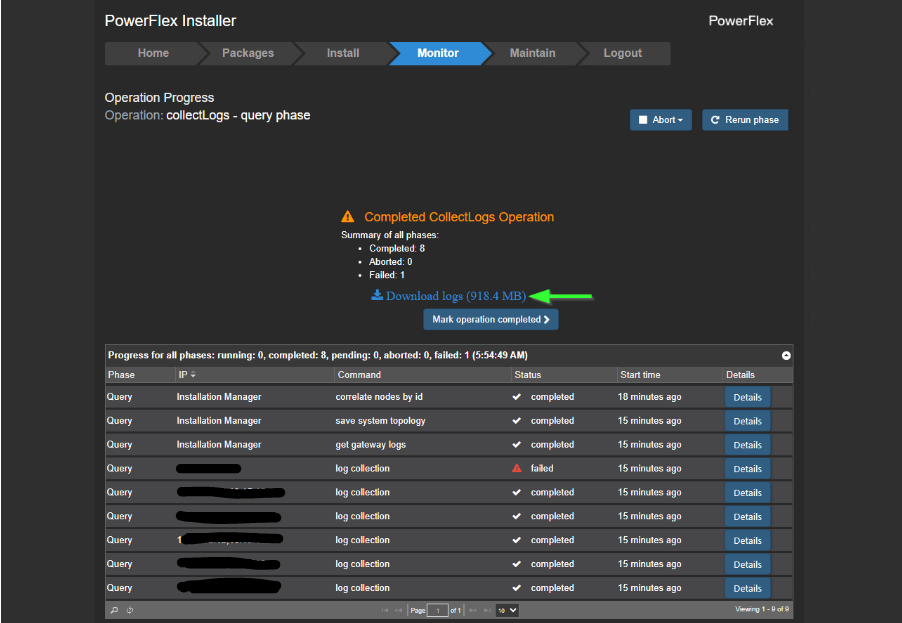
- When the operation finishes, click Download Logs
NOTE: Collections from ESXi SDCs fail, but this has no impact on this task. If any of the entries with two IPs listed fail, contact Dell Technical Support to troubleshoot LIA connectivity.
Affected Products
PowerFlex rack, PowerFlex Appliance, PowerFlex custom node, PowerFlex custom node, PowerFlex SoftwareArticle Properties
Article Number: 000222513
Article Type: How To
Last Modified: 30 كانون الأول 2025
Version: 2
Find answers to your questions from other Dell users
Support Services
Check if your device is covered by Support Services.