Dell NativeEdge: Virtual machine migration fails during upgrade
Summary: When upgrading NativeEdge from version 3.2.0.0 or 4.0.0.0 to 4.1.0.0, virtual machine migration may fail if the bridged network segment name was changed after the virtual machine was deployed. This issue is resolved in version 4.1.0.0. ...
This article applies to
This article does not apply to
This article is not tied to any specific product.
Not all product versions are identified in this article.
Symptoms
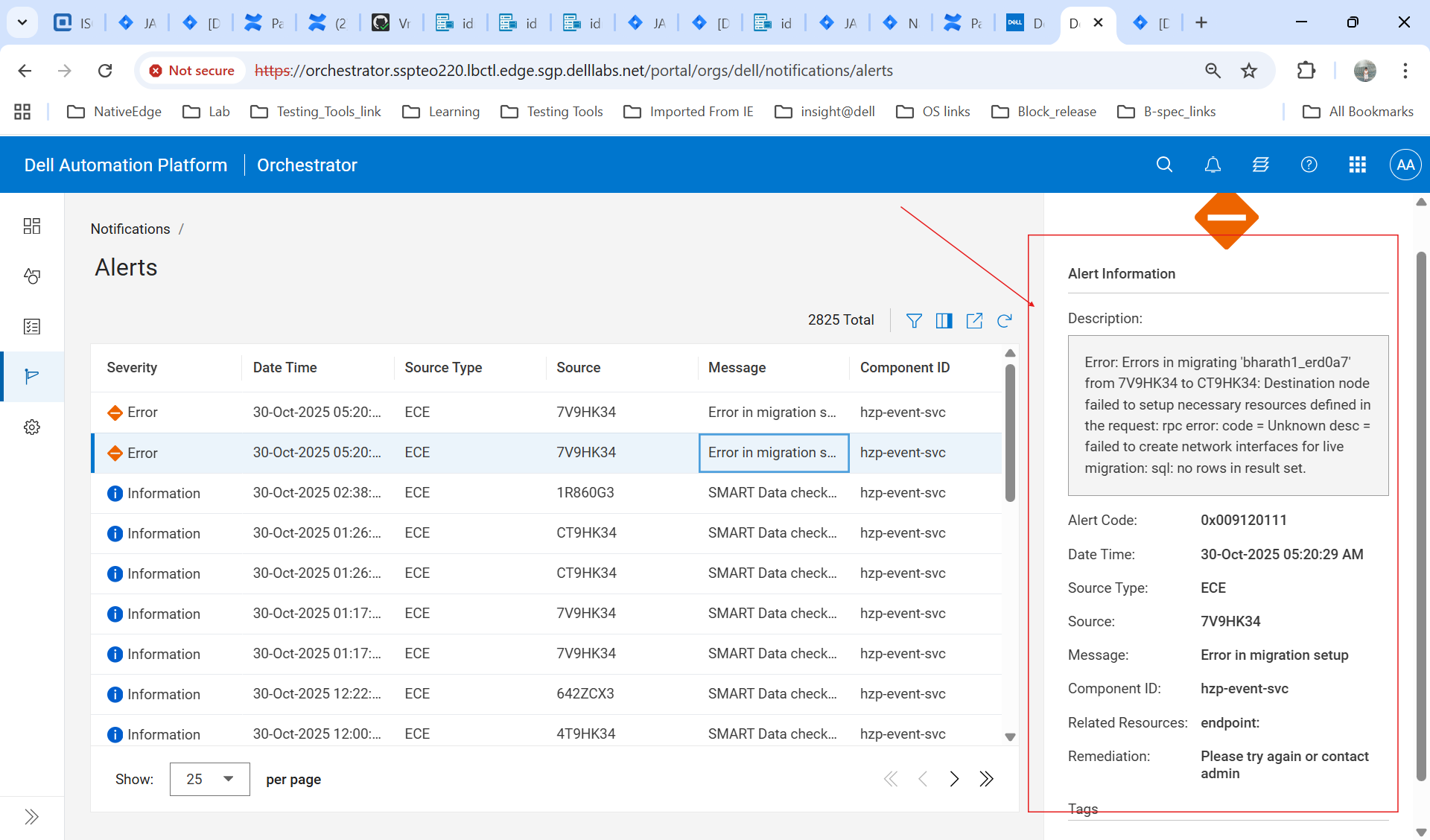
When upgrading NativeEdge from version 3.2.0.0 or 4.0.0.0 to 4.1.0.0, the upgrade process fails during the virtual machine shutdown phase. Error messages observed:
Destination node failed to setup necessary resources defined in the request: rpc error: code = Unknown desc = failed to create network interfaces for live migration: sql: no rows in result set
Or in the user interface:
Error in migrating the virtual machine: invalid body inputs: segment bridge1 is not found in machine hardware data
Cause
The bridged network segment name was modified after the virtual machine was deployed. During migration, the destination node expects the original segment name, causing a mismatch and failure to create network interfaces.
Resolution
Workaround for versions 3.2.0.0 and 4.0.0.0:
- Do not change bridged segment names after deploying virtual machines.
- If already changed, revert the segment name to its original value before migration.
- Alternatively, upgrade nodes individually instead of performing a cluster-wide upgrade
Permanent Fix:
- NativeEdge version 4.1.0.0 includes logic to update virtual machine configuration when segment names change.
- Upgrade from 4.1.0.0 to later NativeEdge releases to avoid this issue.
Affected Products
NativeEdge SolutionsArticle Properties
Article Number: 000393292
Article Type: Solution
Last Modified: 28 تشرين الثاني 2025
Version: 1
Find answers to your questions from other Dell users
Support Services
Check if your device is covered by Support Services.