Unisphere for PowerMax: Health Checks Fail, Error "Configuration server request cannot be processed"
Summary: Unisphere for PowerMax health checks fails with error "The configuration server request cannot be processed at this time."
This article applies to
This article does not apply to
This article is not tied to any specific product.
Not all product versions are identified in this article.
Symptoms
Issues:
- The process fails with
The configuration server request cannot be processed at this timewhen running health checks in Unisphere for PowerMax. - No hardware issue on the PowerMax or VMAX array
- SYMMWIN health checks are clean
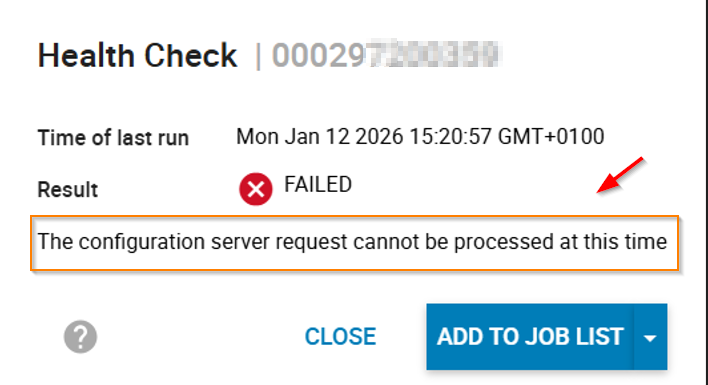
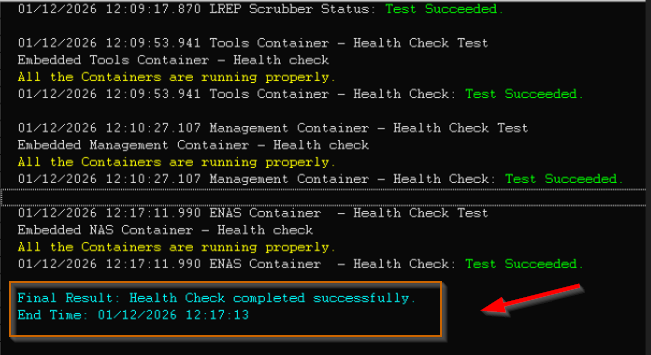
symapi.log:
01/12/2026 09:50:53.508   7536    124 EMC:UNIVMAX                iSymConfigChangeCont iSymConfigChangeControl: session_id = 1
01/12/2026 09:50:53.512   7536     {
01/12/2026 09:50:53.512   7536       run health check;
01/12/2026 09:50:53.512   7536     }
01/12/2026 09:50:54.151   7536     Initiating COMMIT of maintenance changes................Failed.
01/12/2026 09:50:54.151   7536     COMMIT failure: The configuration server request cannot be processed at this time
01/12/2026 09:50:54.160   7536     Terminating session with configuration server.............Done.
01/12/2026 09:50:54.900   9980      5 EMC:EVTdaemon              iSymEnvDataGet       No Environment Data returned from SIL_SymmWin_Data
SMAS.log:
2026-01-12 09:50:54,153 WARN  [em.bp.UTIL] (EE-ManagedExecutorService-default-Thread-4) SymapiCallTracer:InputArgs::SymConfigChangeControl failed with code 1504 (The configuration server request cannot be processed at this time)
Handle = 3
Session_id = 1
Action = Commit
Flags = SYMAPI_CFGFLAG_WAIT | SYMAPI_CFGFLAG_CALLBACK
P_opt = null

2026-01-12 09:50:54,153 ERROR [em.smc.SERVICEABILITY] (EE-ManagedExecutorService-default-Thread-4) ServiceabilityListener.SymConfigChangeControl:Health Check CFGCHG_ACTN_COMMIT failed.
2026-01-12 09:50:54,380 ERROR [em.bp.TASK] (EE-ManagedExecutorService-default-Thread-4) JobExecutionTask.run:An issue occurred executing job [1768460528118]. Cause: Health check failed.: com.emc.em.common.task.TaskException: Health check failed.
Cause
The Service Processor (Management Module Control System (MMCS)) on the PowerMax or VMAX array has exhausted its available memory.
Resolution
Reboot the Control Station (CS) to fix the issue.
Open a service request with Dell Technologies Support to reboot the Control Station (CS) with the correct array serial number and quote this article 000418319.
Affected Products
Unisphere for PowerMaxArticle Properties
Article Number: 000418319
Article Type: Solution
Last Modified: 07 تموز 2026
Version: 3
Find answers to your questions from other Dell users
Support Services
Check if your device is covered by Support Services.