VxRail: Copy Part Details on Physical View
Summary: This enhancement makes it easier for both connected and non‑connected customers to access and copy important part information—such as part numbers and slot details—directly from event details in the Physical View UI. For connected customers, this information is automatically sent to Dell Support to help expedite issue resolution. Non‑connected customers can copy these details into the Dell Virtual Assistant to streamline issue resolution and support requests. ...
This article applies to
This article does not apply to
This article is not tied to any specific product.
Not all product versions are identified in this article.
Instructions
Where users see Part Details:
- Display detailed part information (part number, slot, model, serial, so on) in Physical View hardware alerts.
- When part details are available, the Copy Alert Details action enables copying the JSON details.
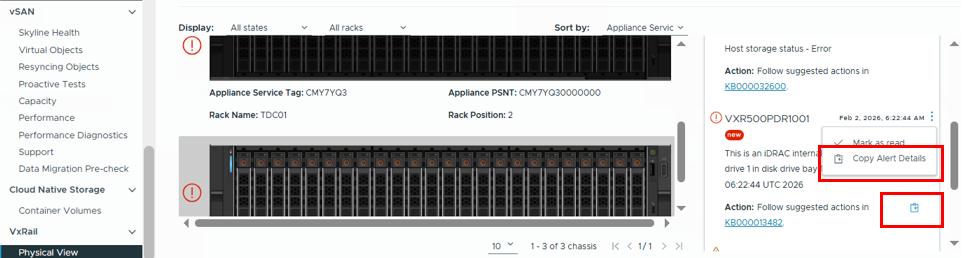
Figure 1. Copy Alert Details
- An information icon provides additional context by a tool tip on the hover:
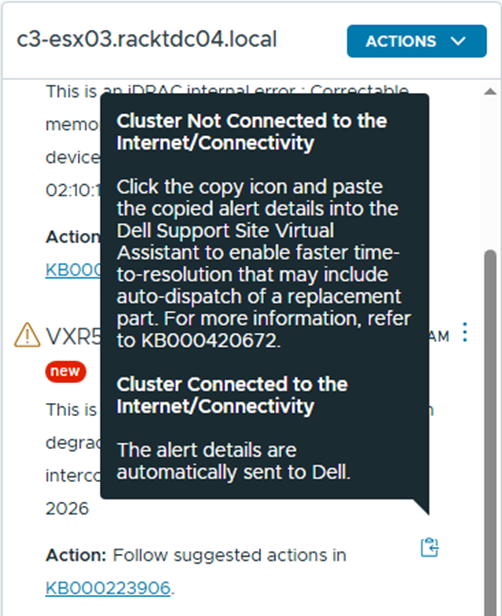
Figure 2. Context Tool Tip
A message box displays upon clicking:
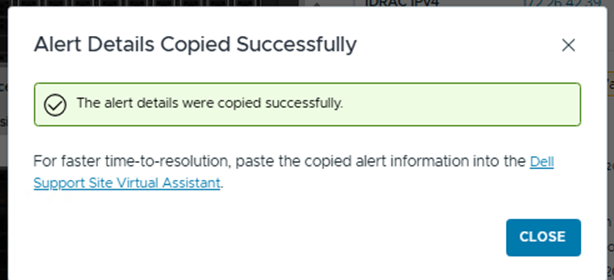
Figure 3. Alert Details Copied Successfully
- Part Details Example:
{
  "BAY": "1",
  "CPU_MODEL": "",
  "DISK_SLOT": "",
  "ENCLOSURE": "1",
  "FANDESC": "",
  "FIRMWARE_VERSION": "2.2.0",
  "MODEL": "Dell Ent NVMe CM6 RI 1.92TB",
  "NAME": "Disk1",
  "PART_NUMBER": "ABCDE",
  "SERIAL_NUMBER": "",
  "SLOT": "1",
  "SN": "ABCDEF7KTCD8",
  "TYPE": "SSD"
}
Affected Products
VxRail SoftwareArticle Properties
Article Number: 000420672
Article Type: How To
Last Modified: 30 تموز 2026
Version: 2
Find answers to your questions from other Dell users
Support Services
Check if your device is covered by Support Services.