PowerProtect Data Manager Essentials: Oracle discovery fails on Windows server with error ASDS0018.
Summary: PowerProtect Data Manager (PPDM) discovery operation fails for Oracle database on Windows server.
This article applies to
This article does not apply to
This article is not tied to any specific product.
Not all product versions are identified in this article.
Symptoms
While attempting to discover an Oracle database residing on a Windows server, the discovery fails with error.
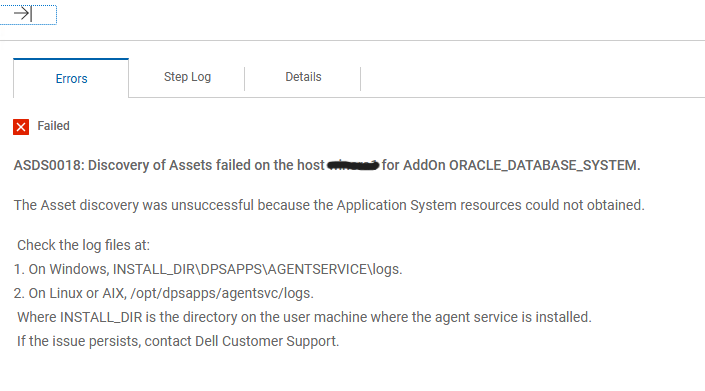
ASDS0018: Discovery of Assets failed on the host HOSTNAME for AddOn ORACLE_DATABASE_SYSTEM.From PPDM UI the error can be see in the System Jobs.
Discovery jobs initiated from the Oracle windows server Command Line, or PowerShell successfully connect to the Oracle database.
Cause
The issue is related to the $ORACLE_HOME\bin path not being listed in the System Path variables on of server.
Resolution
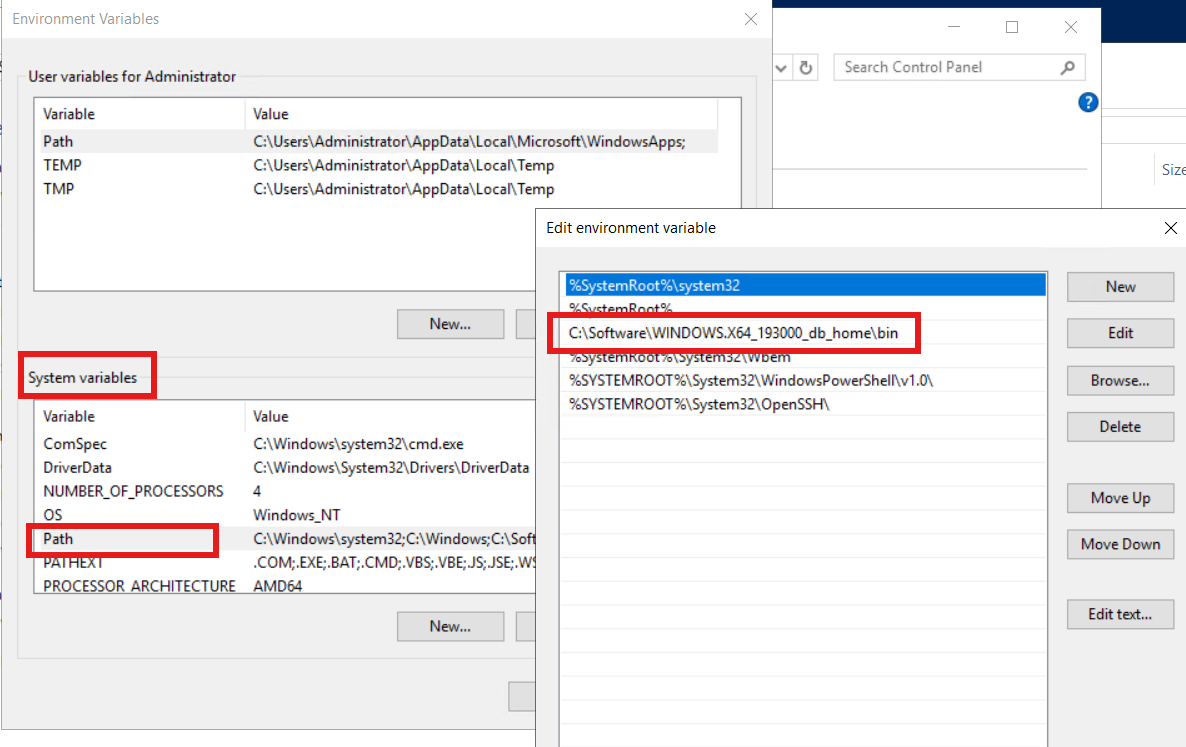
On the Oracle server, open File Explorer >right-click This PC > Properties > Advance system settings > Environment Variables.
In the System variables section, double-click on Path.
Ensure that the complete path of $ORACLE_HOME\bin is listed in the environment variables.
Affected Products
PowerProtect Data Manager Essentials, PowerProtect SoftwareArticle Properties
Article Number: 000452680
Article Type: Solution
Last Modified: 15 نيسان 2026
Version: 1
Find answers to your questions from other Dell users
Support Services
Check if your device is covered by Support Services.