Data Domain: UI를 사용하여 MTree 복제 구성
Summary: 이 KB 문서에서는 UI를 사용하여 MTree 복제를 구성하는 방법에 대해 설명합니다.
This article applies to
This article does not apply to
This article is not tied to any specific product.
Not all product versions are identified in this article.
Instructions
UI를 사용하여 MTree 복제 구성
용도
UI를 사용하여 MTree 복제를 구성하는 방법에 대해서는 설명합니다.
적용 대상
- 모든 Data Domain 시스템
- MTree 복제
솔루션
-
동일한 UI(Enterprise Manager)에 소스 및 대상 시스템을 모두 추가합니다.
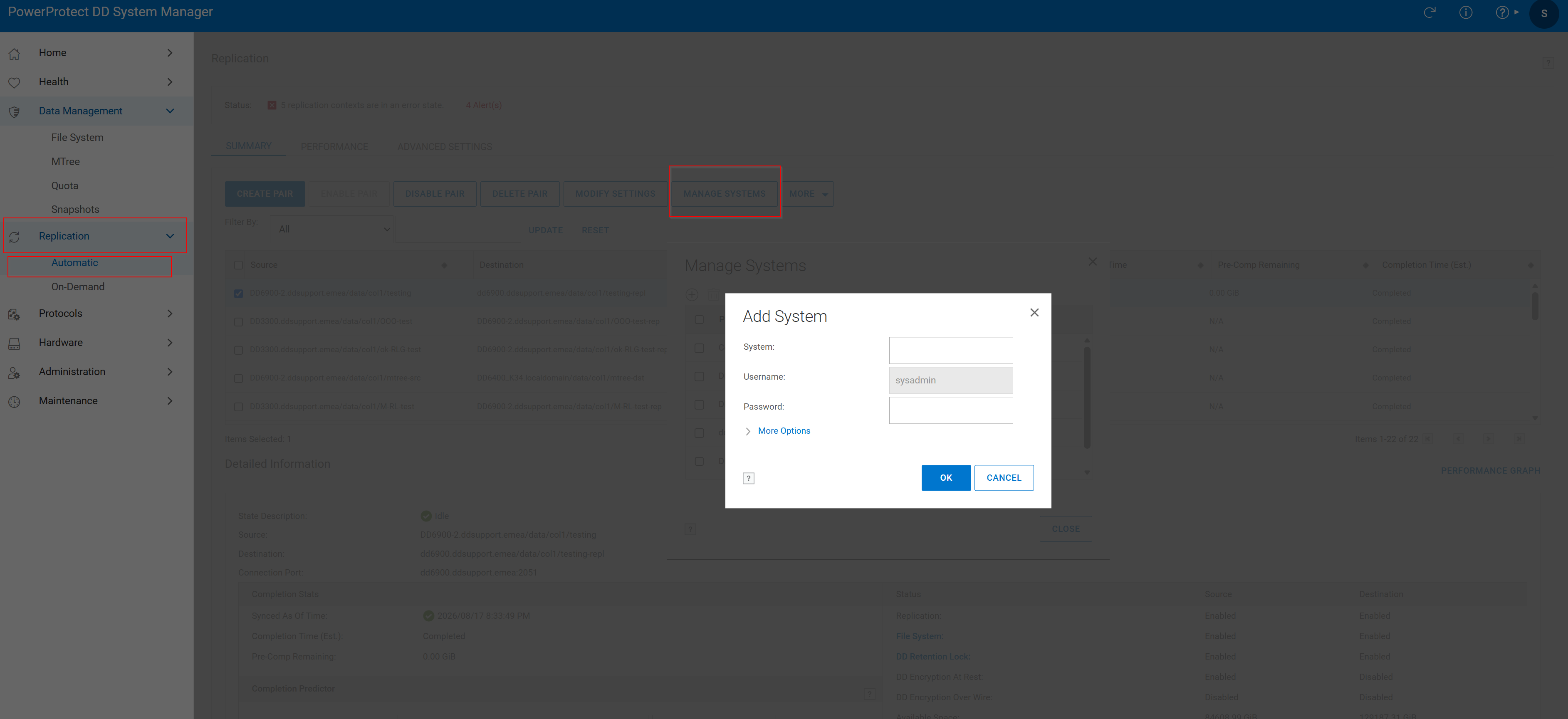 그림 1 시스템 추가
2. 복제 페어 생성
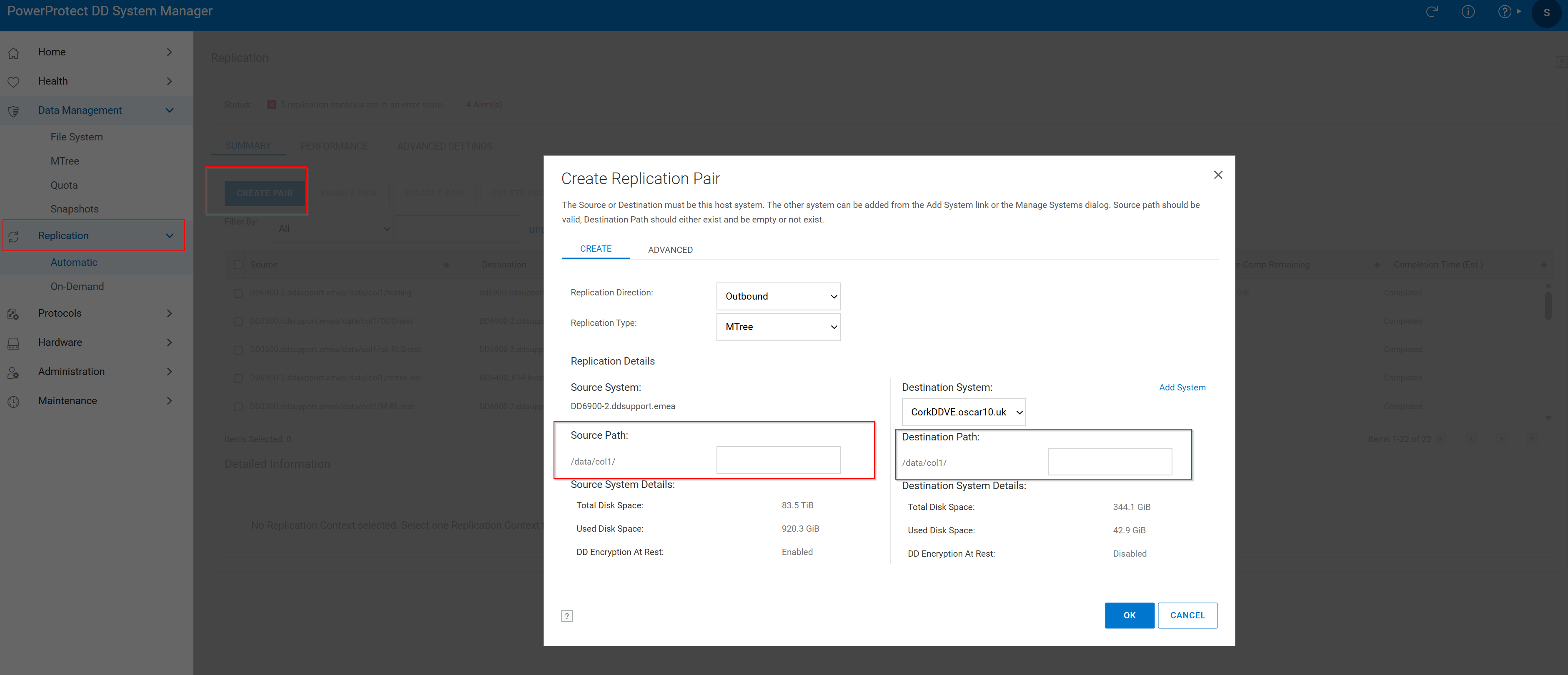 그림 2 복제 페어 > 생성 소스 경로
- Replication 탭을 클릭한 다음 Create Pair를 클릭합니다.
- Source System 및 Source Path를 선택합니다. Mtree는 소스에 이미 있어야 합니다.
- Destination System(대상 시스템) 및 Destination Path(대상 경로)를 선택합니다. 대상 MTree가 이미 존재해서는 안 됩니다. 이미 있는 경우 다음 기술 자료 문서를 검토하십시오.
다음 창에서 복제가 성공적으로 생성됩니다.
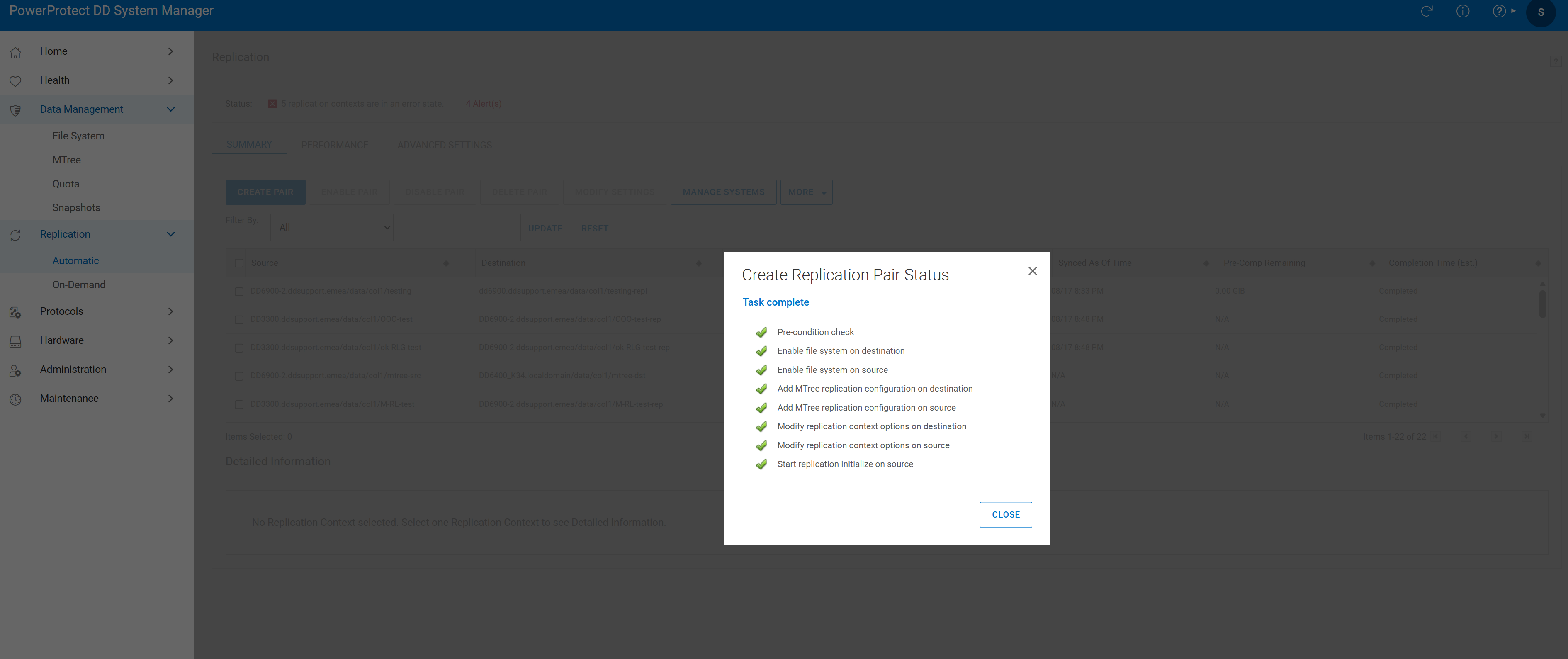 그림 3 작업 완료
- 복제 세션 확인

그림 4 복제 확인
Additional Information
Affected Products
Data DomainProducts
Data DomainArticle Properties
Article Number: 000010996
Article Type: How To
Last Modified: 18 أغسطس 2026
Version: 7
Find answers to your questions from other Dell users
Support Services
Check if your device is covered by Support Services.