Data Domain:使用 UI 設定 MTree 複寫
Summary: 本知識文章說明如何使用 UI 設定 MTree 複寫。
This article applies to
This article does not apply to
This article is not tied to any specific product.
Not all product versions are identified in this article.
Instructions
使用 UI 配置 MTree 複寫
目的
本文說明如何使用 UI 設定 MTree 複寫。
適用於
- 所有 Data Domain 系統
- MTree 複寫
解決方案
-
在同一 UI (Enterprise Manager) 上新增來源和目的地系統:
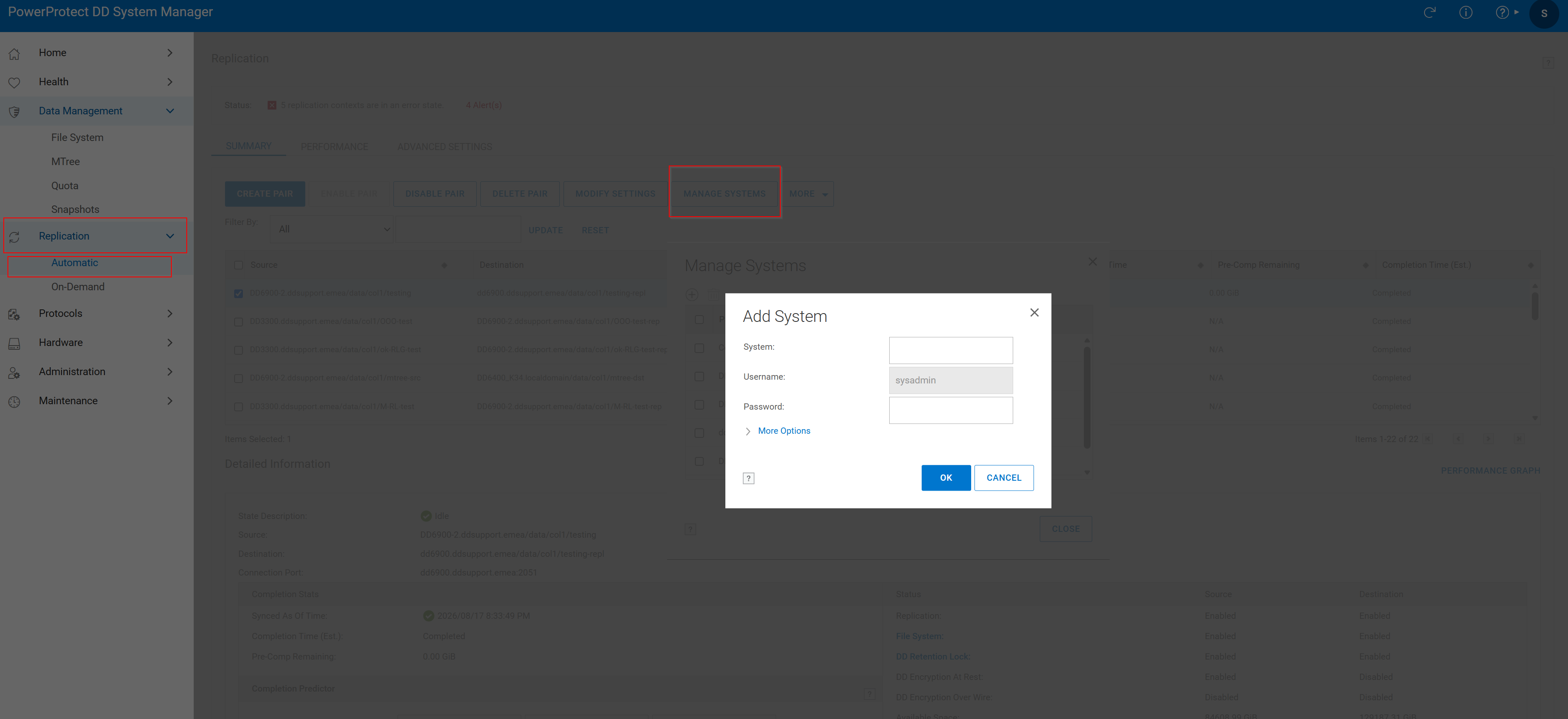 圖 1.新增系統
2.建立複寫配對:
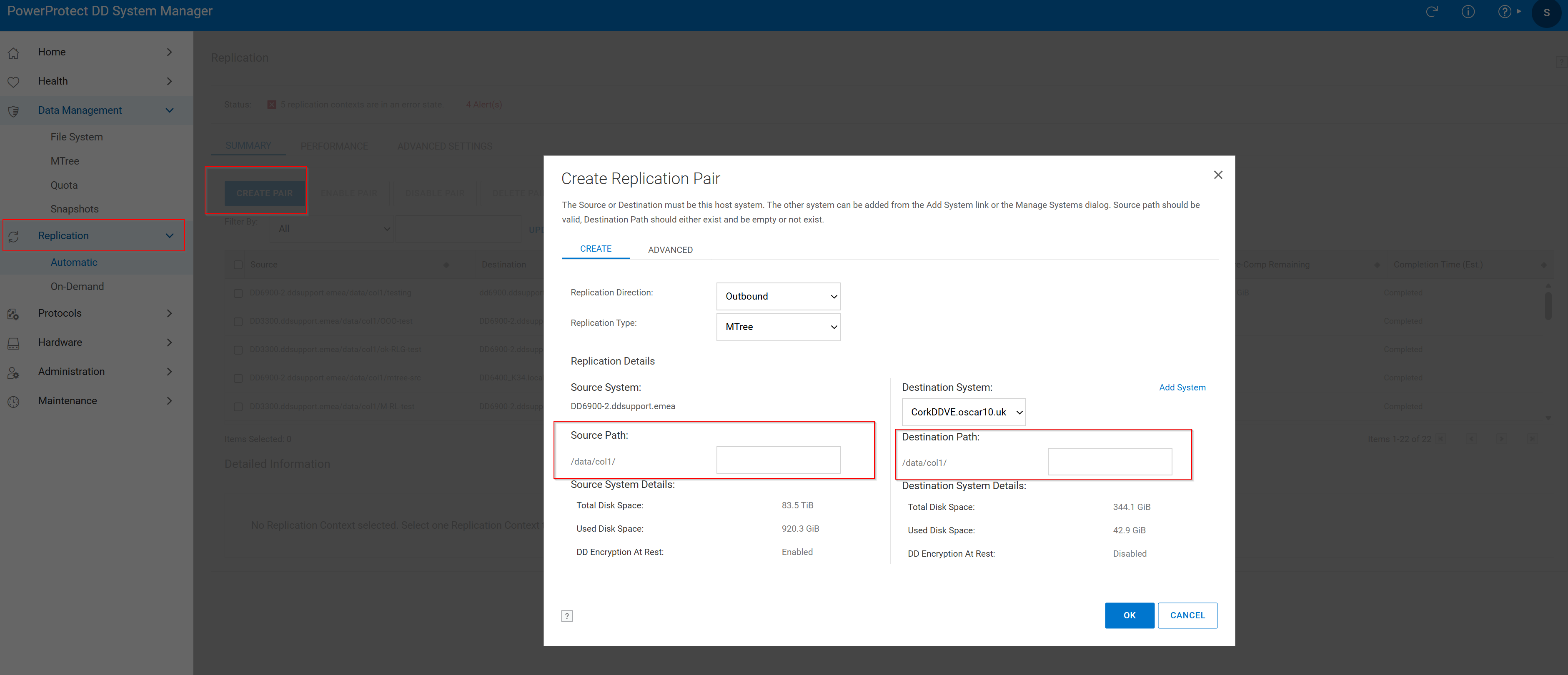 圖 2.建立複寫配對 > 來源路徑
- 按一下 複寫標籤 ,然後按一下 建立配對。
- 選擇來源系統和來源路徑。Mtree 應已存在於原始碼中。
- 選擇目標系統和目標路徑。目的地 MTree 不應已經存在。如果已存在,請查看以下知識文章:
透過下列視窗成功建立複寫:
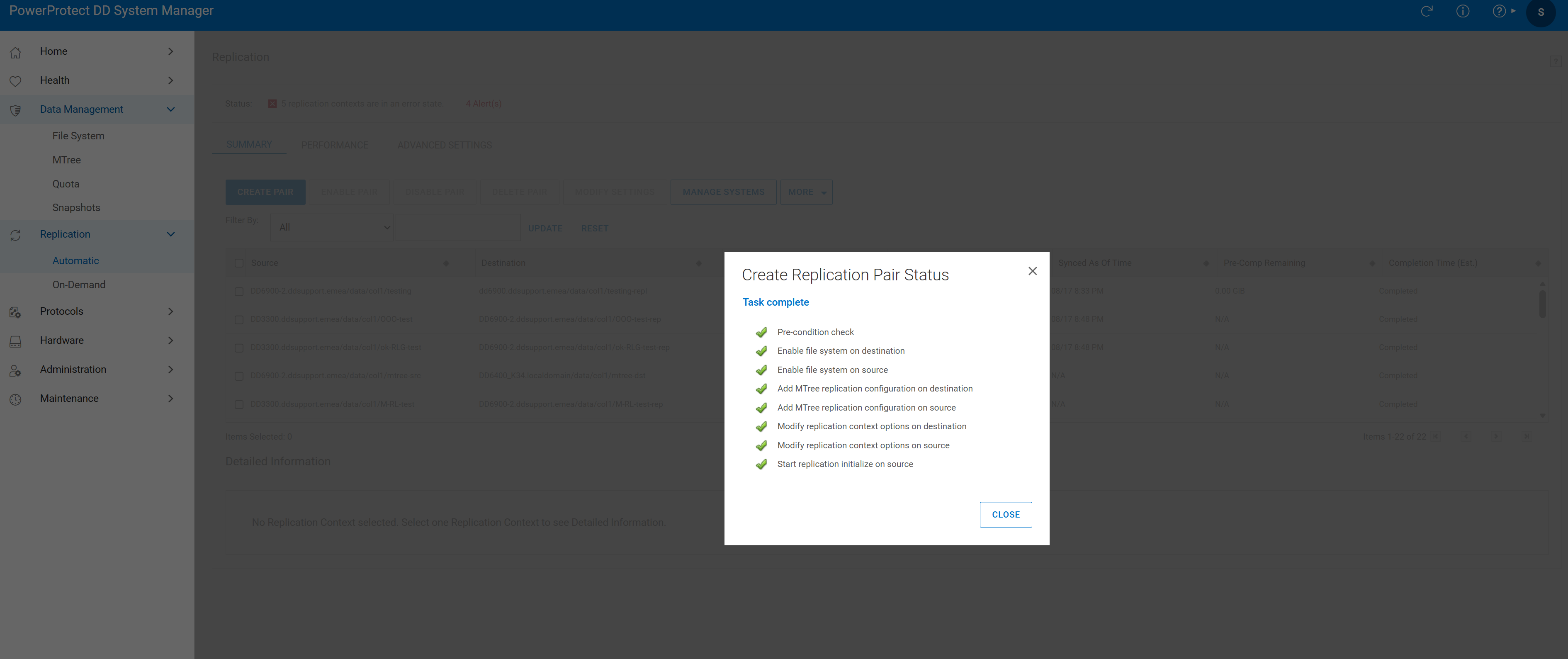 圖 3.工作完成
- 驗證複寫配對:

圖 4.複寫驗證
Additional Information
Affected Products
Data DomainProducts
Data DomainArticle Properties
Article Number: 000010996
Article Type: How To
Last Modified: 18 أغسطس 2026
Version: 7
Find answers to your questions from other Dell users
Support Services
Check if your device is covered by Support Services.