NetWorker: backup skipped client due to action "Check Connectivity" failed
Summary: NetWorker server workflow backup completed successfully, but skipped connection failed clients without error/warning.
Symptoms
- The backup workflow has two or more actions:
- Check Connectivity is the first action in the execution order.
- It is followed by a Backup or other action.
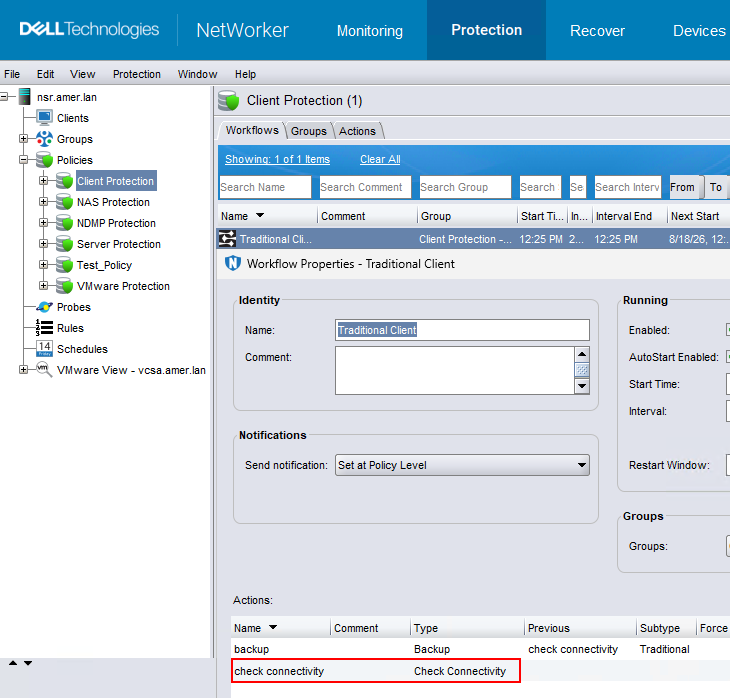
Figure 1. Check Connectivity
- The workflow started the Check Connectivity action first; connection check failed for one or more clients but showed as completed successfully. The Backup action backed up only the clients which passed the connection test and skipped those which failed the connection test. The workflow status was completed successfully. There was no error/warning in the Backup action details.
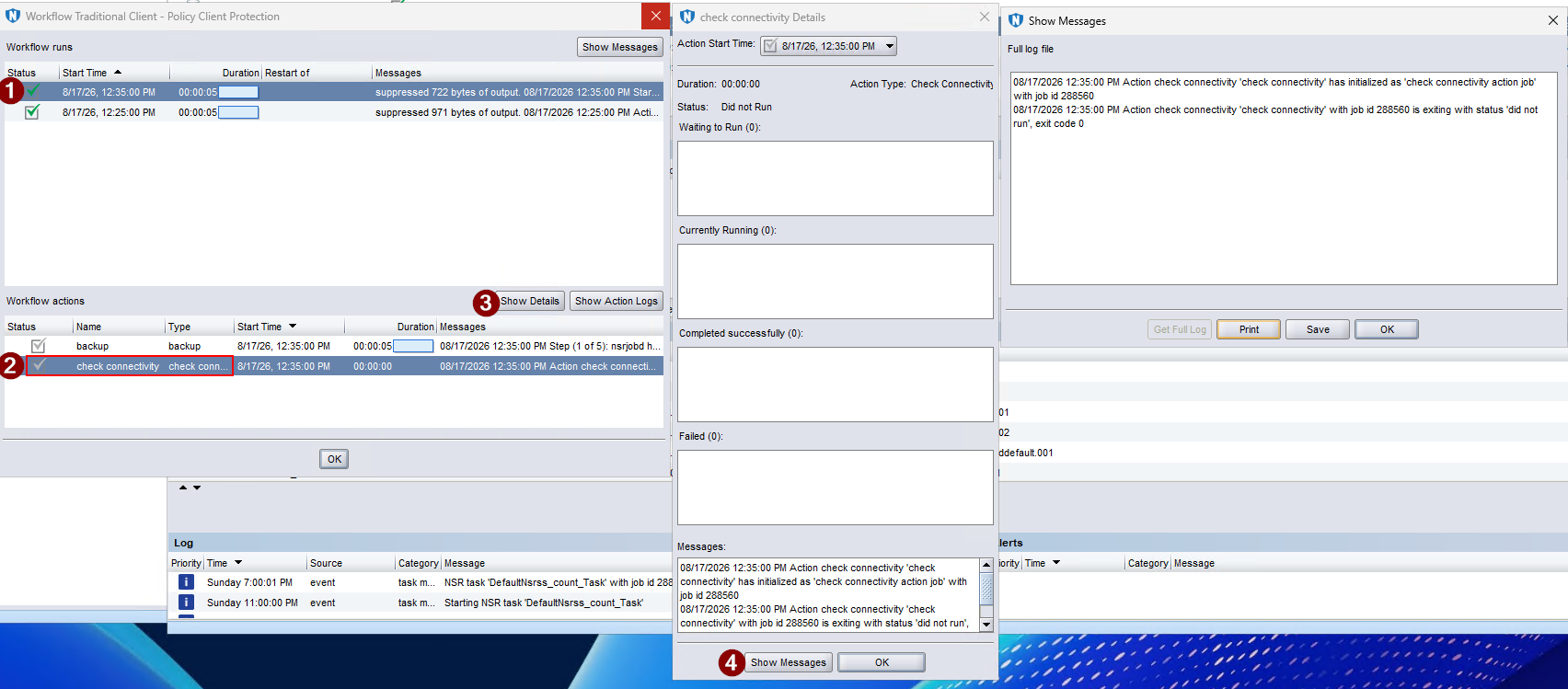 Figure 2. check connectivity Details
Cause
There is a configuration item when setting up a Check Connectivity action type, called Connection Options. This item states Succeed only after all clients succeed.

Figure 3. Test Connection Options
Checking this box will make the Connection check fail if any one client fails, and the following Backup action will fail for all clients.
Unchecking this box will make the Connection check succeed. If only one or more clients succeed, the connection check will show as successful, then the following Backup action will back up Check Connectivity successful clients, skip the connection failed clients.
Resolution
Remove the Check Connectivity action from the backup workflow.
Create a separate workflow with only the Check Connectivity action configured for connection check.