PowerVault ME5: Alert - "The bundle install is incomplete" message when expansion enclosure attached.
Summary: PowerVault ME5/ME52 arrays with expansion enclosures may report an Invalid Bundle after a controller firmware update if the enclosure management processor (EMP) firmware was not applied due to incorrect SAS cabling. Verify the SAS cables are connected according to the PowerVault ME Deployment Guide, then power cycle the system. The EMP firmware will update automatically once the array and expansion enclosures are correctly connected ...
Symptoms
Impact: Storage services remain operational; however, firmware bundle validation reports an incomplete installation until all attached expansion enclosures successfully update their EMP firmware. The condition should be corrected to ensure the system reports a valid firmware bundle and remains in a fully supported state. Incorrect backend cabling schemes may also affect data availability when a controller module is rebooted.
- Examine Dashboard Alerts using PowerVault Manager.
- A warning alert is displayed against Active Firmware A or Active Firmware B.
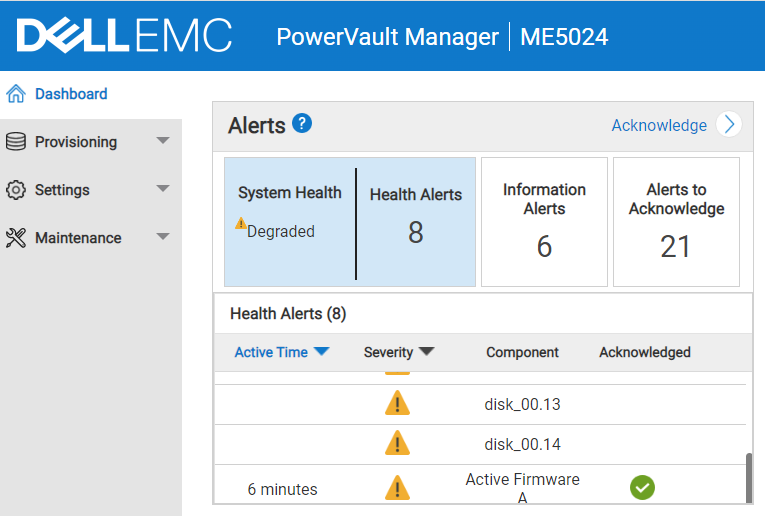
- Examine this alert by clicking Active Firmware warning row. It states, "The bundle install is incomplete."
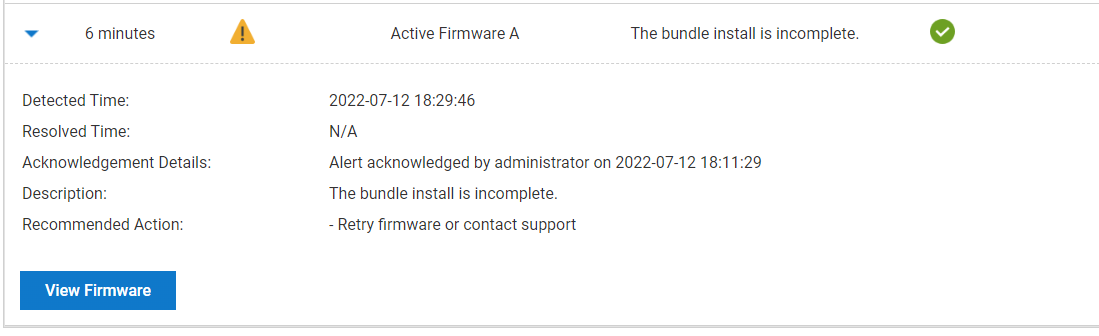
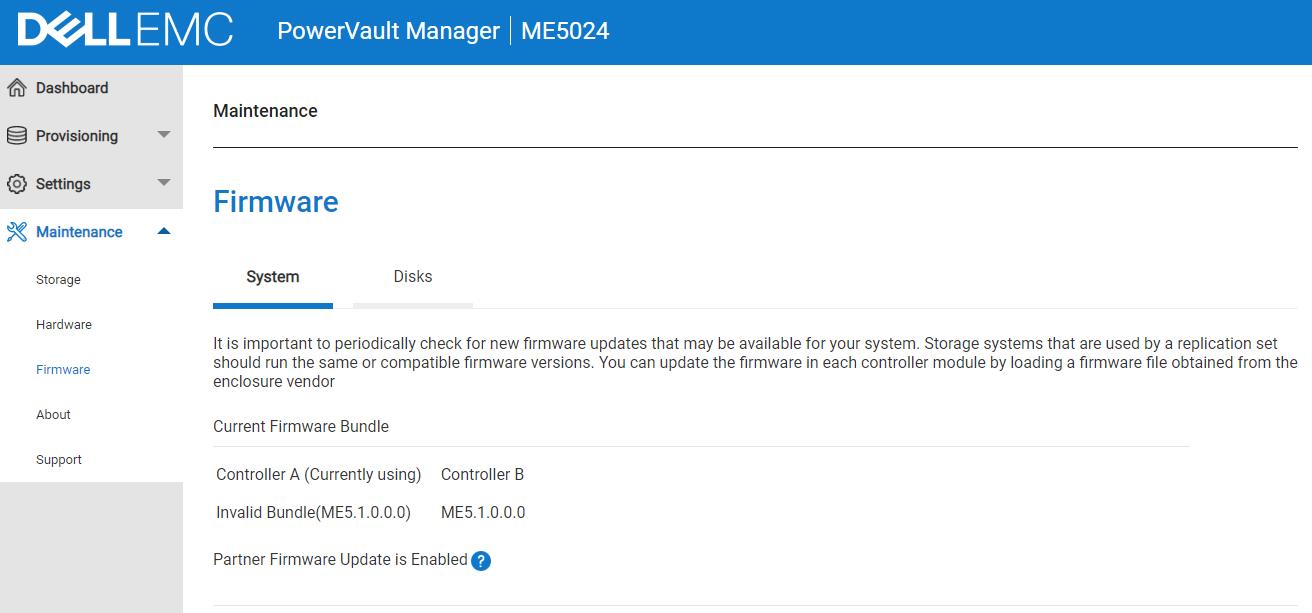
- Click the View Firmware button.
- This reports "Invalid Bundle" against either Controller A or Controller B
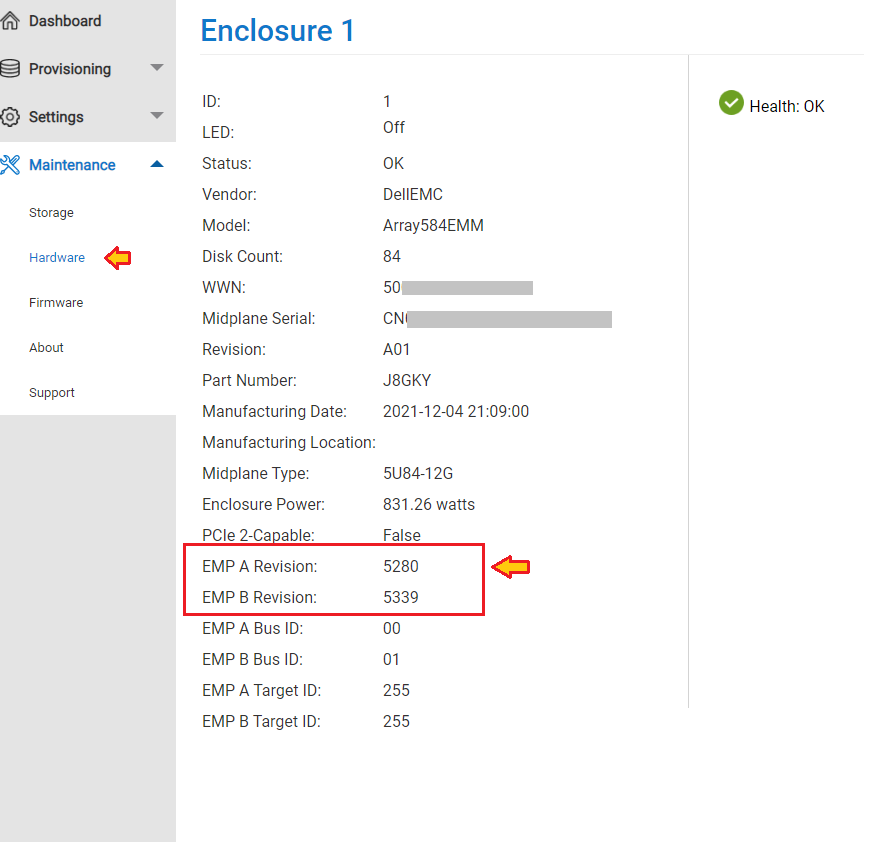
- Check the Enclosure management processor (EMP) firmware version.
- The Hardware panel (Maintenance > Hardware) shows the system hardware configuration.
- Click each enclosure attached to the ME5 series array and for each check that the version reported under EMP A Revision and EMP B Revision:
- Both must report the same up-to-date version.
- If not, the "invalid bundle" message is reported.
- Both must report the same up-to-date version.
Cause
Cause 1: Incorrect backend SAS cabling scheme
When backend SAS cables are missing or connected incorrectly, EMP firmware cannot be propagated to the expansion enclosure, resulting in an Invalid Bundle condition after firmware update.
Cause 2: Single-Controller Arrays
Expansion enclosures are not supported on ME5 systems configured with only one storage controller. Attempting to connect expansion enclosures in this configuration may result in an Invalid Bundle condition.
Resolution
Before performing controller firmware updates:
- Validate SAS expansion cabling against the PowerVault ME Deployment Guide.
- Verify all expansion enclosures are visible in Maintenance panel > Hardware View.
- Ensure dual-controller configurations are used when expansion shelves are attached.
Steps to correct:
- Schedule a maintenance window. Perform a controlled shutdown of both storage controllers using PowerVault Manager GUI before powering off the expansion enclosures.
- Click Maintenance, then Hardware in the PowerVault Manager GUI.
- Under the Actions dropdown menu for enclosure 0, select Restart/Shutdown System.
- Select "Shutdown SC" and check both Controller A and Controller B.
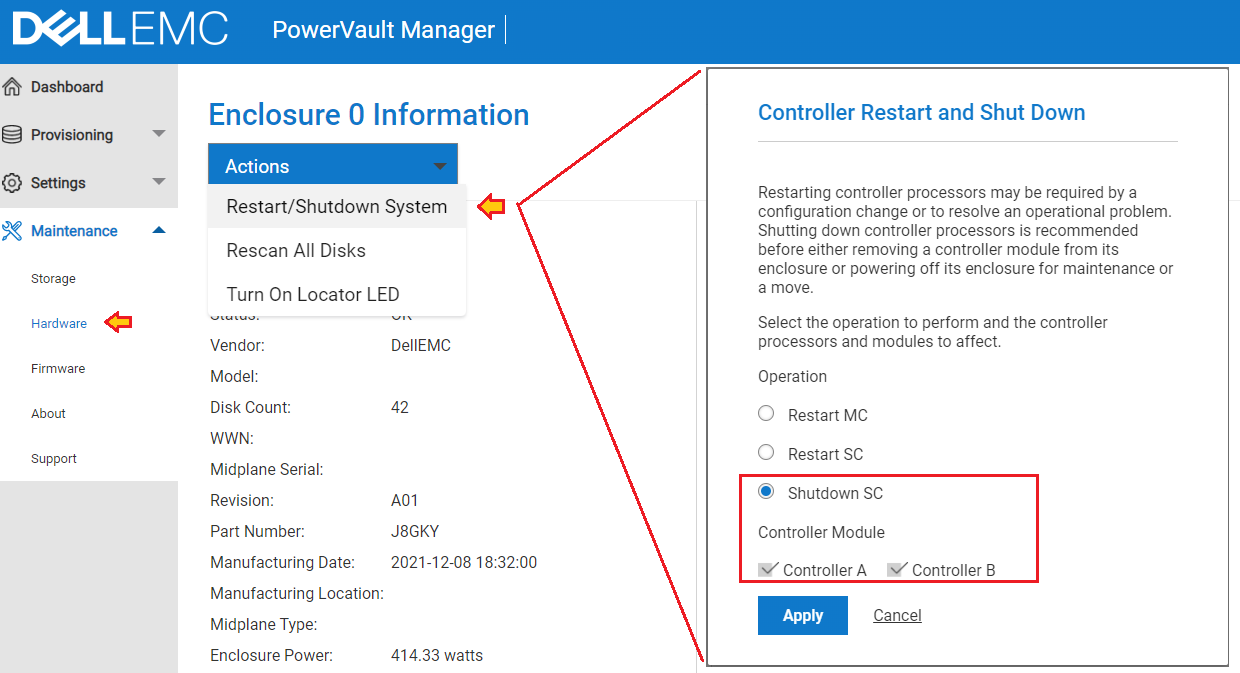
- Select Apply.
- Click Maintenance, then Hardware in the PowerVault Manager GUI.
- Power off all enclosures using the power rocker switch on each enclosure power supply.
- Correct the backend SAS cabling per the deployment guide.
- Power on the attached JBOD enclosures first. Expansion enclosures must be fully powered and discoverable before the storage controllers boot so that EMP firmware update can be applied.
- Power on the PowerVault ME5 or ME52 enclosure.
- Wait a few minutes and check that the EMP firmware has been updated. The EMP firmware update may require several minutes after power-on. Do not restart the system again while the update is in progress.
How should the attached JBOD expansion enclosures be cabled?
Follow the Cable requirements for expansion enclosures section in the Deployment Guide available for your PowerVault ME array on dell.com/support.
- Dell PowerVault ME5 Series Storage System Deployment Guide
- Dell Technologies PowerVault M52xx Deployment Guide