ViPR SRM:VPLEX VS6 MMCS-Aの交換後にVPLEXパフォーマンス データが欠落する
Summary: この記事では、VPLEX VS6 MMCS-Aの交換後にVPLEXパフォーマンス データが欠落した場合のソリューションについて説明します。
Symptoms
VPLEX VS6 MMCS-Aが交換されました。
VPLEX VS6 MMCS-Aを交換した後、VPLEXパフォーマンス データが欠落しています。
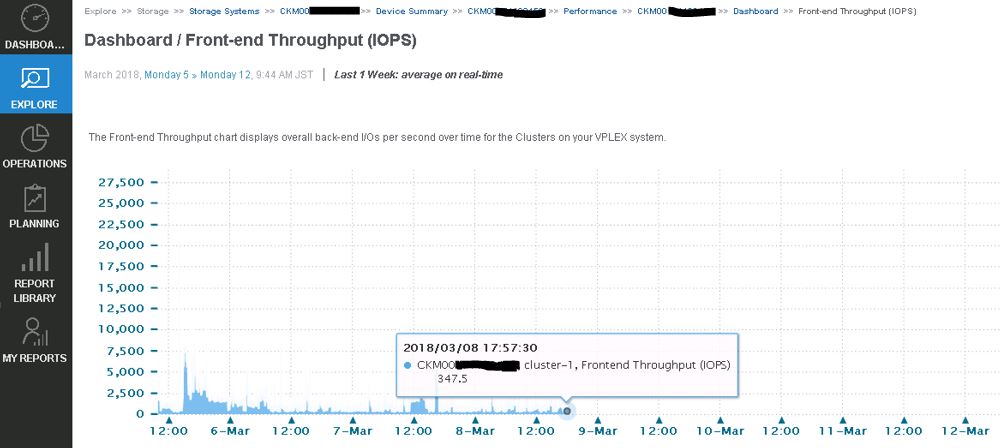
VPLEXデータ コレクションが失敗し、emc-vplex Collector-Managerログに次のエラーが表示されます。
collecting-0-0.log
INFO -- [2018-03-12 13:21:50 JST] -- StreamLogger$LoggingStreamGobbler::run(): (SSHSessionConnection to xxx.xx.xxx.xx:22-15208285107xx) /home/@{cluster1.username}/vvol-collector.py: /bin/bash: /home/service/vvol-collector.py: No such file or directory WARNING -- [2018-03-12 13:21:50 JST] -- TableDataset::startForking(): Couldn't find table starting with ^Director,Time.* INFO -- [2018-03-12 13:21:50 JST] -- Collecting$CollectingJobHook::completingJob(): Completed collecting configuration virtual-volume-perpetual1 for context CKM00xxxxxxxxx (CLUSTER1-VPLEX0) in 2978 msec INFO -- [2018-03-12 13:21:51 JST] -- Collecting$CollectingJobHook::completingJob(): Completed collecting configuration virtual-volume-perpetual1 for context CKM00xxxxxxxxx (CLUSTER1-VPLEX1) in 3136 msec INFO -- [2018-03-12 13:21:51 JST] -- StreamLogger$LoggingStreamGobbler::run(): (SSHSessionConnection to xxx.xx.xxx.xx:22-1520828511341) /home/@{cluster1.username}/get-director-data.py: /bin/bash: /home/service/get-director-data.py: No such file or directory
Cause
パフォーマンス データを収集するためにViPR SRMによってVPELXが追加されると、ViPR SRMは「get-director-data.py」と「vvol-collector.py」という名前の2つのファイルをVPLEX MMCS-Aの/home/serviceディレクトリーに転送しました。
しかし、MMCS-Aがリプレースされた後、VPLEX MMCS-Aはこれらのファイルを見逃していました。MMCS-Aが再イメージ化されたためです。
Resolution
この問題を解決するための回避策は次のとおりです。
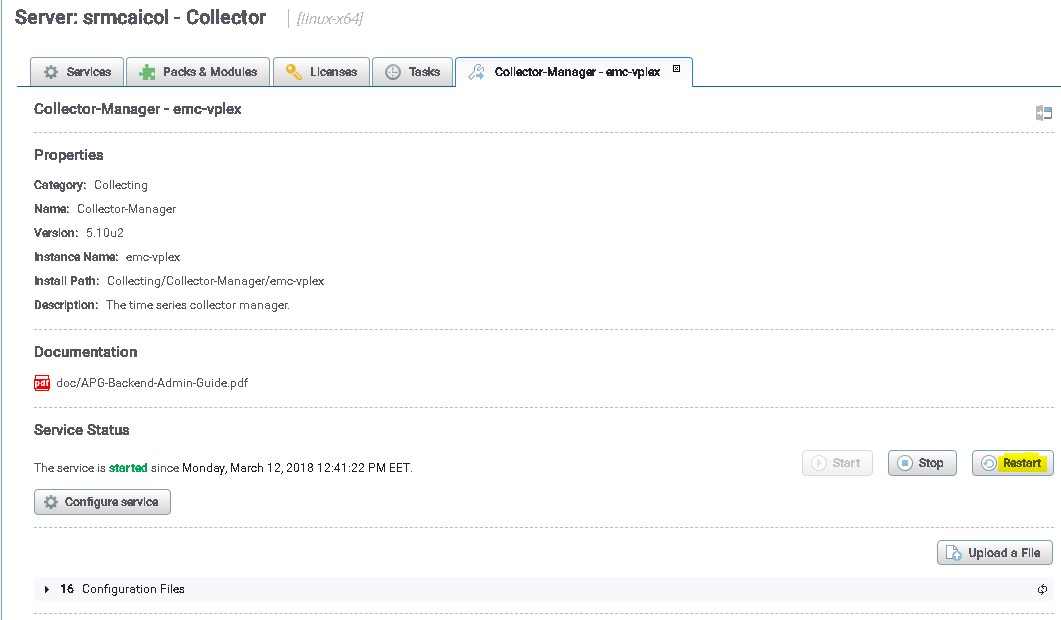
VPLEXコレクションを再開して、これらのファイルをVPLEX MMCS-Aに転送します。
- adminユーザーを使用してSRM UIにログインします
- [Administration]をクリックし、[centralized-Management]を選択します。
- [Physical Overview]で、VPLEXが検出されたコレクターをクリックします。
- 次に、VPLEXのCollection Managerを選択します。
- 最後に、[再起動]ボタンをクリックします
今後、VPLEXコレクション マネージャーを再起動せずにこの問題を回避するための回避策。
以下に記載されているファイルは、VPLEX上のファイルをプッシュする役割を担います。SRMには、コレクターを再起動せずにファイルを自動的にプッシュするオプションがあります。
パス/opt/APG/Collecting/Stream-Collector/emc-vplex/conf内のファイル:
data-retrieval-director-cluster1.xml
data-retrieval-director-cluster2.xml
data-retrieval-vvols-cluster1.xml
data-retrieval-vvols-cluster2.xml
これらのファイルには、次の行があります。
<files executable-files="true" always-full-transfer="false" delete-source-files="false">conf/vvol-collector.py</files>
always-full-transfer="true"を設定した場合、コレクターは各ポーリングの前にスクリプトをプッシュする必要があります。