ViPR SRM: VPLEX VS6 MMCS-A를 교체한 후 VPLEX 성능 데이터가 누락되었습니다.
Summary: 이 문서에서는 VPLEX VS6 MMCS-A를 교체한 후 VPLEX 성능 데이터가 누락된 경우의 솔루션을 설명합니다.
Symptoms
VPLEX VS6 MMCS-A가 교체되었습니다.
VPLEX VS6 MMCS-A를 교체한 후 VPLEX 성능 데이터가 누락되었습니다.
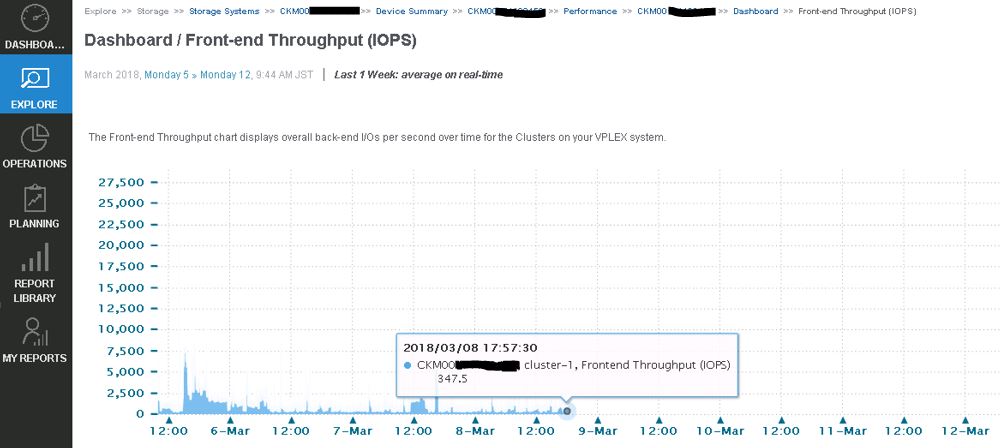
VPLEX 데이터 수집에 실패하고 emc-vplex Collector-Manager 로그에 다음 오류가 표시됩니다.
collecting-0-0.log
INFO -- [2018-03-12 13:21:50 JST] -- StreamLogger$LoggingStreamGobbler::run(): (SSHSessionConnection to xxx.xx.xxx.xx:22-15208285107xx) /home/@{cluster1.username}/vvol-collector.py: /bin/bash: /home/service/vvol-collector.py: No such file or directory WARNING -- [2018-03-12 13:21:50 JST] -- TableDataset::startForking(): Couldn't find table starting with ^Director,Time.* INFO -- [2018-03-12 13:21:50 JST] -- Collecting$CollectingJobHook::completingJob(): Completed collecting configuration virtual-volume-perpetual1 for context CKM00xxxxxxxxx (CLUSTER1-VPLEX0) in 2978 msec INFO -- [2018-03-12 13:21:51 JST] -- Collecting$CollectingJobHook::completingJob(): Completed collecting configuration virtual-volume-perpetual1 for context CKM00xxxxxxxxx (CLUSTER1-VPLEX1) in 3136 msec INFO -- [2018-03-12 13:21:51 JST] -- StreamLogger$LoggingStreamGobbler::run(): (SSHSessionConnection to xxx.xx.xxx.xx:22-1520828511341) /home/@{cluster1.username}/get-director-data.py: /bin/bash: /home/service/get-director-data.py: No such file or directory
Cause
성능 데이터를 수집하기 위해 ViPR SRM이 VPELX를 추가할 때 ViPR SRM은 "get-director-data.py"와 "vvol-collector.py"라는 두 파일을 VPLEX MMCS-A의 /home/service 디렉토리로 전송했습니다.
그러나 MMCS-A가 이미지로 다시 설치되었기 때문에 MMCS-A가 교체된 후 VPLEX MMCS-A에서 이러한 파일이 누락되었습니다.
Resolution
이 문제를 해결하기 위한 해결 방법:
VPLEX 수집을 재시작하여 다음 파일을 VPLEX MMCS-A로 전송합니다.
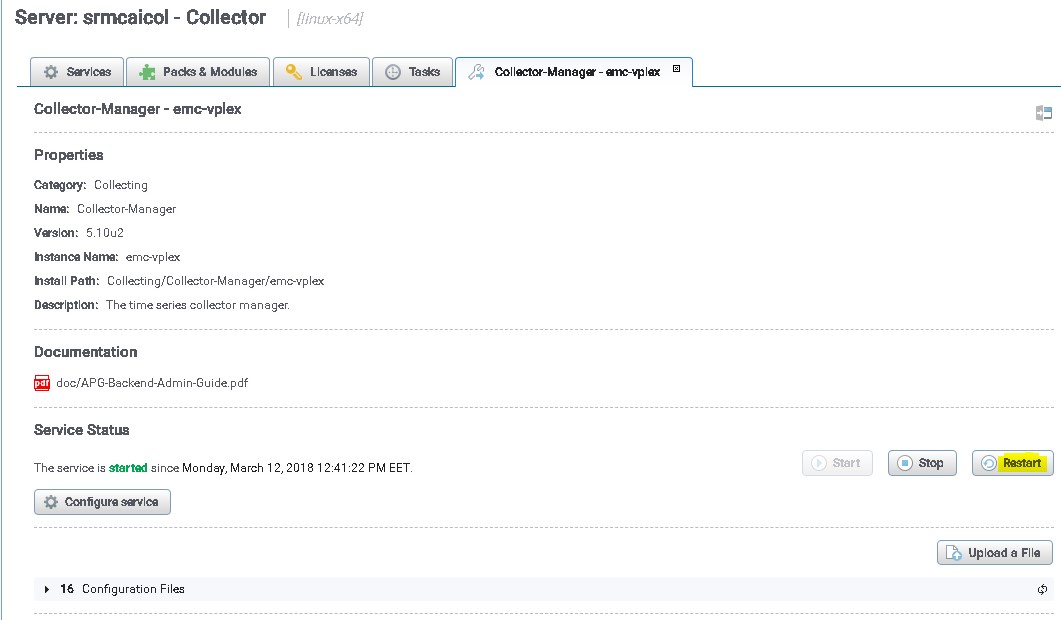
- 관리 사용자를 사용하여 SRM UI에 로그인합니다.
- Administration을 클릭한 다음 Centralized-Management를 선택합니다.
- Physical Overview에서 VPLEX가 검색된 Collector를 클릭합니다.
- 그런 다음 VPLEX의 취합 관리자를 선택합니다.
- 마지막으로 재시작 버튼을 클릭합니다
나중에 VPLEX collection Manager를 재시작하지 않고 이 문제를 방지하기 위한 해결 방법입니다.
아래에 언급된 파일은 VPLEX에서 파일을 푸시하는 역할을 하며, SRM에는 Collector를 다시 시작하지 않고도 파일을 자동으로 푸시하는 옵션이 있습니다.
/opt/APG/Collecting/Stream-Collector/emc-vplex/conf 경로의 파일:
data-retrieval-director-cluster1.xml
data-retrieval-director-cluster2.xml
data-retrieval-vvols-cluster1.xml
data-retrieval-vvols-cluster2.xml
이러한 파일에는 다음 줄이 있습니다.
<files executable-files="true" always-full-transfer="false" delete-source-files="false">conf/vvol-collector.py</files>
always-full-transfer="true"를 설정하는 경우 콜렉터는 각 폴링 전에 스크립트를 푸시해야 합니다.