ViPR SRM:更換 VPLEX VS6 MMCS-A 後,VPLEX 效能資料遺失
Summary: 本文說明更換 VPLEX VS6 MMCS-A 後,遺失 VPLEX 效能資料時的解決方案。
Symptoms
VPLEX VS6 MMCS-A 已更換。
更換 VPLEX VS6 MMCS-A 後,VPLEX 效能資料遺失。
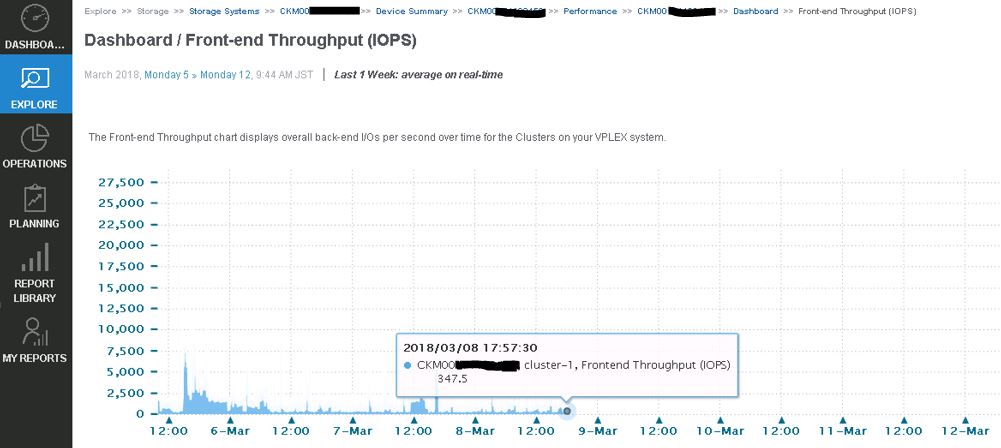
VPLEX 資料收集失敗,並在 emc-vplex 收集器管理員記錄中出現下列錯誤:
collecting-0-0.log
INFO -- [2018-03-12 13:21:50 JST] -- StreamLogger$LoggingStreamGobbler::run(): (SSHSessionConnection to xxx.xx.xxx.xx:22-15208285107xx) /home/@{cluster1.username}/vvol-collector.py: /bin/bash: /home/service/vvol-collector.py: No such file or directory WARNING -- [2018-03-12 13:21:50 JST] -- TableDataset::startForking(): Couldn't find table starting with ^Director,Time.* INFO -- [2018-03-12 13:21:50 JST] -- Collecting$CollectingJobHook::completingJob(): Completed collecting configuration virtual-volume-perpetual1 for context CKM00xxxxxxxxx (CLUSTER1-VPLEX0) in 2978 msec INFO -- [2018-03-12 13:21:51 JST] -- Collecting$CollectingJobHook::completingJob(): Completed collecting configuration virtual-volume-perpetual1 for context CKM00xxxxxxxxx (CLUSTER1-VPLEX1) in 3136 msec INFO -- [2018-03-12 13:21:51 JST] -- StreamLogger$LoggingStreamGobbler::run(): (SSHSessionConnection to xxx.xx.xxx.xx:22-1520828511341) /home/@{cluster1.username}/get-director-data.py: /bin/bash: /home/service/get-director-data.py: No such file or directory
Cause
ViPR SRM 新增 VPELX 以收集效能資料時,ViPR SRM 將名為「get-director-data.py」和「vvol-collector.py」的兩個檔案傳輸到 VPLEX MMCS-A 上的 /home/service 目錄。
但是,由於 MMCS-A 已重建映像,VPLEX MMCS-A 在更換 MMCS-A 後遺失這些檔案。
Resolution
修正此問題的因應措施:
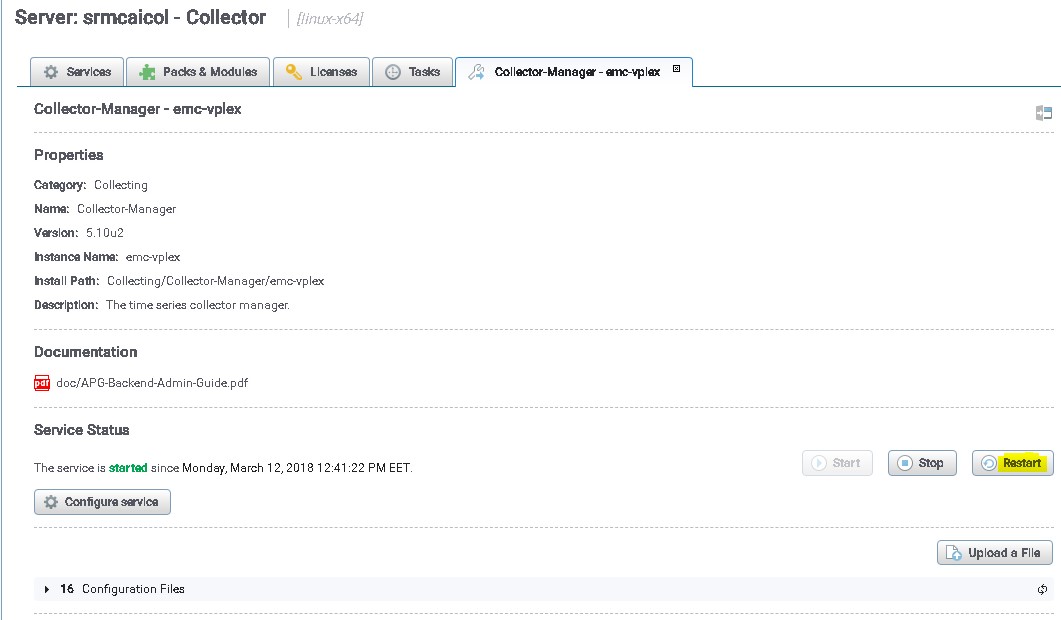
重新開機 VPLEX 集合,以將這些檔案傳輸至 VPLEX MMCS-A:
- 使用「admin」使用者登入 SRM UI
- 按一下管理,然後選擇集中式管理。
- 在實體概觀下,按一下探索 VPLEX 的收集器。
- 然後選擇 VPLEX 的集合管理員。
- 最後,按一下重新開機按鈕
避免此問題的因應措施,而不必日後重新啟動 VPLEX 集合管理員。
以下所述的檔案負責在 VPLEX 上推送檔案,SRM 有一個選項可自動推送檔案,而不必重新啟動收集器。
路徑 /opt/APG/Collecting/Stream-Collector/emc-vplex/conf 中的檔案:
data-retrieval-director-cluster1.xml
data-retrieval-director-cluster2.xml
data-retrieval-vvols-cluster1.xml
data-retrieval-vvols-cluster2.xml
這些檔案包含以下行:
<files executable-files="true" always-full-transfer="false" delete-source-files="false">conf/vvol-collector.py</files>
如果您設定總是完整傳輸=“true”,則收集器應在每次輪詢前推送指令檔。