ViPR SRM:更换 VPLEX VS6 MMCS-A 后,VPLEX 性能数据缺失
Summary: 本文介绍了更换 VPLEX VS6 MMCS-A 后缺少 VPLEX 性能数据时的解决方案。
Symptoms
VPLEX VS6 MMCS-A 已更换。
更换 VPLEX VS6 MMCS-A 后,VPLEX 性能数据丢失。
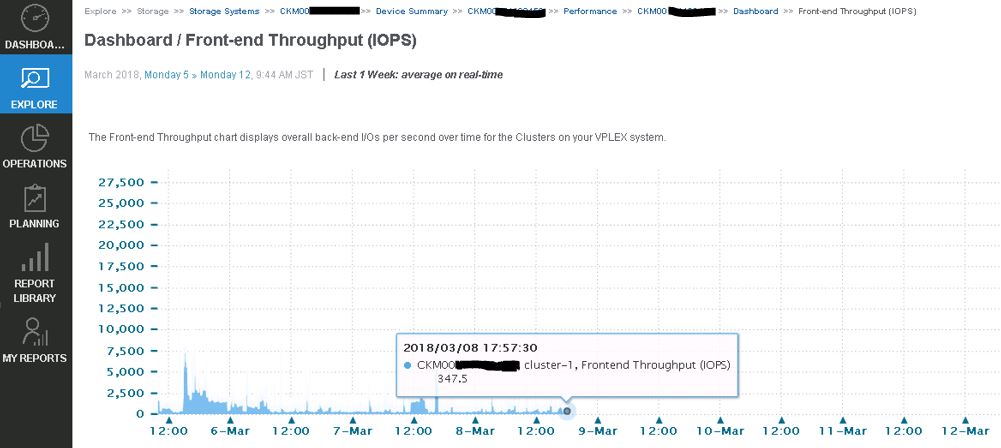
VPLEX 数据收集失败,并在 emc-vplex 收集器管理器日志中显示以下错误:
collecting-0-0.log
INFO -- [2018-03-12 13:21:50 JST] -- StreamLogger$LoggingStreamGobbler::run(): (SSHSessionConnection to xxx.xx.xxx.xx:22-15208285107xx) /home/@{cluster1.username}/vvol-collector.py: /bin/bash: /home/service/vvol-collector.py: No such file or directory WARNING -- [2018-03-12 13:21:50 JST] -- TableDataset::startForking(): Couldn't find table starting with ^Director,Time.* INFO -- [2018-03-12 13:21:50 JST] -- Collecting$CollectingJobHook::completingJob(): Completed collecting configuration virtual-volume-perpetual1 for context CKM00xxxxxxxxx (CLUSTER1-VPLEX0) in 2978 msec INFO -- [2018-03-12 13:21:51 JST] -- Collecting$CollectingJobHook::completingJob(): Completed collecting configuration virtual-volume-perpetual1 for context CKM00xxxxxxxxx (CLUSTER1-VPLEX1) in 3136 msec INFO -- [2018-03-12 13:21:51 JST] -- StreamLogger$LoggingStreamGobbler::run(): (SSHSessionConnection to xxx.xx.xxx.xx:22-1520828511341) /home/@{cluster1.username}/get-director-data.py: /bin/bash: /home/service/get-director-data.py: No such file or directory
Cause
当 ViPR SRM 添加 VPELX 以收集性能数据时,ViPR SRM 将名为“get-director-data.py”和“vvol-collector.py”的两个文件传输到 VPLEX MMCS-A 上的 /home/service 目录。
但是,在替换 MMCS-A 后,由于 MMCS-A 重新映像,VPLEX MMCS-A 遗漏了这些文件。
Resolution
解决此问题的解决方法:
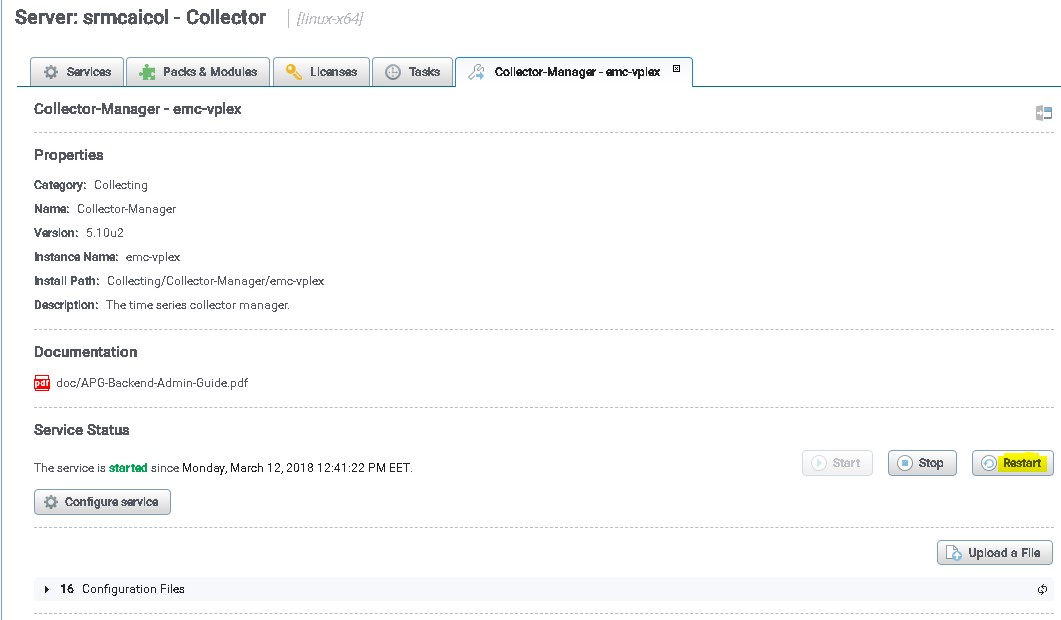
重新启动 VPLEX 收集以将这些文件传输到 VPLEX MMCS-A:
- 使用管理员用户身份登录 SRM UI
- 单击 Administration,然后选择 centralized-Management。
- 在物理概览下,单击在其上发现 VPLEX 的收集器。
- 然后选择 VPLEX 的收集管理器。
- 最后,单击重新启动按钮
解决此问题,而无需将来重新启动 VPLEX 收集管理器。
下面提到的文件负责将文件推送到 VPLEX,SRM 有一个选项可自动推送文件,而无需重新启动收集器。
路径 /opt/APG/Collecting/Stream-Collector/emc-vplex/conf 中的文件:
data-retrieval-director-cluster1.xml
data-retrieval-director-cluster2.xml
data-retrieval-vvols-cluster1.xml
data-retrieval-vvols-cluster2.xml
这些文件具有以下行:
<files executable-files="true" always-full-transfer="false" delete-source-files="false">conf/vvol-collector.py</files>
如果设置了 always-full-transfer=“true”,则收集器应在每次轮询之前推送脚本。