Dell Unity: OE 업그레이드가 실패하고 다음 오류 코드가 표시됩니다. /cores/service에 ".bin" 파일이 있는지 0x6000cb9
Summary: Unity OE 업그레이드가 실패하고 다음 오류 코드가 표시됩니다. /cores/service에 ".bin" 파일이 있는지 0x6000cb9(사용자 수정 가능)
This article applies to
This article does not apply to
This article is not tied to any specific product.
Not all product versions are identified in this article.
Symptoms
/cores/service/에 ".bin" 파일이 있는 경우 Unity OE 업그레이드가 실패합니다.
UI에 다음과 같이 표시될 수 있습니다.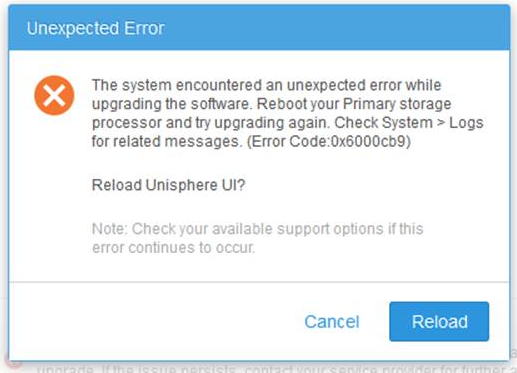
CLI는 다음과 유사하게 표시될 수 있습니다.
Operation failed. Error code: 0x6000cb9
The system encountered an unexpected error while upgrading the software. Reboot your Primary storage processor and try upgrading again. Check System > Logs for related messages. (Error Code:0x6000cb9)
Cause
/cores/service/에 있는 "esrs_checker.64.bin" 파일(또는 다른 .bin 파일)은 일반적으로 이 문제를 일으킵니다.
Resolution
/cores/service/에서 "esrs_checker.64.bin" 파일을 삭제하고 업그레이드 이미지를 다시 업로드합니다.
이렇게 하면 업그레이드가 제대로 작동해야 합니다.
추가 지원이 필요한 경우 Dell 기술 지원 부서 또는 공인 서비스 담당자에게 문의하고 이 기술 자료 문서 ID를 인용하십시오.
이 문제는 Dell Unity OE 릴리스 4.2.1.9535982 이상에서 해결되었습니다.
Article Properties
Article Number: 000054844
Article Type: Solution
Last Modified: 22 ديسمبر 2025
Version: 5
Find answers to your questions from other Dell users
Support Services
Check if your device is covered by Support Services.