NMM: Hyper-V restore fails with error "Failed to start the recover program"
Summary: NetWorker Module For Microsoft (NMM) Hyper-V restore fails. Missing Application Administrators permissions for account performing image level recoveries from NMM Client UI.
Symptoms
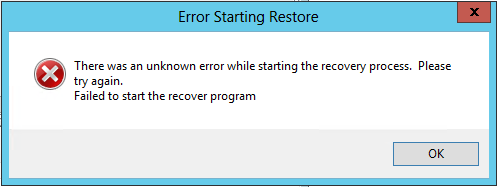
A Hyper-V restore performed through the NMM software fails and generate the following error message:
Error Starting Restore
There was an unknown error while starting the recovery process. Please try again.
Failed to start the recover program
Screenshot:
Cause
The service account configured in the "Remote User" field for the Hyper-V client resource has insufficient permissions on the NetWorker Server. The account must be added to the Application Administrators user group before backup/recovery functionality succeeds.
This requirement can be confirmed by reviewing the "C:\Program Files\EMC NetWorker\nsr\logs\daemon.raw" log on the NetWorker Server for the following messages:
NetWorker: How to use nsr_render_log to render .raw log files
76587 MM/DD/YYYY HH:MM:SS PM  5 1 13 3788 3188 0 hostname.fqdn nsrjobd SYSTEM critical User <SERVICE_ACCOUNT> does not have the privileges required to start the requested job. The required privilege is: Operate NetWorker. The job requested to be started is: nsrcscd.
76587 MM/DD/YYYY HH:MM:SS PM  5 1 13 4376 3188 0 hostname.fqdn nsrjobd SYSTEM critical User <SERVICE_ACCOUNT> does not have the privileges required to start the requested job. The required privilege is: Operate NetWorker. The job requested to be started is: nsrsnap_vss_recover.exe.
Resolution
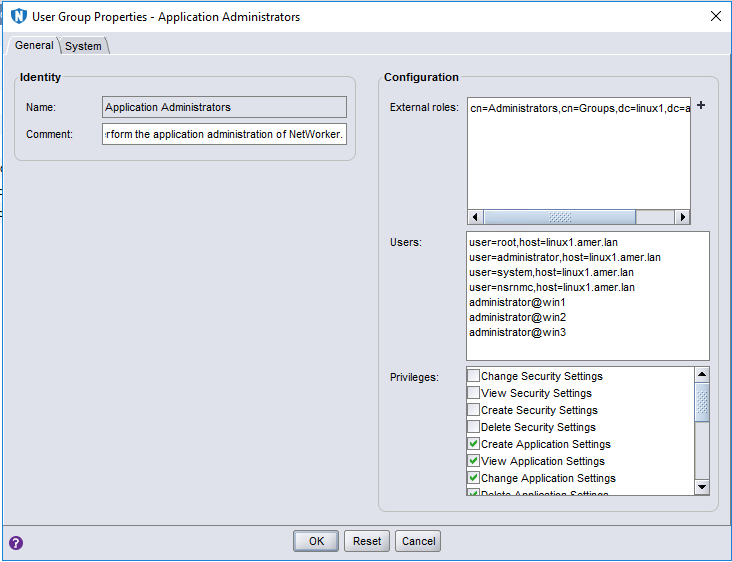
Add the Hyper-V client's service account to the Application Administrators user group in the NetWorker Management Console.
This is found in the NMC under Configuration > User Groups > Application Administrators.
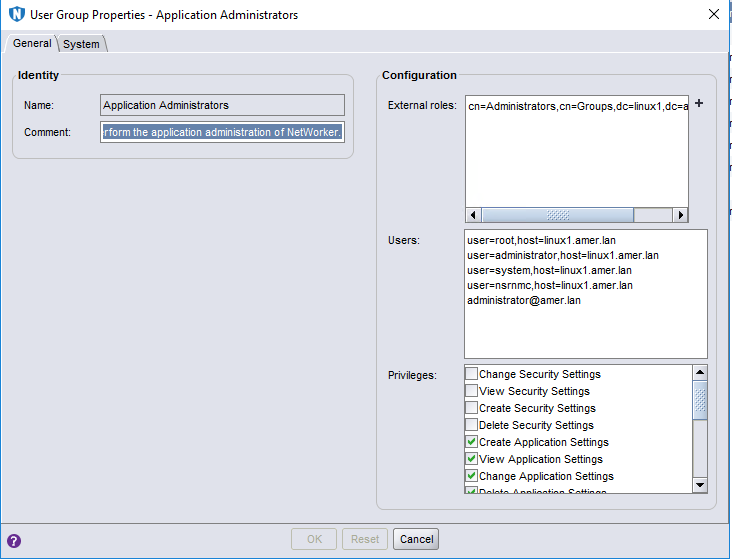
account@domain format does not work and instead must use format account@* or account@<eachlocalhost> for added security.