Dell Encryption 端點BAD_SYSTEM_CONFIG_INFO或SESSION3_INITIALIZATION_FAILURE錯誤
Summary: 您可以遵循以下指示解決 Dell Encryption Enterprise 和 Dell Encryption Personal BAD_SYSTEM_CONFIG_INFO與SESSION3_INITIALIZATION_FAILURE錯誤。
This article applies to
This article does not apply to
This article is not tied to any specific product.
Not all product versions are identified in this article.
Symptoms
受影響的產品:
- Dell Encryption Enterprise
- Dell Data Protection | Enterprise Edition
- Dell Data Protection | Server Edition
- Dell Encryption Personal
- Dell Data Protection | Personal Edition
受 Dell Encryption Enterprise 保護的端點 (先前稱為 Dell Data Protection |Enterprise Edition) 或 Dell Encryption Enterprise Personal (先前稱為 Dell Data Protection |Personal Edition) 可能會顯示以下錯誤:
BAD_SYSTEM_CONFIG_INFO (stop code 0x00000074)在修改或篡改 System32 檔案或硬體檢查總和後SESSION3_INITIALIZATION_FAILURE (stop code 0x0000006f)在修改或篡改 Windows 登錄之後
Cause
這些錯誤是 Dell Encryption Enterprise 或 Dell Encryption Personal 保護端點免於未經授權的篡改的副產品。
Resolution
BAD_SYSTEM_CONFIG_INFO 或 SESSION3_INITIALIZATION_FAILURE 在開機期間發生為以下任一事件:
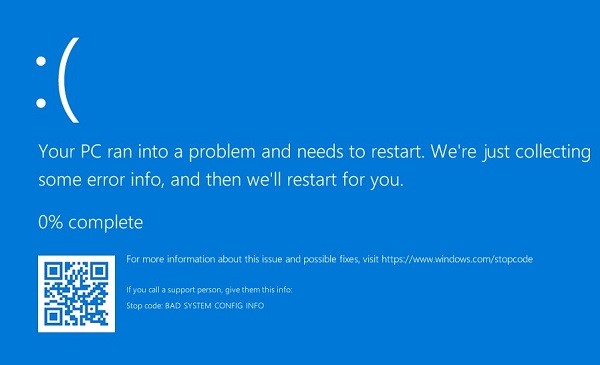
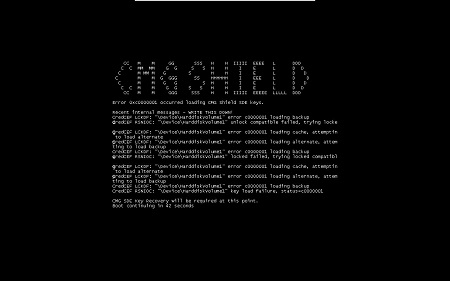
注意: 錯誤在您的端點上看起來可能略有不同。
如果檢查總和或登錄檔修改為有意為之,則可執行本機安全性管理員 (LSA) 復原,以解決藍色或黑色畫面的問題。如需詳細資訊,請參閱如何執行 Dell Encryption Enterprise 或 Dell Encryption Personal Edition 復原套裝。
Affected Products
Dell EncryptionArticle Properties
Article Number: 000126735
Article Type: Solution
Last Modified: 30 يوليو 2026
Version: 12
Find answers to your questions from other Dell users
Support Services
Check if your device is covered by Support Services.