PowerEdge: CSIOR을 실행할 수 없는 UEFI0136 POST 중에 시스템이 멈춤
Summary: CSIOR 실행 중 액세스할 수 없는 Lifecycle Controller 펌웨어로 인해 UEFI136 오류가 발생하여 POST 중에 서버가 중단되는 문제를 해결하는 솔루션
This article applies to
This article does not apply to
This article is not tied to any specific product.
Not all product versions are identified in this article.
Symptoms
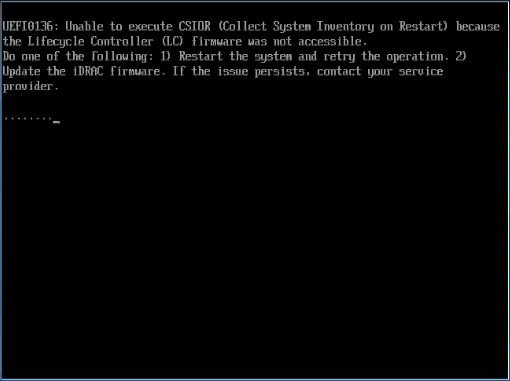
POST 중에 다음 오류가 발생할 수 있습니다.
UEFI0136: Unable to execute CSIOR (Collect System Inventory on Restart) because the Lifecycle Controller (LC) firmware was not accessible.
Do one of the following: 1) Restart the system and retry the operation. 2) Update the iDRAC firmware. If the issue persists, contact your service provider
Cause
CSIOR 실패 메시지가 나타나면서 Lifecycle Controller를 사용할 수 없습니다.
Resolution
- 시스템 설정 F2의 iDRAC 설정에서 LCC(LifeCycle Controller) 컨트롤러가 활성화되어 있는지 확인합니다.
- 서버에 직접 연결된 USB 디바이스( 키보드, 마우스, USB 하드 드라이브 등)를 확인합니다. 이러한 디바이스를 제거하고 결과를 테스트합니다.
- 문제가 여전히 해결되지 않으면 KVM 스위치가 서버에 연결되어 있는지 확인하고 문제 해결을 위해 서버에서 KVM을 제거하여 문제가 지속되는지 확인합니다
- BIOS, LCC 및 iDRAC를 포함한 모든 하드웨어가 최신 상태인지 확인합니다.
CSIOR 작업 없이 서버를 시작할 수 있으며 F1을 눌러 부팅을 계속합니다. 문제를 조사하고 해결하기 위해 유지 보수 기간을 예약하는 것이 좋습니다.
Affected Products
C Series, HS Series, Modular Infrastructure, Rack Servers, Tower Servers, XE Servers, iDRAC8, iDRAC9, Lifecycle Controllers, OEM Server SolutionsProducts
XR ServersArticle Properties
Article Number: 000143332
Article Type: Solution
Last Modified: 05 مايو 2026
Version: 6
Find answers to your questions from other Dell users
Support Services
Check if your device is covered by Support Services.