PowerEdge: CSIOR UEFI0136 yürütülemediğinde POST sırasında sistem kilitleniyor
Summary: CSIOR yürütmesi sırasında erişilemeyen Lifecycle Controller bellenimi nedeniyle hata UEFI136 ile POST sırasında sunucunun askıda kalması için çözüm
This article applies to
This article does not apply to
This article is not tied to any specific product.
Not all product versions are identified in this article.
Symptoms
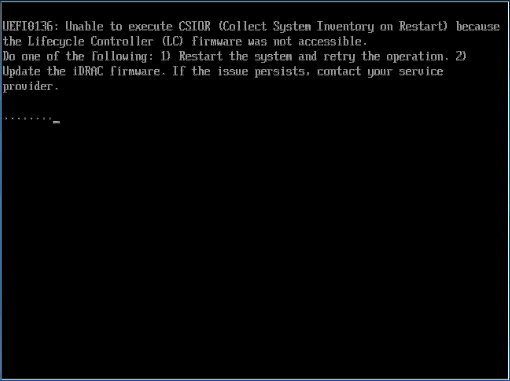
POST sırasında aşağıdaki hata gözlemlendi:
UEFI0136: Unable to execute CSIOR (Collect System Inventory on Restart) because the Lifecycle Controller (LC) firmware was not accessible.
Do one of the following: 1) Restart the system and retry the operation. 2) Update the iDRAC firmware. If the issue persists, contact your service provider
Cause
Lifecycle Controller, CSIOR hata mesajıyla birlikte kullanılamaz.
Resolution
- Sistem Kurulumu F2'dekiiDRAC ayarlarında Yaşam Döngüsü Denetleyicisi (LCC) Denetleyicisi'nin etkinleştirildiğini doğrulayın.
- Sunucuya doğrudan bağlı tüm USB aygıtlarını (ör. klavye, fare, USB sabit sürücüler) kontrol edin. Bu aygıtları çıkarın ve sonuçları test edin.
- Sorun hala çözülmediyse sunucuya bir KVM anahtarının bağlı olup olmadığını doğrulayın, sorun giderme amacıyla sorunun devam edip etmediğini doğrulamak için KVM'yi sunucudan kaldırın
- BIOS, LCC ve iDRAC dahil olmak üzere tüm donanımların güncel olduğundan emin olun.
Sunucu, CSIOR işlemi olmadan başlatılabilir. Önyüklemeye devam etmek için F1 tuşuna basın. Sorunu araştırmak ve çözmek için bir bakım aralığı planlamanız önerilir.
Affected Products
C Series, HS Series, Modular Infrastructure, Rack Servers, Tower Servers, XE Servers, iDRAC8, iDRAC9, Lifecycle Controllers, OEM Server SolutionsProducts
XR ServersArticle Properties
Article Number: 000143332
Article Type: Solution
Last Modified: 05 مايو 2026
Version: 6
Find answers to your questions from other Dell users
Support Services
Check if your device is covered by Support Services.