Cyber Recovery: Error logging in "login: 502 Bad Gateway"
Summary: Cyber Recovery login in failure with 502 Bad Gateway error
This article applies to
This article does not apply to
This article is not tied to any specific product.
Not all product versions are identified in this article.
Symptoms
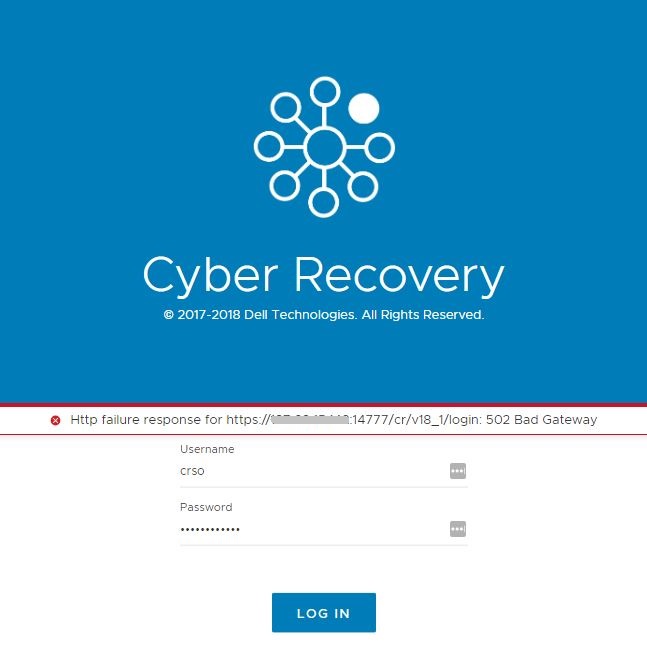
The following error appears while trying to login to Cyber Recovery:
login: 502 Bad Gateway
Cause
This can happen due to one or two issues:
- If firewall rules are not applied and saved to allow the following ports 14777-14780.
- If the Docker Compose version is less than the required version.
Resolution
To test which of these issue can be causing this issue. Follow the steps:
- Disable the firewall on the Cyber Recovery Server. Then try to login, if you can login then you must check your firewall rules to ensure that ports 14777-14780 are open.
To disable the firewall:
# service firewalld stop
- Check to see if you can login using the CLI to ensure that you don't have other issues. If the login is successful, then go to step 3
Example:
# cd /opt/dellemc/cr/bin/
# ./crcli login --username crso
crso password:
User login successful
- If the firewall is down and you still cannot login check the Docker Compose version.
Example:
# docker-compose --version
docker-compose version 1.22.0, build f46880fe
NOTE: In this case the docker version is greater than the required version so it is ok.
- If the docker version is lower than the required version. Then update the Docker Compose version to a minimum of what is specified in the install guide.
Additional Information
Link to Docker Compose install instructions:
https://docs.docker.com/compose/install/ (External Link)
Affected Products
PowerProtect Cyber RecoveryProducts
PowerProtect Cyber RecoveryArticle Properties
Article Number: 000164966
Article Type: Solution
Last Modified: 17 نوفمبر 2025
Version: 4
Find answers to your questions from other Dell users
Support Services
Check if your device is covered by Support Services.