IDPA:無法在執行升級後工作時建立保護軟體檢查點
Summary: 在 2.7 年後的升級工作中,Avamar 和 Appliance Configuration Manager (ACM) 都會觸發 Avamar 維護工作,這可能會導致其中一項失敗。
Symptoms
CASE 1:ACM 會嘗試覆寫 Avamar 維護排程器,以在 Avamar 上建立檢查點。當時可能正在進行的任何 Avamar 維護活動可能會因為覆寫而終止。Avamar: failed hfscheck maintenance with error MSG_ERR_KILLED or similar message related to the failure of a maintenance activity is displayed on the Avamar UI Events page.
案例2:如果 ACM 無法覆寫 Avamar 維護活動,則裝置升級進度頁面會顯示下列警告: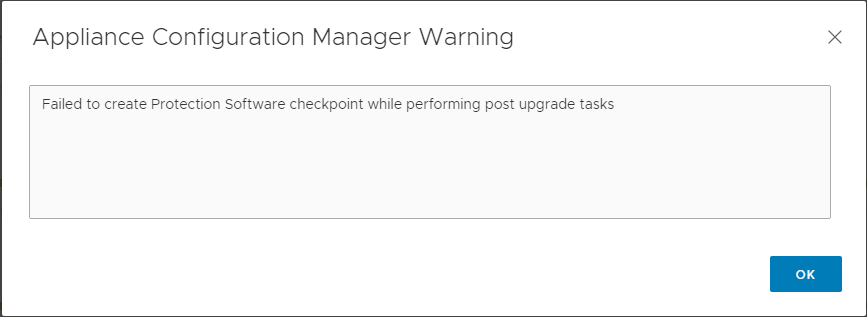
Cause
作為升級後工作的一部分,ACM 會嘗試在 Avamar 上設定檢查點。這是為了防止因為突然關機或類似中斷而導致的資料遺失。這可能會導致下列其中一個故障案例。
案例 1:
ACM 成功覆寫 Avamar 維護排程器以建立檢查點:
2021-08-13 12:15:55,621 INFO  [Thread-118]-avadapter.AvamarUtil: takeAvamarCheckPoint -->  Starting to execute:mccli checkpoint create --override_maintenance_scheduler
2021-08-13 12:15:55,621 INFO  [Thread-118]-util.SSHUtil: Creating session using SSH parameters:          Host     : [10.198.1.79]        User     : [admin]      Password : [**********]
2021-08-13 12:15:55,621 INFO  [Thread-118]-util.SSHUtil: Connecting to host [10.198.1.79] using provided credentials.
覆寫維護排程器會停止任何進行中的 Avamar 維護工作,例如 HFSCheck,在本例中會導致錯誤 MSG_ERR_KILLED。
案例2:
ACM 無法成功覆寫 Avamar 維護排程器以建立檢查點,因為 Avamar 已啟動檢查點工作。在此情況下,ACM 裝置升級進度頁面會顯示警告,如下所示: 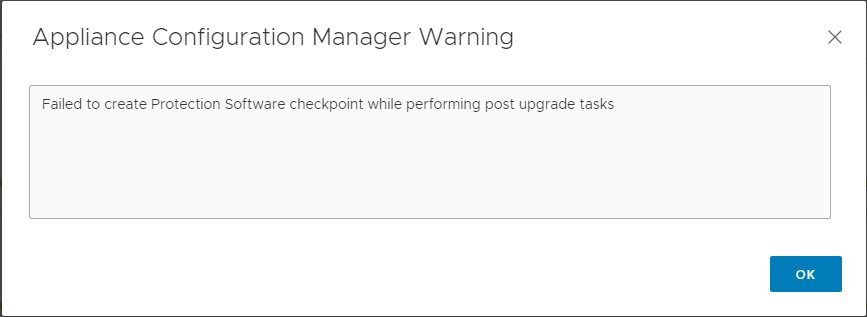
注意:在這種情況下,請連線至 Avamar Server,並確認已在升級成功完成後建立最新的檢查點。
Resolution
案例 1 的解決方案:
Avamar 觸發維護活動失敗是預期行為。忽略並確認 Avamar AUI 事件頁面中的此錯誤。
Avamar 是否也會因為失敗 (終止) 而回報資料完整性警示 hfscheck,請聯絡支援部門並參考本文和 KB:000174970。
案例 2 的解決方案:
使用具有管理員登入資料的 SSH 連線至 Avamar 伺服器,並使用下列命令來確認已成功建立最新的檢查點:
cplist --full
請確定檢查點建立日期和時間是在升級成功完成後。
如果最新的檢查點(在升級成功完成後創建)不存在,請使用以下步驟手動創建檢查點:
- 使用管理員認證開啟 putty/SSH 至 AVE。
- 暫停維護排程器:
dpnctl stop maint - 停止備份排程器服務:
dpnctl stop sched - 確認服務已暫停或停止:
dpnctl status - 設定檢查點:
avmaint checkpoint --ava - 監控檢查點狀態並記下檢查點名稱:
watch avmaint cpstatus - 一旦
status="completed"和result="OK",在手動檢查點執行檢查點驗證 (HFS 檢查):avmaint hfscheck --ava --rolling=true --full=false(驗證它正在驗證新創建的檢查點)。 - 命令完成後,請監控 HFS 檢查狀態:
watch avmaint hfscheckstatus - 輸出應為
status="completed" and result="OK"。 - 確認您有新建立的 CP 和
HFScheck在 AVE 上:cplist --full