PowerStore: System Health Checks Detected Nonredundant Initiators
Summary: The System Health Checks validation detected nonredundant initiators.
Symptoms
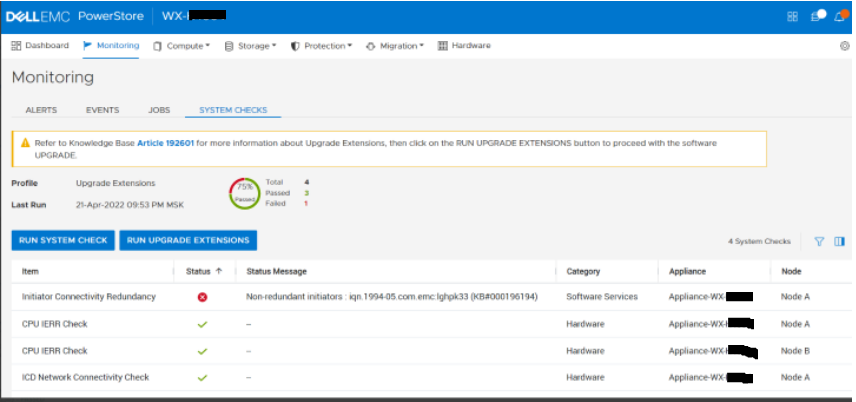
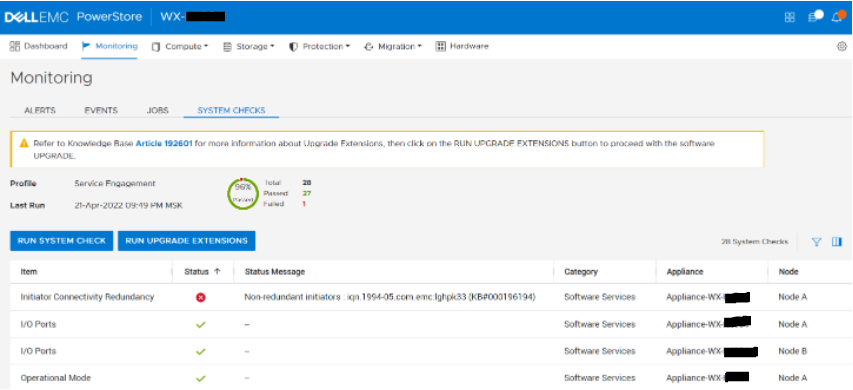
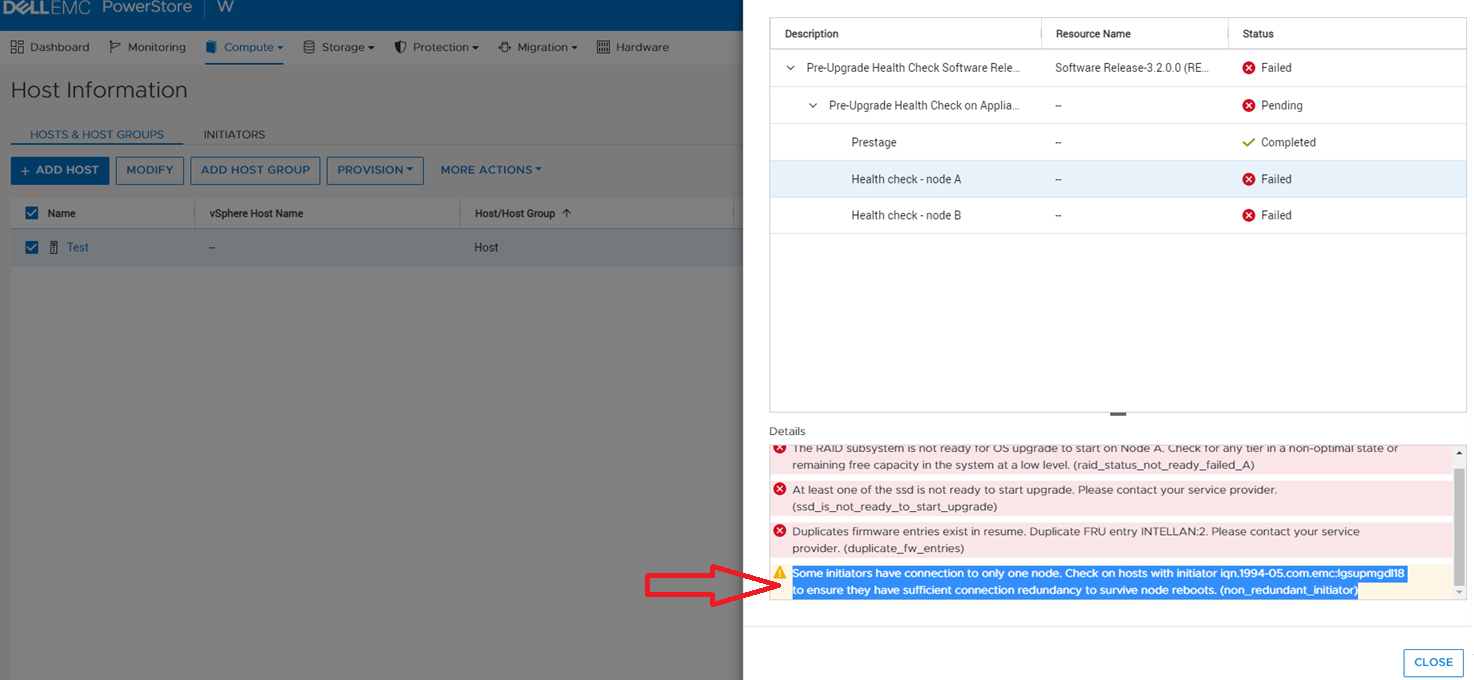
The PowerStore health checks may detect nonredundant initiators between the appliance and a host. The health checks may display the following messages:
- Nonredundant initiators: < list > (KB#000196194)
- Some initiators have connection to only one node
These can be seen in one of the following scenarios:
Running a System Check using PowerStore Manager with the Run Upgrade Extensions option (PowerStoreOS 2.1.x only)
Running a System Check using PowerStore Manager with the Run System Check option
Running the System Health Service Script (svc_health_check) using an SSH connection:
[SVC:service@50XXXXX-B user]$ svc_health_check
Name                          Location Status     Description
Initiator Connectivity Redu.. node_a   FAILED     Non-redundant initiators : 10:XX:XX:XX:fa:a0:a0:XX
                                                  (KB#000196194)
Running the Pre-Upgrade Health Check (PUHC) (PowerStoreOS 3.x only)
Cause
The above messages indicate that the System Health check detected nonredundant initiators. I/O connectivity to the host is at risk during the PowerStoreOS upgrade, or if there is a failure of a node in the appliance. This validation checks initiator connections to ensure that each initiator has at least one connection to each node. This test is from the perspective of the appliance. From the host, the configuration may appear as redundant. For example, a host has two initiators, however, each only connects to the same node.
Resolution
Host connectivity should be configured as recommended in the Host Configuration Guide available at PowerStore: Info Hub - Product Documentation and Videos.
This test may raise false alarms owing to various valid permutations supported by various multipathing schemes. Perform careful analysis of the pathing scheme being used to ensure that redundant pathing is provided. Newly installed systems with no initiators defined may also raise a false positive.
| Important notes |
|---|
|
If the lack of redundancy between the appliance and the host is confirmed, correct this issue before any upgrades, or other maintenance operations are attempted, to prevent loss of connectivity from the host.
If you are certain that all hosts are configured correctly, and the errors persist, contact Dell Technical Support or your Authorized Service Representative, and quote this knowledge base article ID.