NVP vProxy is already registered with another NetWorker server
Summary: NetWorker vProxy appliance re-registration fails stating that vProxy is already registered.
This article applies to
This article does not apply to
This article is not tied to any specific product.
Not all product versions are identified in this article.
Symptoms
The NetWorker VMware Protection (NVP) is configured with the vProxy appliance. When attempting to re-register a vProxy in the NetWorker Management Console (NMC), the re-registration fails.
nsrvproxy_mgmt: vProxy management job started with CLI: 'C:\Program Files\EMC NetWorker\nsr\bin\nsrvproxy_mgmt.exe register -s vproxy.local.com -v vCenter.local.com -h vproxy -p 9090 -j 13 -k 0 '
nsrvproxy_mgmt: Starting 'vProxy.local.com' vProxy registration to 'Networker.server.com' NetWorker server.
nsrvproxy_mgmt: Failed to register vProxy 'vProxy': vProxy is already registered with another Networker server
nsrvproxy_mgmt: vProxy management job completed with errors.
Cause
In this case, the vProxy network settings were reconfigured using the network_config.sh script.
This issue may also appear in an environment with multiple NetWorker servers. The vProxy may have been registered to another NetWorker server and was never properly unregistered before attempting to register it to a new NetWorker server.
Resolution
Force the vProxy unto an unregistered state:
- SSH into the vProxy server and login with the admin user.
- Switch to the root user:
sudo su - - Stop the
vrapidservice:systemctl stop vrapid - Create a copy of the
vProxyState.datfile:
cp /opt/emc/vproxy/runtime/state/vProxyState.dat /opt/emc/vproxy/runtime/state/vProxyState.dat_$(date -I)
- Create a copy of the
vProxyRegistry.datfile:
cp /opt/emc/vproxy/runtime/state/vProxyRegistry.dat /opt/emc/vproxy/runtime/state/vProxyRegistry.dat_$(date -I)
- Force the vProxy into an unregistered state:
echo UNREGISTERED > /opt/emc/vproxy/runtime/state/vProxyState.dat
- Remove the NetWorker server from the
vProxyRegistry.datfile:
sed -i 's/"BackupServerName":"[^"]*"/"BackupServerName":""/' /opt/emc/vproxy/runtime/state/vProxyRegistry.dat
- Start the
vrapidservice:systemctl start vrapid
Reregister the vProxy:
- From a root shell or Administrator PowerShell prompt on the NetWorker server, run:
nsradmin - From the
nsradminprompt, enter:option hidden - From the nsradmin prompt, enter:
visual - This opens an interactive
nsradminutility in the prompt window. You can use the keyboard arrow keys and Tab key to navigate. - From the Select menu, highlight NSR VMware proxy, then press Enter.

- Highlight Next under the menu and press Enter until the vProxy that requires re-registration is listed.
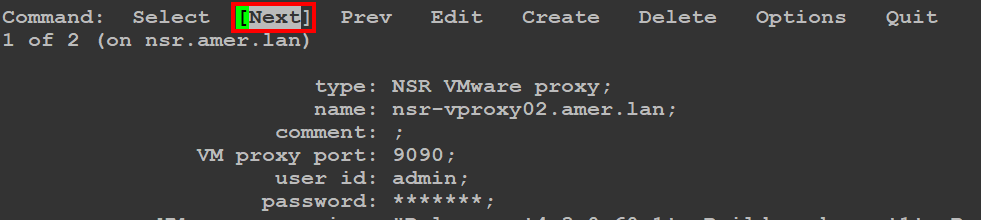
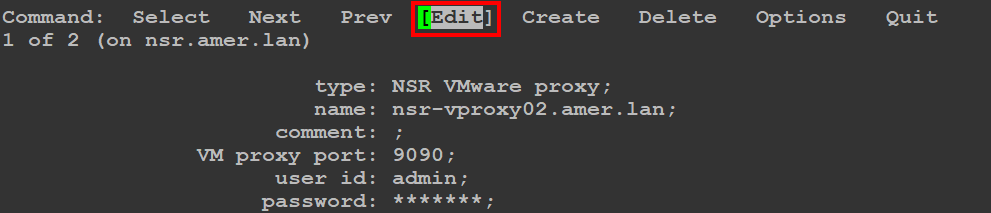
- Once the vProxy is identified, select the Edit option from the menu, then press Enter.
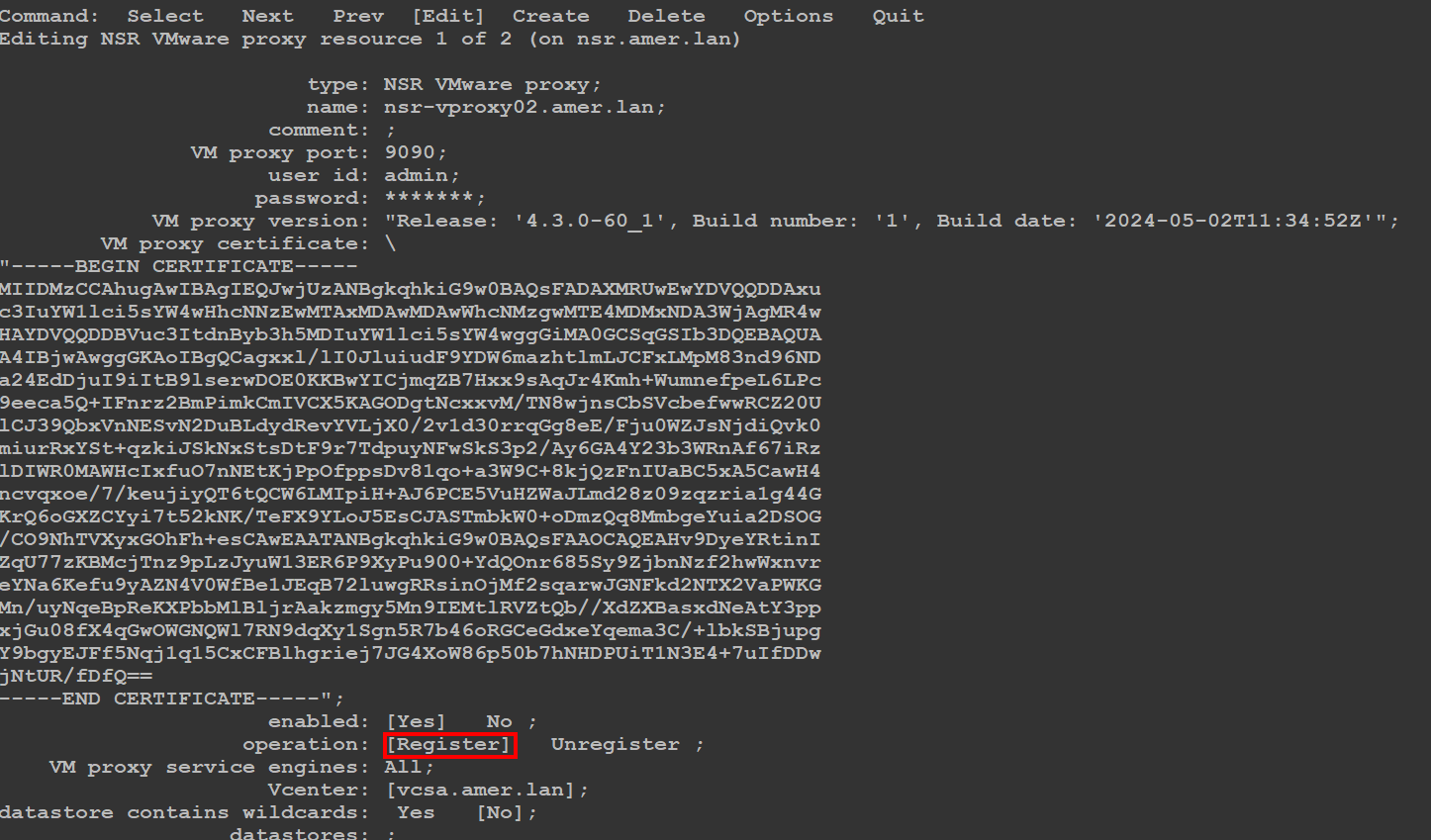
- Using your arrow keys, move down to the field that shows Operation and select Register, then press Enter.
- Press the ESC key on your keyboard, then press Enter to save the changes:

- Press
qto exit visual mode. - Press
qto exitnsradmin. - The NetWorker Management Console's (NMC) log window reports if the vProxy registered successfully:

vProxy registration messages are also in the NetWorker server's daemon.raw:
- Linux: /nsr/logs/daemon.raw
- Windows (Default): C:\Program Files\EMC NetWorker\nsr\logs\daemon.raw
- NetWorker: How to use nsr_render_log to render .raw log files
Videos
Affected Products
NetWorkerProducts
NetWorker FamilyArticle Properties
Article Number: 000197856
Article Type: Solution
Last Modified: 16 يناير 2026
Version: 2
Find answers to your questions from other Dell users
Support Services
Check if your device is covered by Support Services.